

Payment declines
Payment declines
Not every payment is completed successfully. In some cases, a payment may fail, be refunded, disputed, or adjusted.
The Payment Declines section helps you understand why a payment wasn't completed and how it affects your earnings and available balance.
When Payments May Be Adjusted
A deduction or payment adjustment may appear when:
- A customer's payment fails or is declined.
- A refund is issued.
- A chargeback or payment dispute is opened.
- Platform or payment processing fees are applied.
These adjustments are processed automatically and are reflected in your Payments section.
View Payment Adjustments
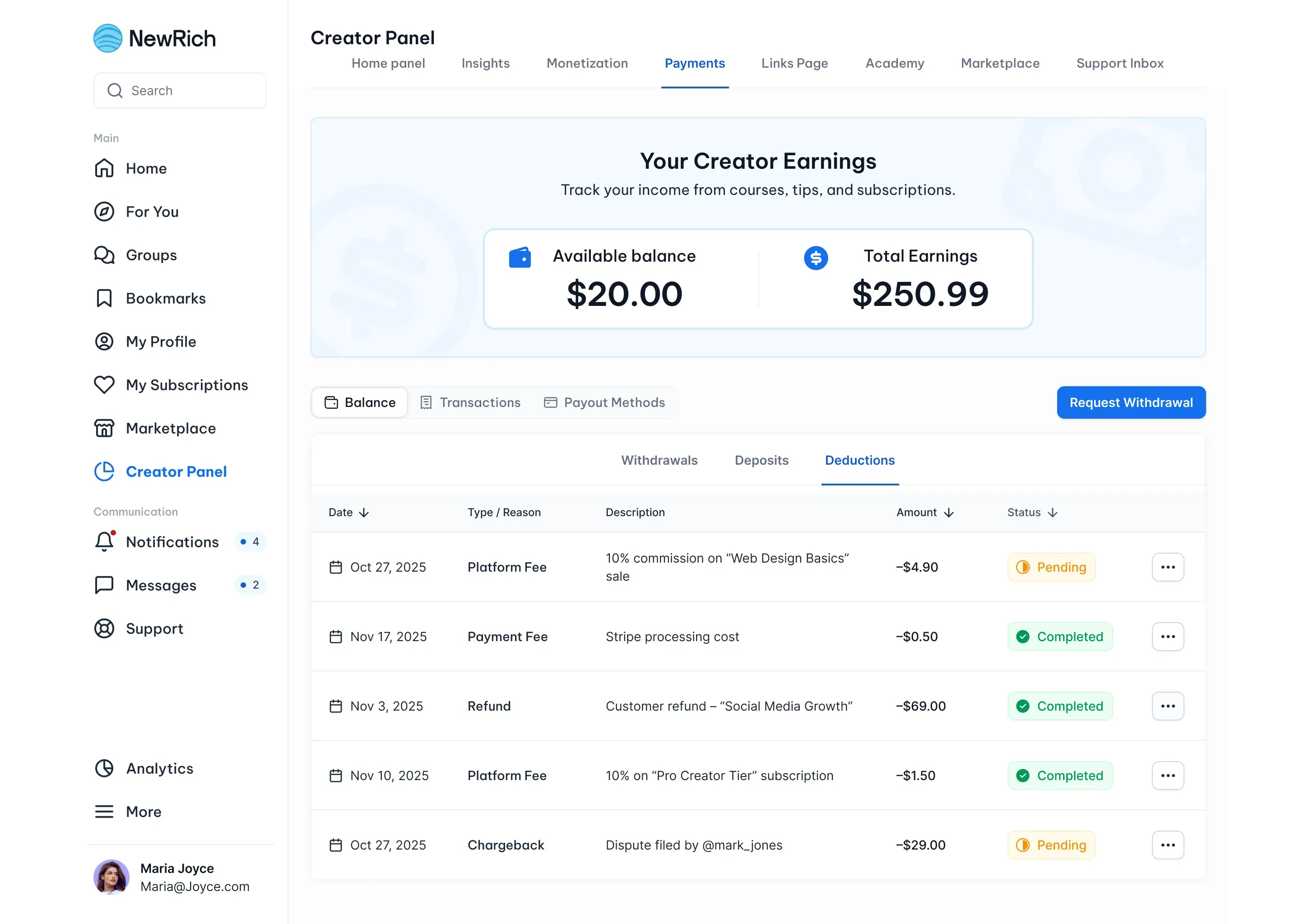
You can review all payment declines, refunds, fees, and other deductions in:
Creator Panel → Payments → Deductions
Each entry includes:
- Adjustment reason
- Related product or transaction
- Deducted amount
- Current status
This makes it easy to understand how each adjustment has affected your earnings.
Chargebacks & Disputes
If a customer disputes a payment, a chargeback is created.
From the chargeback details, you can:
- View dispute information.
- Open the original transaction.
- Review the customer's access activity.
- Submit supporting evidence when a response is required.
You'll be notified whenever the dispute status changes or a final decision is made.
Refunds & Fees
Refunds and platform fees also appear in the Deductions section.
You'll be able to review:
- Customer refunds.
- Platform fees.
- Payment processing fees.
Receipts and summaries are available to download whenever applicable.
Impact on Your Earnings
Declined payments don't count toward your earnings.
Refunds, chargebacks, and applicable fees are reflected in your available balance, while failed payment attempts don't generate any charges.
Automatic Payment Retry
For subscription payments, NewRich automatically retries failed payment attempts based on the configured retry schedule.
You can monitor retry attempts and their status from the Transactions section.