Courses
Courses
Courses on NewRich let you learn new skills from creators through video, PDF, and audio lessons. Depending on the creator's settings, courses can be free or require a one-time purchase or an active subscription.
You can discover courses in several places across the platform:
- Suggested Courses in the right sidebar
- The creator's Courses section on their public profile
- The Marketplace
- Search results
Once you unlock a course, you can start learning immediately.
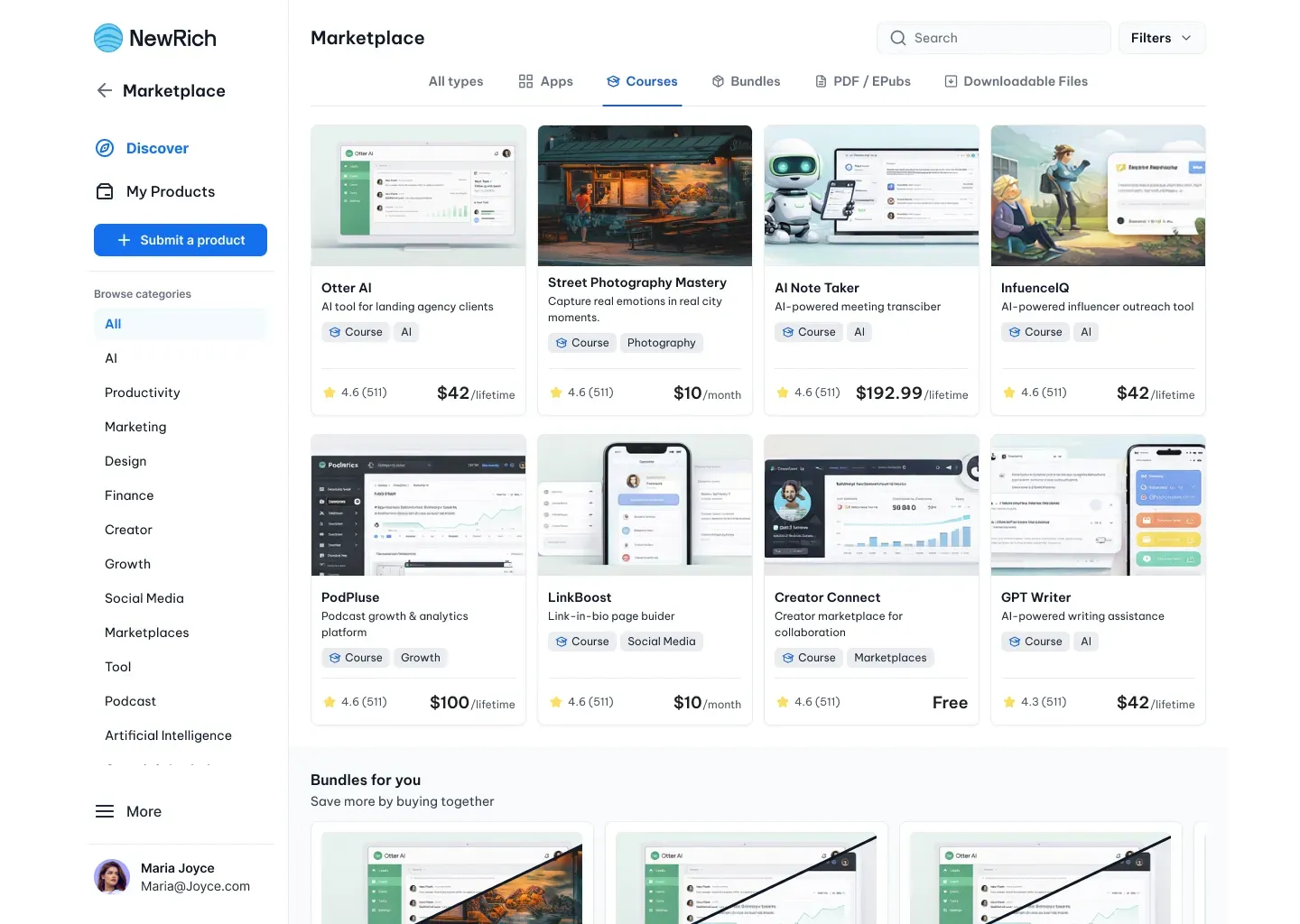
Discovering a Course
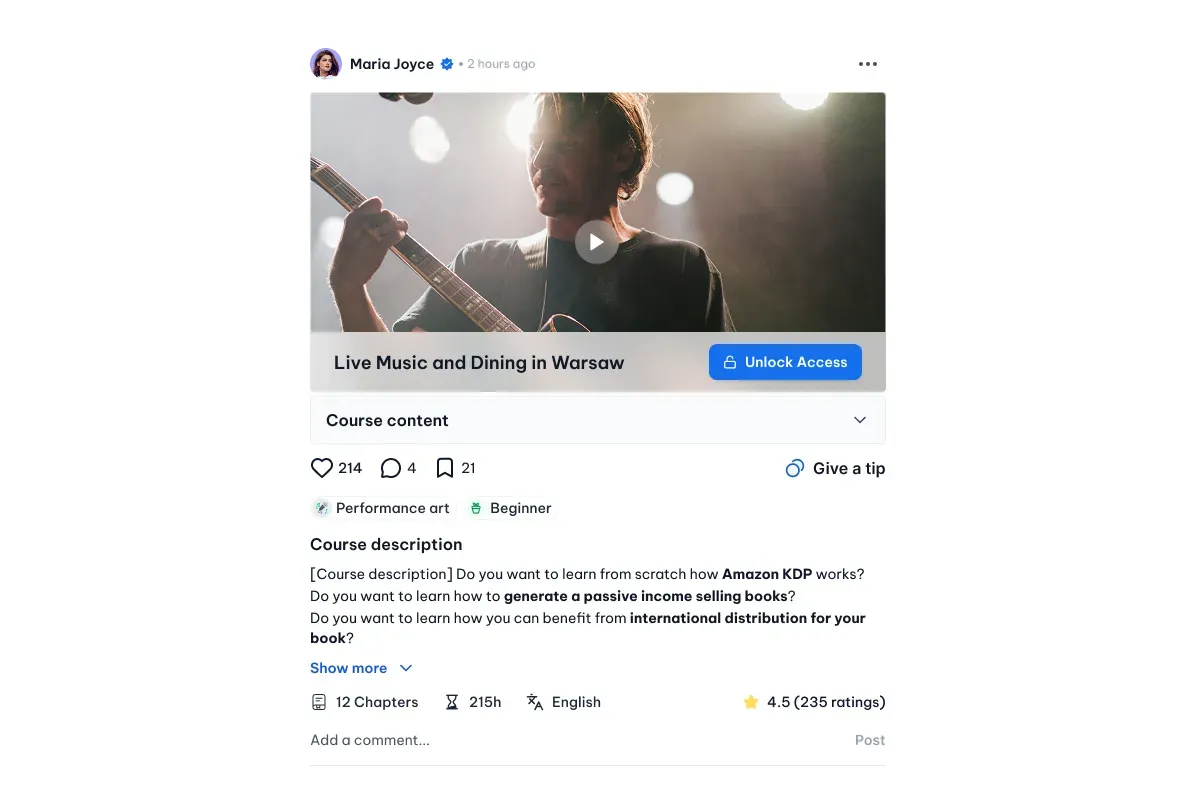
Some creators also share courses directly in their Subfeeds.
When a course is available in a Subfeed, you'll first see a course card with a quick overview, including the title, creator, rating, duration, and pricing.
Select the card to open the Course Details page, where you can explore the course and unlock access.
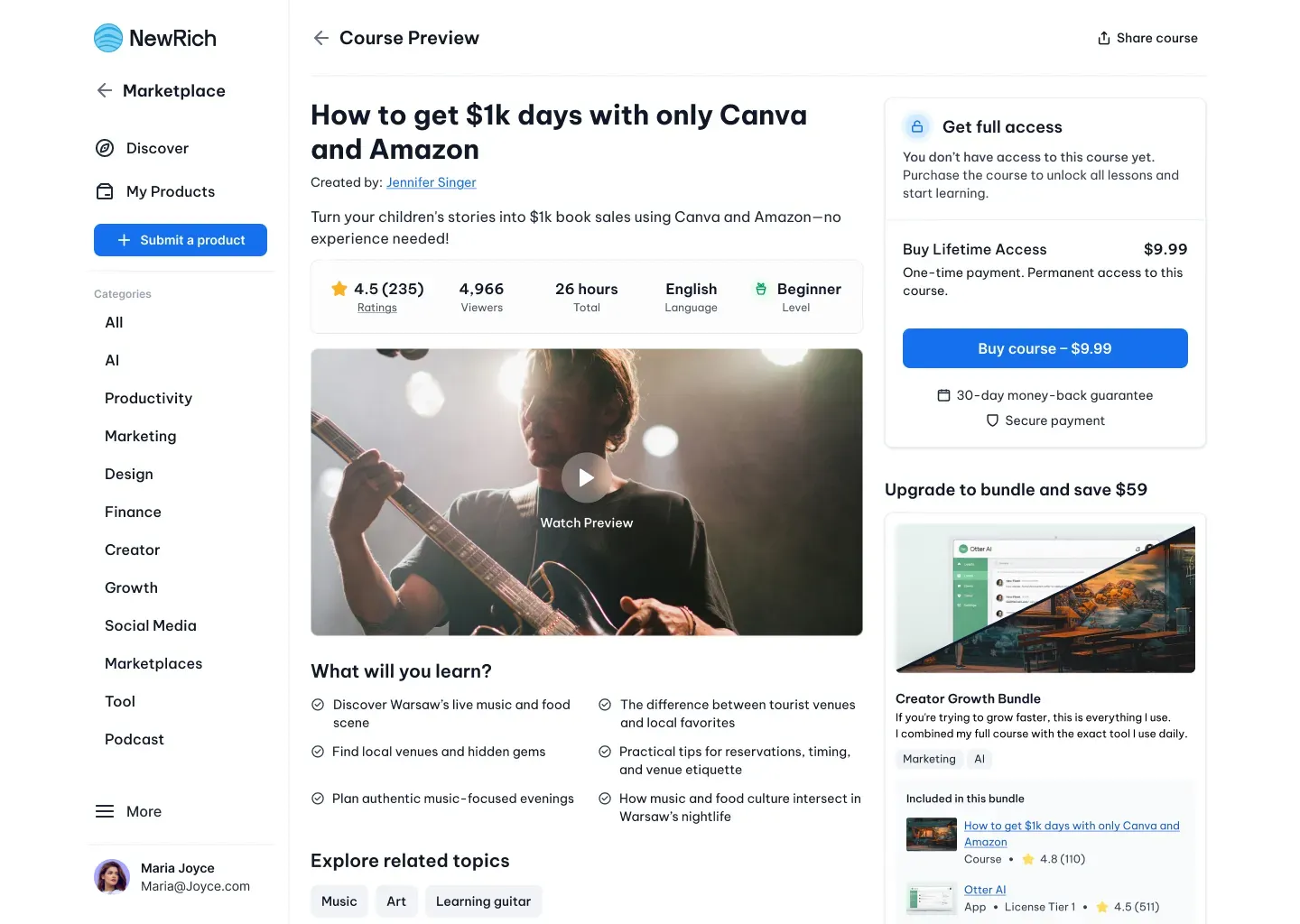
Course Details Page
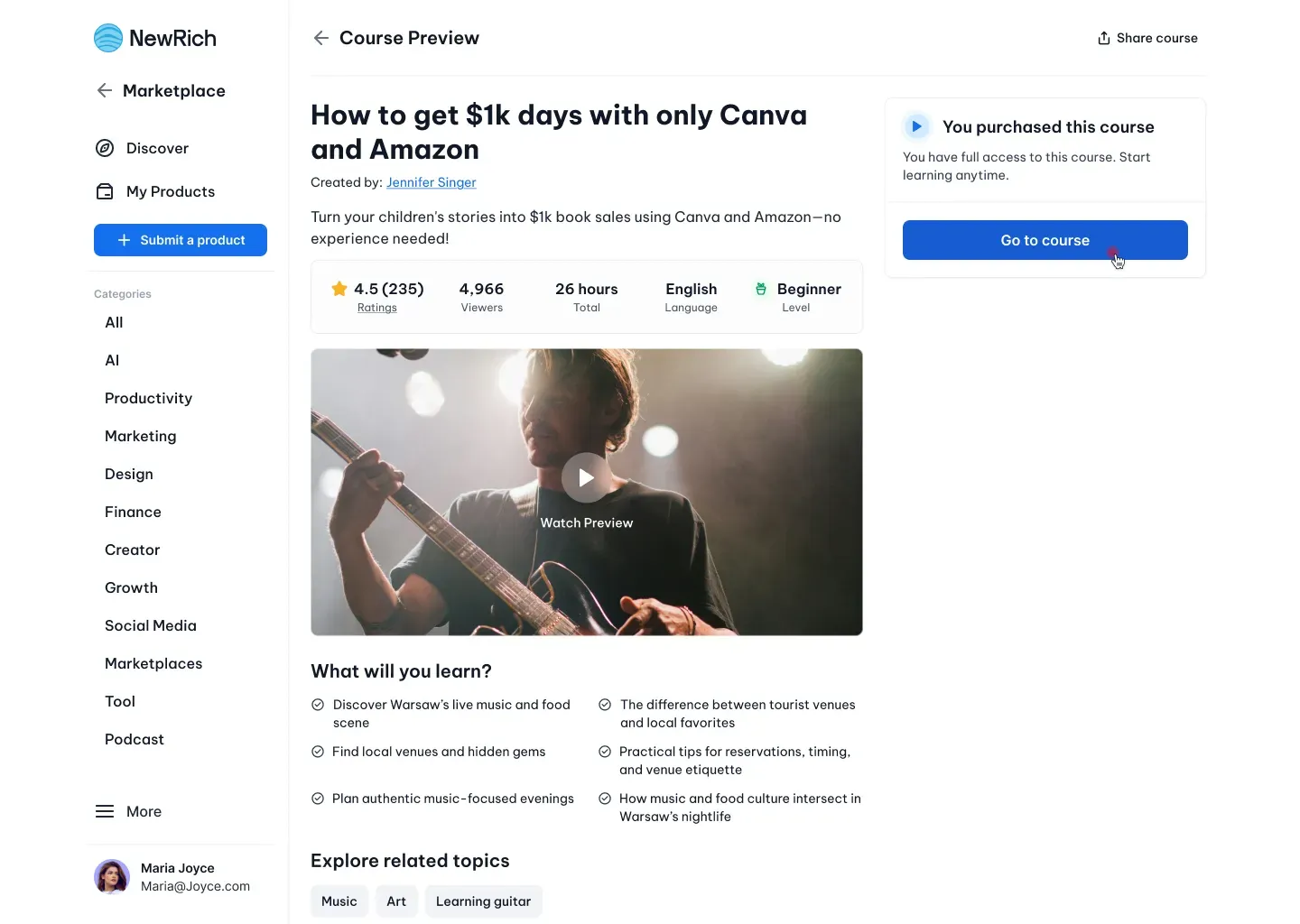
The Course Details page gives you everything you need before enrolling. You can watch the preview video, read a detailed description, explore the curriculum, see what you'll learn, review instructor information, browse ratings from other students, and discover similar courses recommended by the platform.
If the course requires payment, this page also displays all available purchase options.
Unlocking a Course
Creators can offer courses in different ways depending on their business model. Some courses are completely free, while others require a one-time purchase, an active subscription, or can be purchased as part of a discounted bundle.
After completing your purchase, access is granted immediately and the course becomes available from My Subscriptions → Active Courses, the creator's profile, and the Marketplace.
Learning Experience
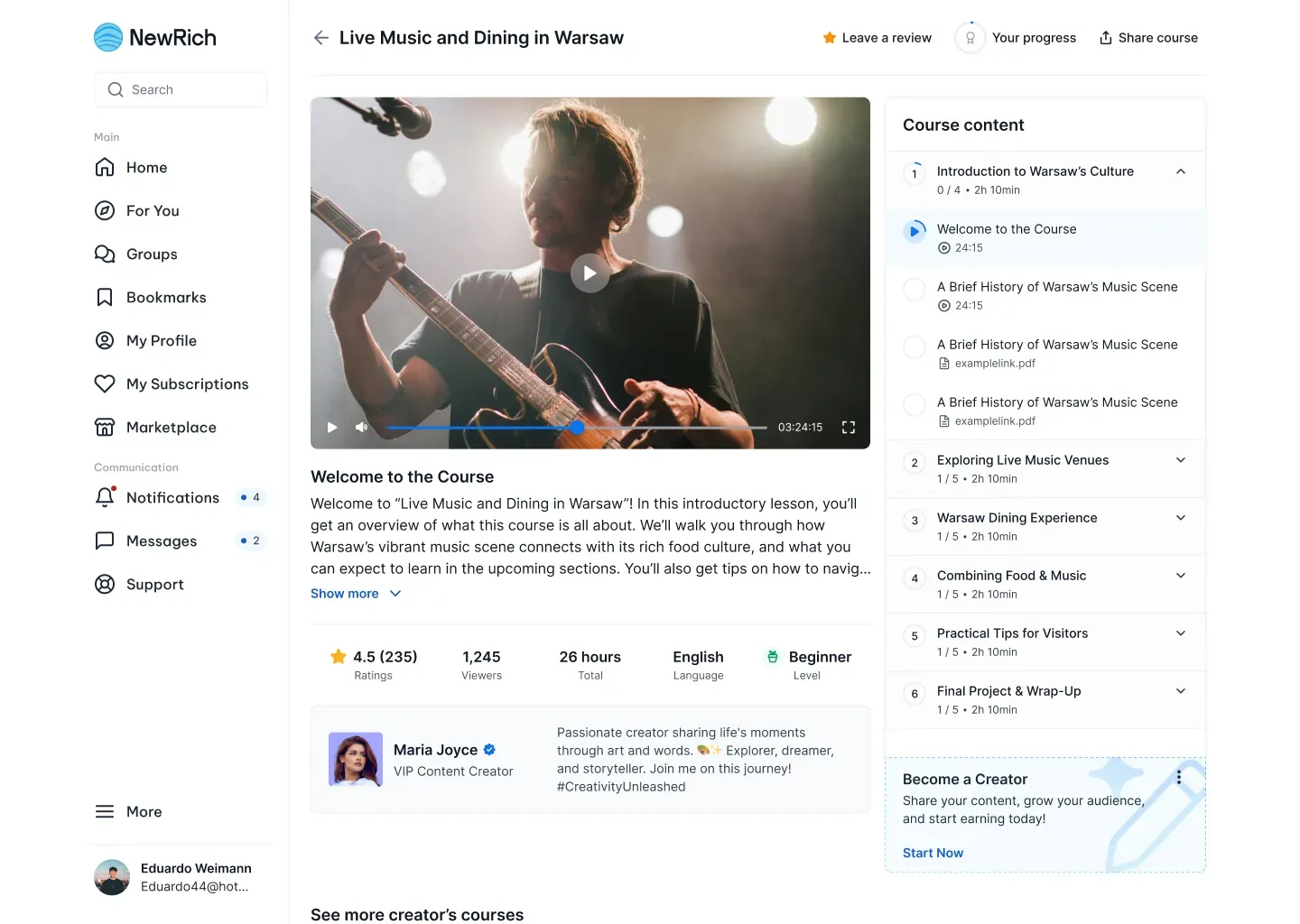
Selecting Go to Course opens the course player and automatically resumes your progress from where you last stopped.
Depending on the course, lessons may include videos, PDFs, audio recordings, downloadable resources, lesson descriptions, quizzes, and progress tracking. Your progress is saved automatically, allowing you to continue learning from any device.
Lesson Types
Creators can combine different lesson formats within a single course to create a richer learning experience.
- Video Lessons - Video lessons are played directly inside NewRich using the built-in player. You can control playback, browse the course curriculum, and read lesson descriptions without leaving the page.
- PDF Lessons - PDF lessons open in the integrated document reader, allowing you to read learning materials in full-screen mode while keeping your place in the course.
- Audio Lessons - Audio lessons use the built-in player, making it easy to listen while following lesson notes or learning on the go.
Completing a Course
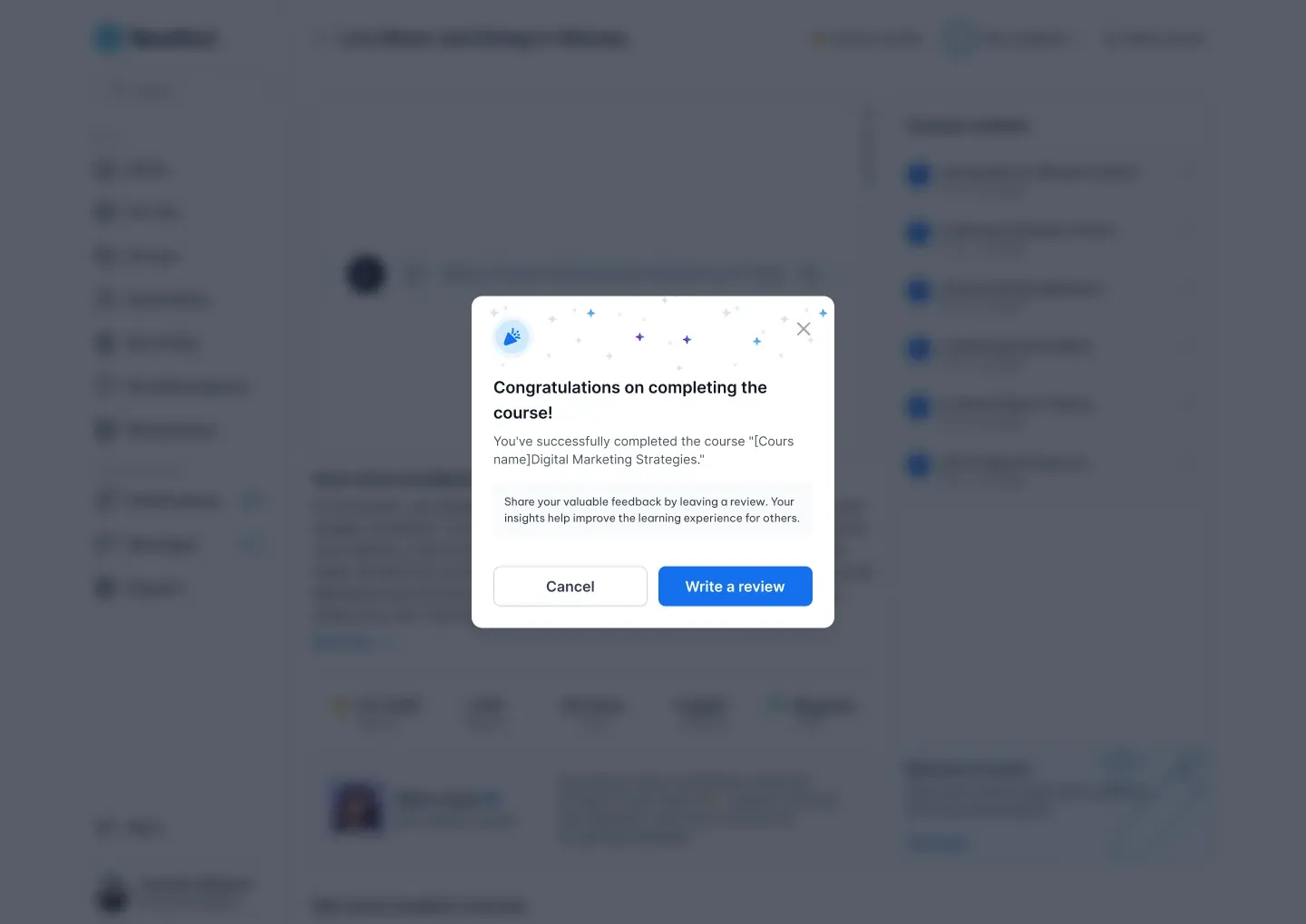
When you've completed every lesson, NewRich celebrates your achievement and invites you to leave a review for other members.
Your review helps creators improve their courses while making it easier for future students to discover high-quality learning content. Even after completion, your course remains available in your library, so you can revisit any lesson whenever you need a refresher.