

Manage disputes
Manage disputes
Sometimes a customer may dispute a payment for a course, subscription, post, or other purchase.
Use the Disputes section to review each case, track its progress, and understand how it affects your earnings and available balance.
Where to Find Your Disputes
Creator Panel → Payments → Deductions
All disputes, chargebacks, and related payment adjustments appear here automatically.
Dispute Overview
Each dispute includes the following information:
- Date created
- Dispute reason
- Related product or transaction
- Disputed amount
- Current status
This overview helps you quickly understand the reason for the dispute and its current progress.
View Dispute Details
Open a dispute to review additional information, including:
- The reason for the dispute
- The original transaction
- Customer access activity
- Related receipts or payment summaries
These details help you understand what happened before the dispute was opened.
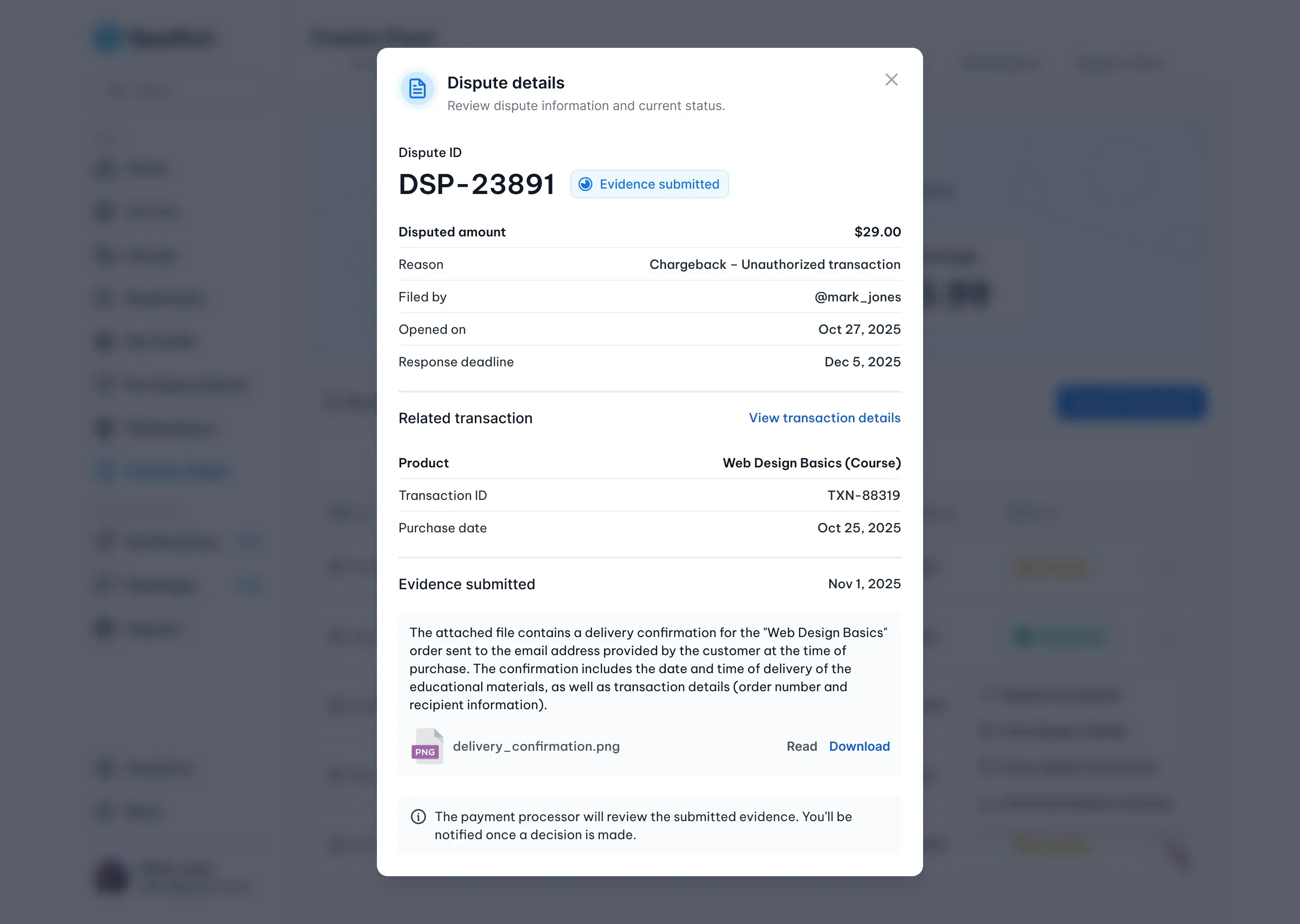
Respond to a Dispute
Some disputes require additional information from the creator.
If a response is requested, you can:
- Submit an explanation.
- Upload supporting documents, such as proof of delivery or access logs.
Once your response has been submitted, the payment provider reviews the case and makes the final decision.
You'll be notified whenever the dispute status changes.
Impact on Your Earnings
While a dispute is being reviewed:
- The disputed amount may be marked as pending or temporarily deducted.
- Your available balance may be reduced until the case is resolved.
Once the dispute is closed, any balance adjustments are applied automatically.
Why Managing Disputes Matters
Reviewing disputes regularly helps you:
- Understand how disputes affect your earnings.
- Track refunds and chargebacks.
- Monitor payment activity.
- Identify recurring issues that may require attention.