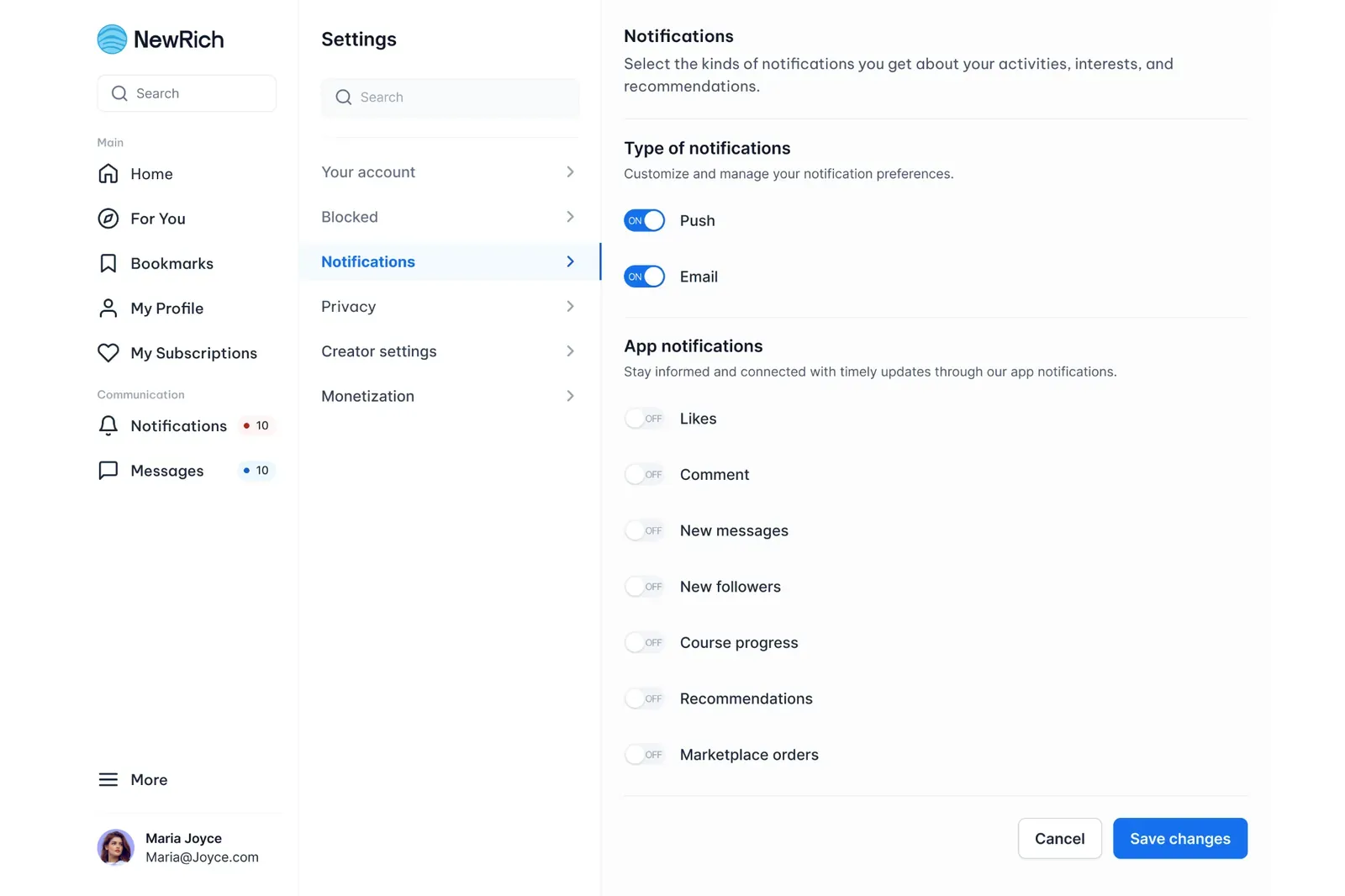
Manage notifications
Manage notifications
Notification settings allow you to control how and when you receive updates about your activity, interactions, and recommendations across the platform.
You can choose which notifications you'd like to receive and decide whether they're delivered as push notifications (in the app or on your mobile device) or by email.
Notification Types
At the top of the Notifications page, you can manage your primary notification channels.
- Push notifications – Receive alerts directly in the app or on your mobile device.
- Email notifications – Receive updates sent to the email address associated with your account.
Each notification channel can be enabled or disabled independently, giving you full control over how you receive updates.
App Notification Categories
Below the notification channels, you can customize which types of activity you'd like to be notified about.
Each category has its own toggle, allowing you to turn notifications on or off individually.
- Likes – Receive a notification when someone likes one of your posts.
- Comments – Get notified when someone comments on your content.
- New messages – Stay informed whenever you receive a new private message.
- New followers – Receive an alert when someone starts following your profile.
- Course progress – Get updates about your enrolled or purchased courses, including learning progress and activity.
- Recommendations – Receive personalized content suggestions, trending topics, and creator recommendations.
- Marketplace orders – Stay updated on purchases, order status changes, and other marketplace-related activity.
You can adjust each notification category at any time to match your preferences.
Saving Your Changes
After updating your notification preferences, click Save changes to apply your new settings.
If you decide not to keep your changes, click Cancel to discard any unsaved modifications.
Your updated notification preferences take effect immediately after they are saved.