Account
Deactivate your account
Find account deactivation options and open the deactivation settings page.
Deactivate your account
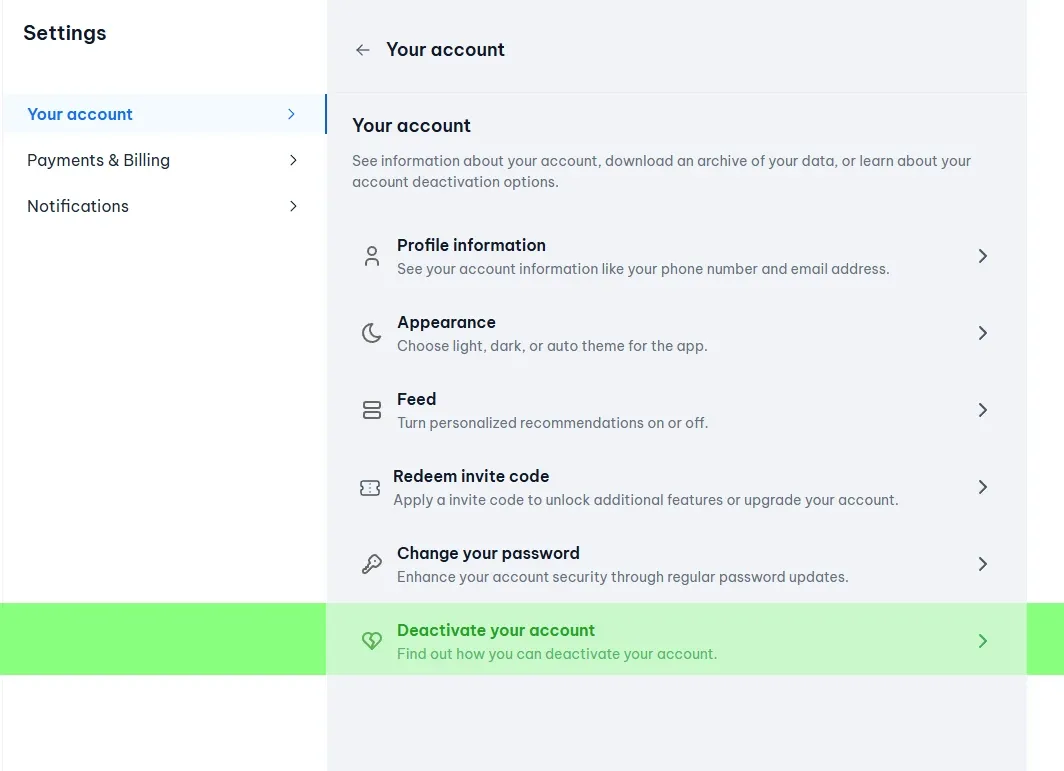
If you want to deactivate your NewRich account, you can do so from your account settings. Deactivation options are listed under Your account, where you can review what happens when you deactivate and continue with the process.
Where to find it
Go to: Settings → Your account → Deactivate your account
Or open the deactivation page directly: https://newrich.com/settings/deactivate-account
Open account deactivation
- Sign in to your NewRich account.
- Open Settings.
- Select Your account.
- Choose Deactivate your account at the bottom of the list.
From there, follow the on-screen instructions to review your options and complete deactivation.