

Member payments
Dispute payments
Open and track payment disputes.
Dispute payments
If your refund request has been declined and you believe the decision was incorrect, you can submit a payment dispute for an additional review.
A dispute allows our support team to investigate your case in more detail before making a final decision.
How to File a Dispute
If your refund request was declined:
- Go to Settings → Payments & Billing → Purchase History.
- Open the purchase you want to dispute.
- Click the More (...) menu.
- Select Dispute Payment.
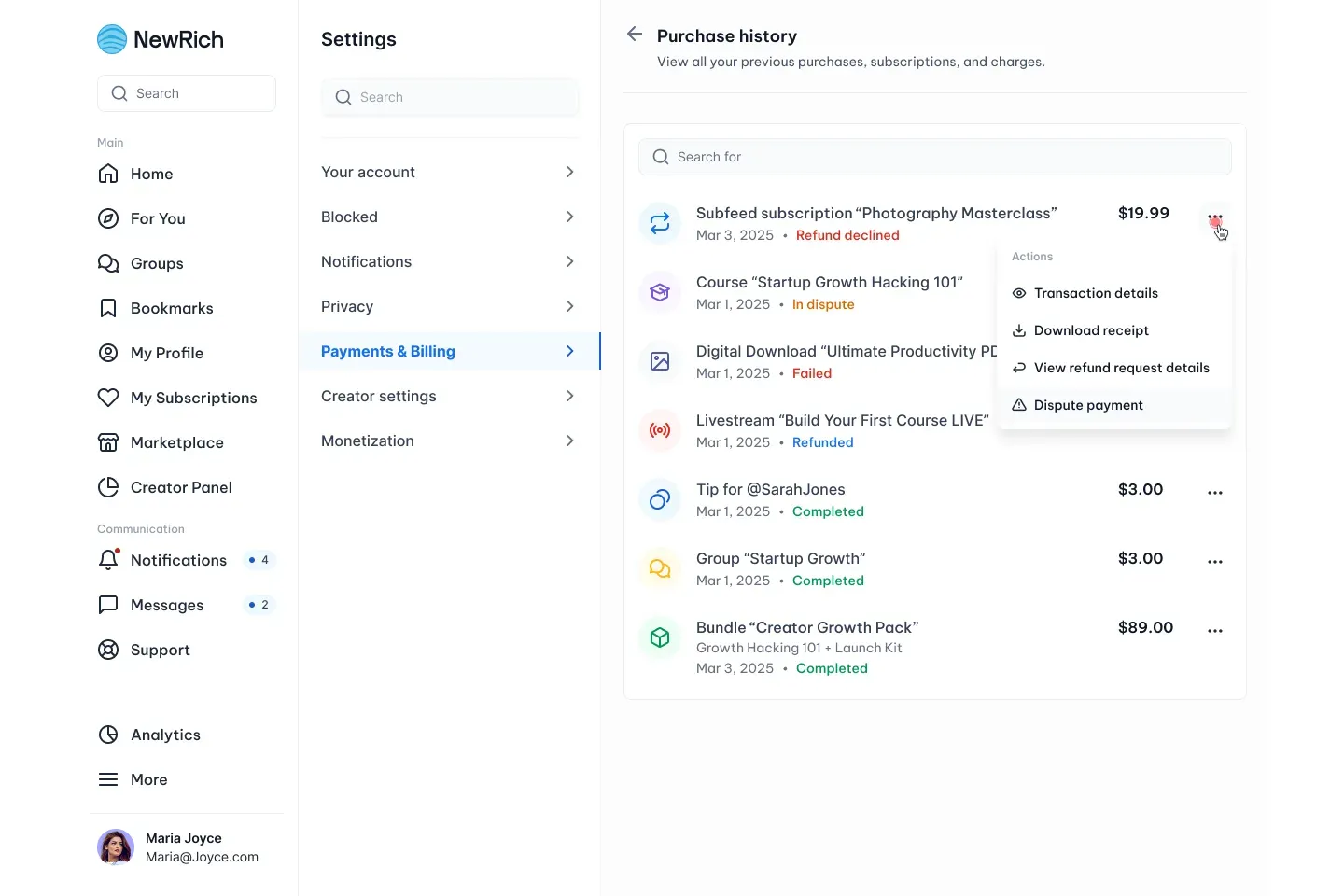
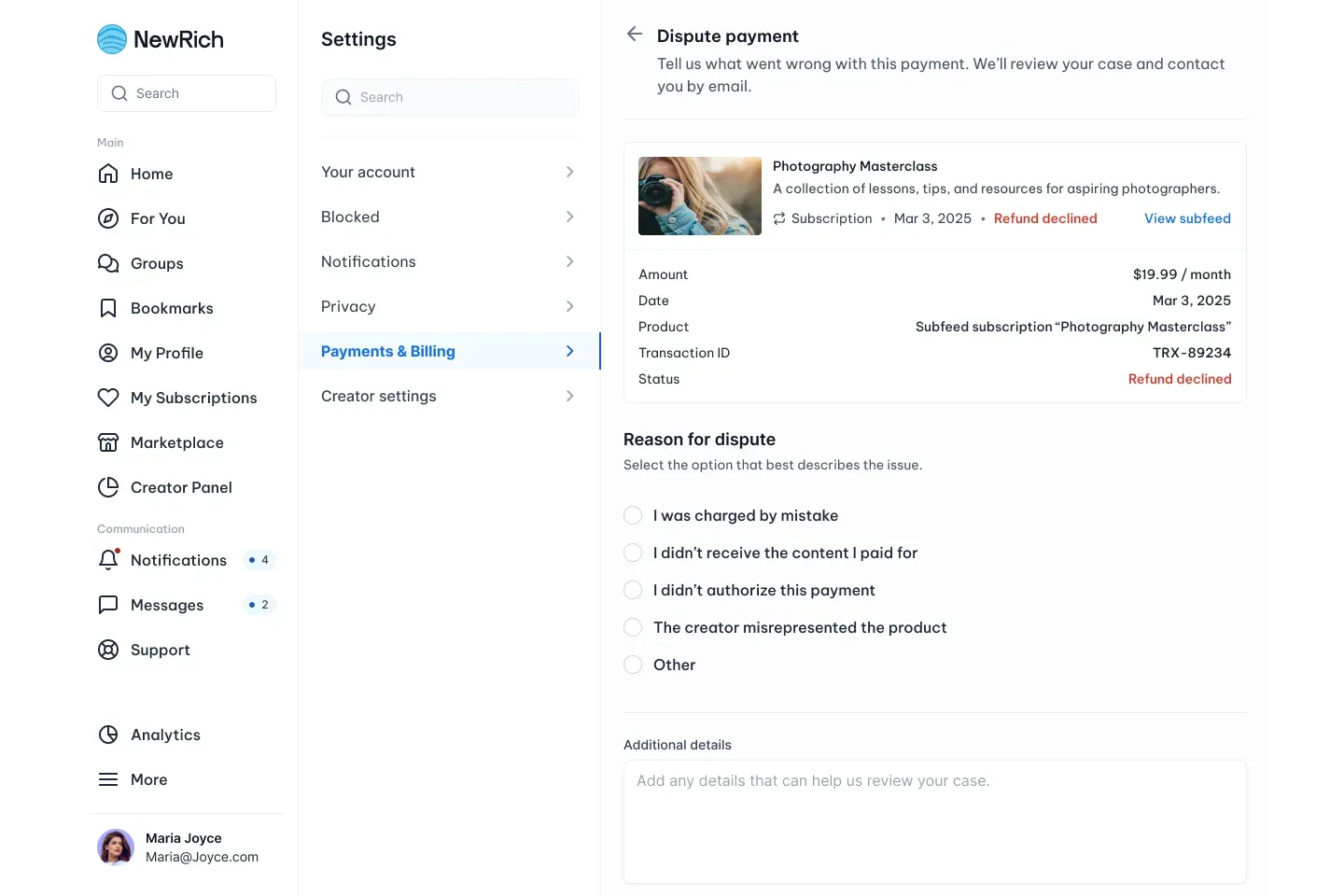
Complete the dispute form by:
- Selecting the reason for your dispute.
- Providing additional details about the issue.
- Uploading any supporting evidence, such as screenshots, receipts, or conversations (optional).
Click Submit Dispute to send your case for review.
What Happens Next
After you submit your dispute:
- Your case is reviewed by the NewRich support team.
- If additional information is required, we'll contact you by email.
- You'll receive a notification once the review has been completed.
- If the dispute is approved, the appropriate refund or compensation will be processed.
Important Notes
Keep the following in mind before submitting a dispute:
- A dispute can only be submitted after a refund request has been declined.
- Submitting a dispute does not guarantee a refund.
- Each payment can only be reviewed through the dispute process after the initial refund decision.
- Repeated fraudulent or abusive disputes may affect your account standing.
- Some purchases may not be eligible for disputes due to our platform policies.