Sign up
Sign up
Creating a NewRich account only takes a few steps. During onboarding, you'll set up your profile, personalize your account, and choose the interests that help us recommend content tailored to you.
The signup process consists of four simple steps.
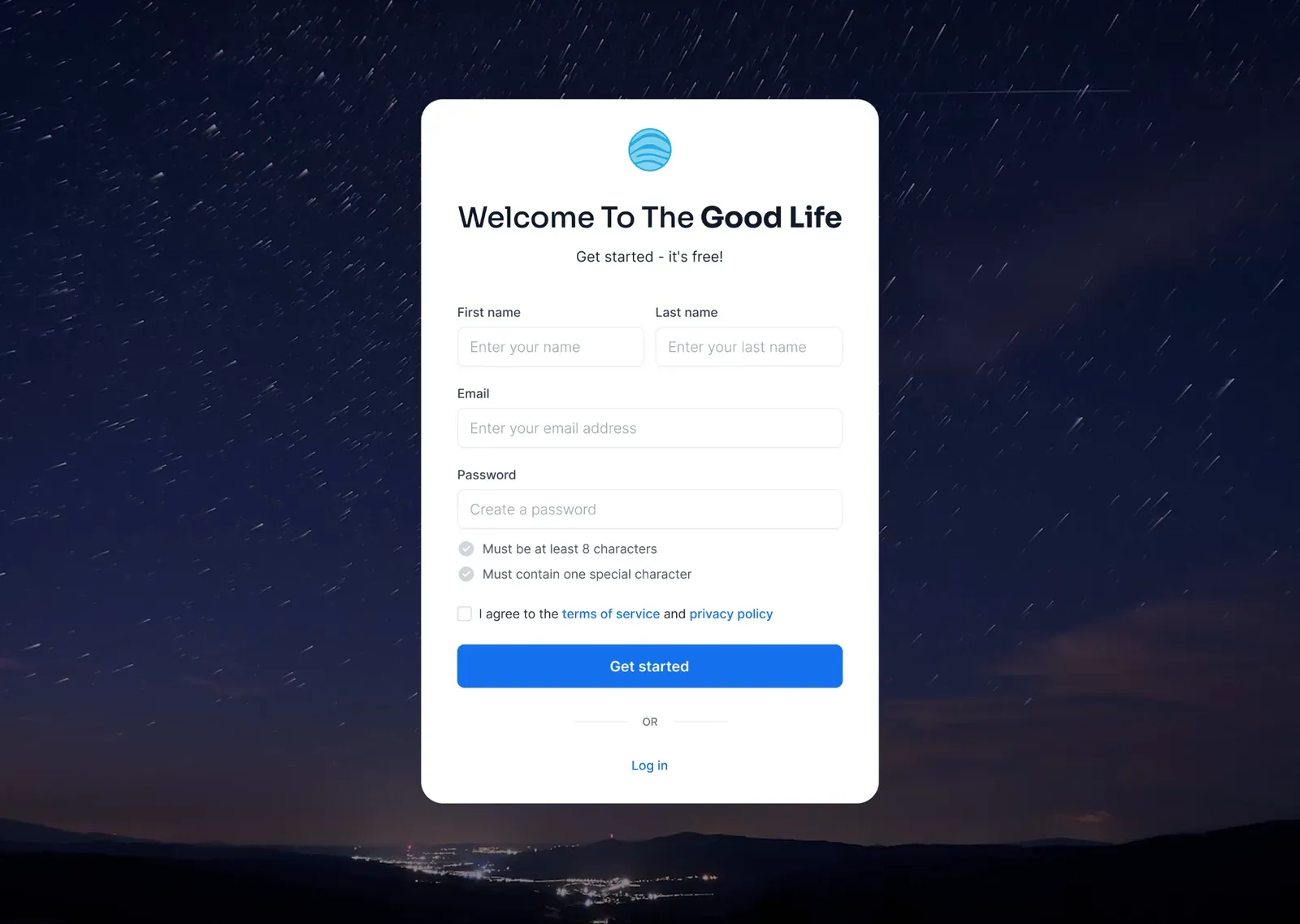
Step 1 — Create an account
Start by entering your name, email address, and password, then accept the Terms of Service and Privacy Policy to create your account.
If you already have a NewRich account, simply switch to the Log In tab instead.
Step 2 — Complete your profile
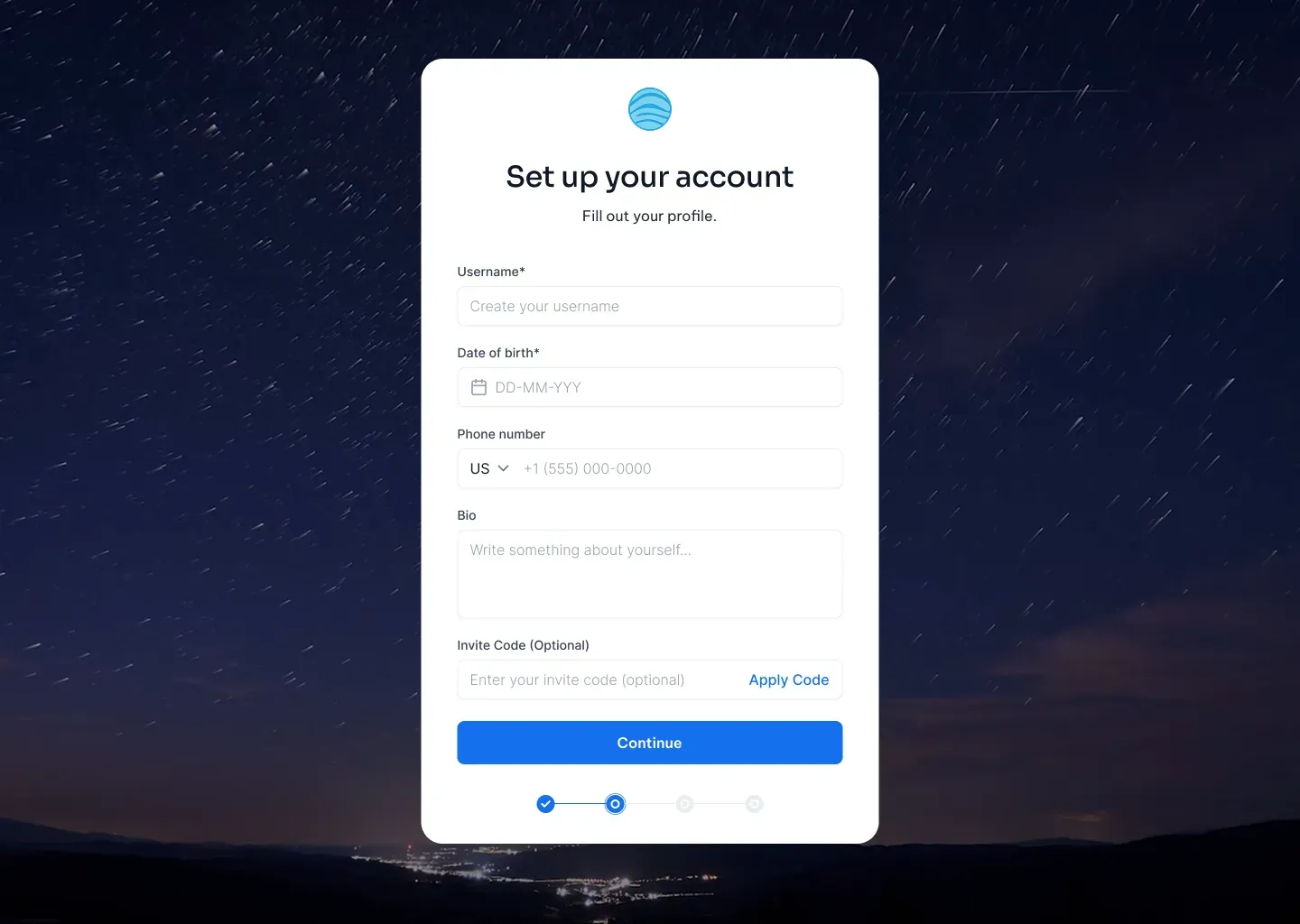
Add a few basic details to personalize your account, including your username, date of birth, phone number, and a short bio. If you received an invitation, you can also enter an invite code.
Once you're finished, click Continue.
Step 3 — Add your photos
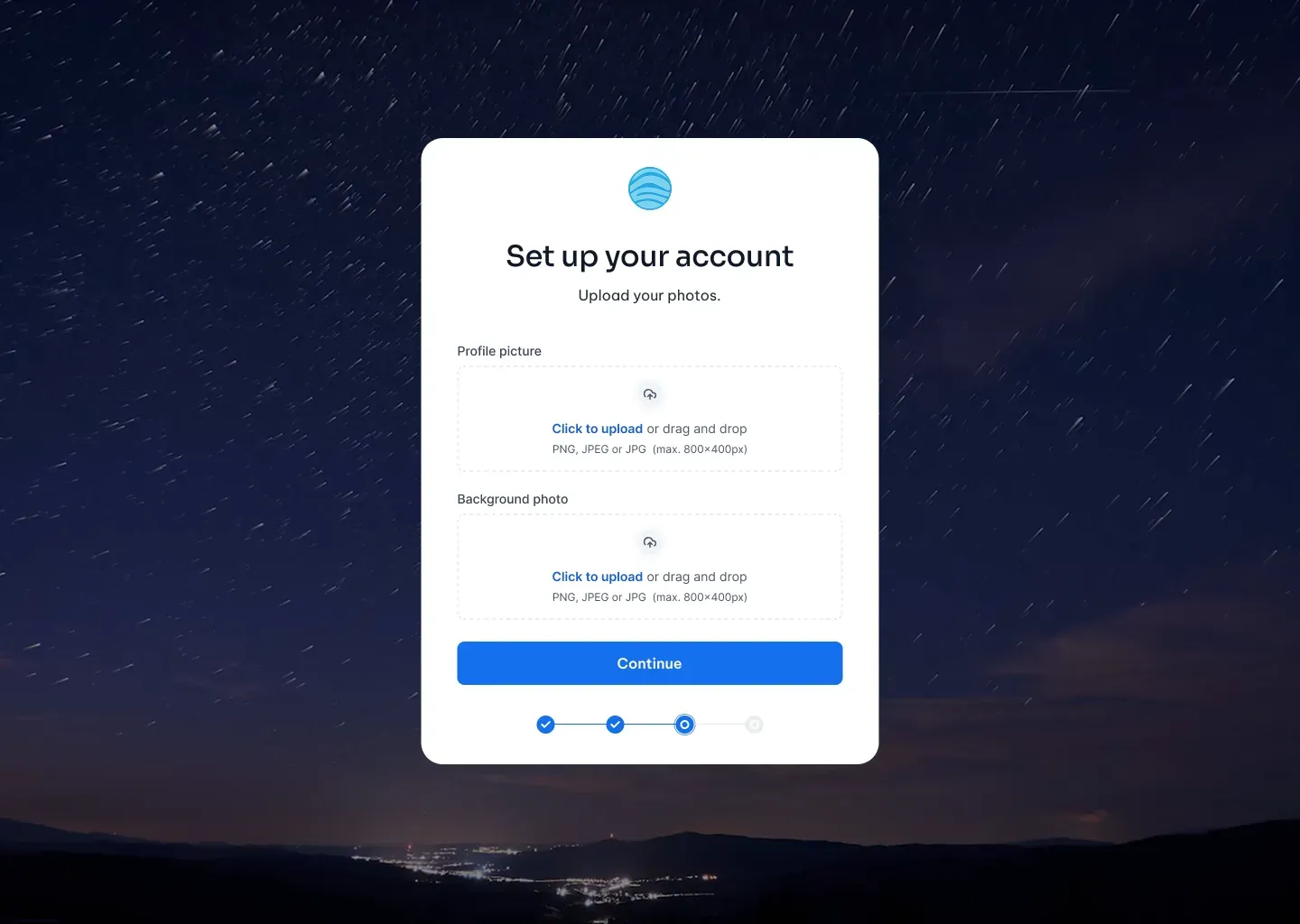
Personalize your profile by uploading a profile picture and an optional cover photo.
Supported formats include PNG, JPG, and JPEG. When you're ready, click Continue to move to the final step.
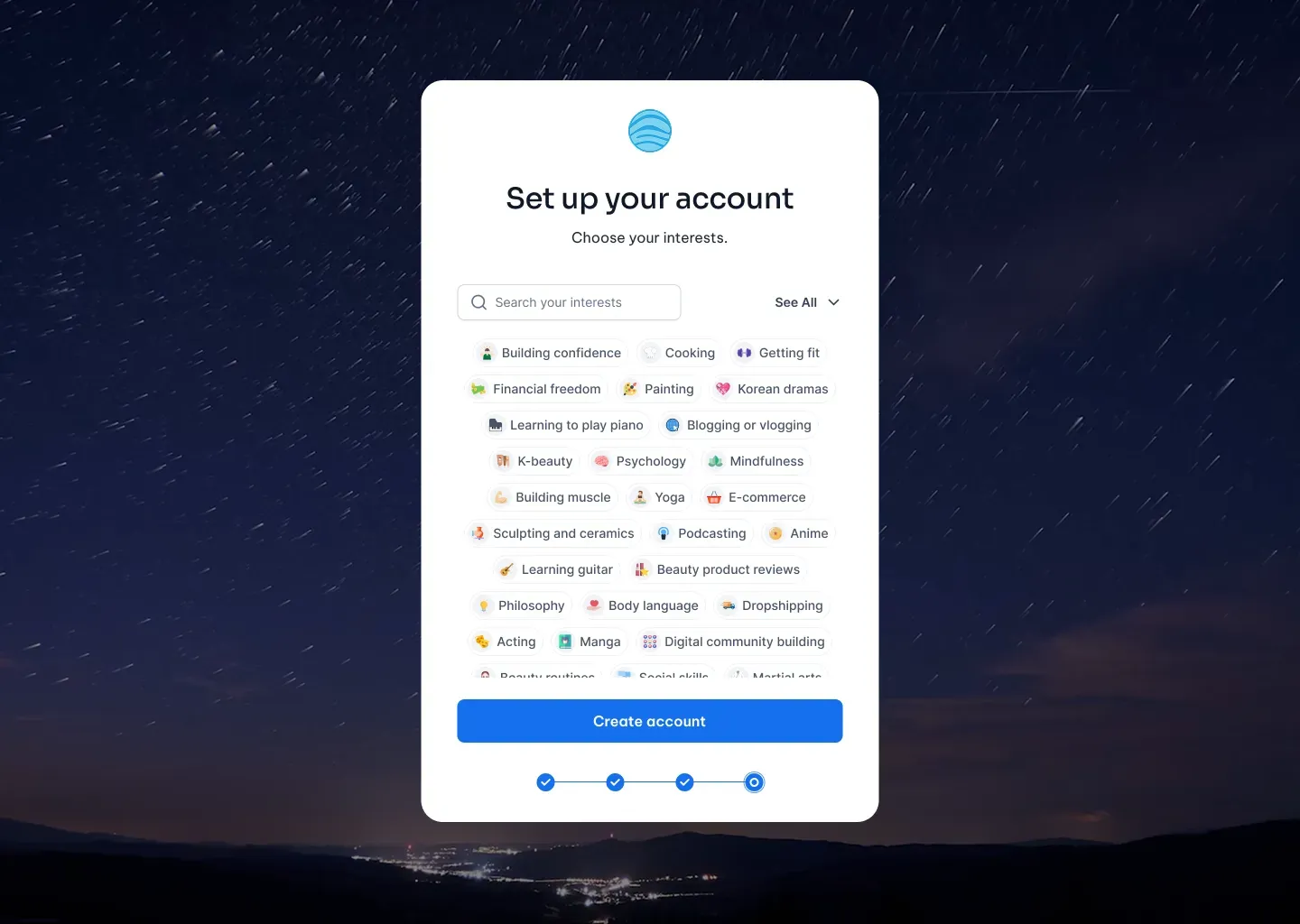
Step 4 — Choose your interests
Select the topics you're interested in to personalize your Home feed and recommendations.
You can browse categories or search for specific interests, then click Create account to complete the setup.
Welcome to NewRich
Once your account has been created, you'll see a confirmation screen and receive a verification email.
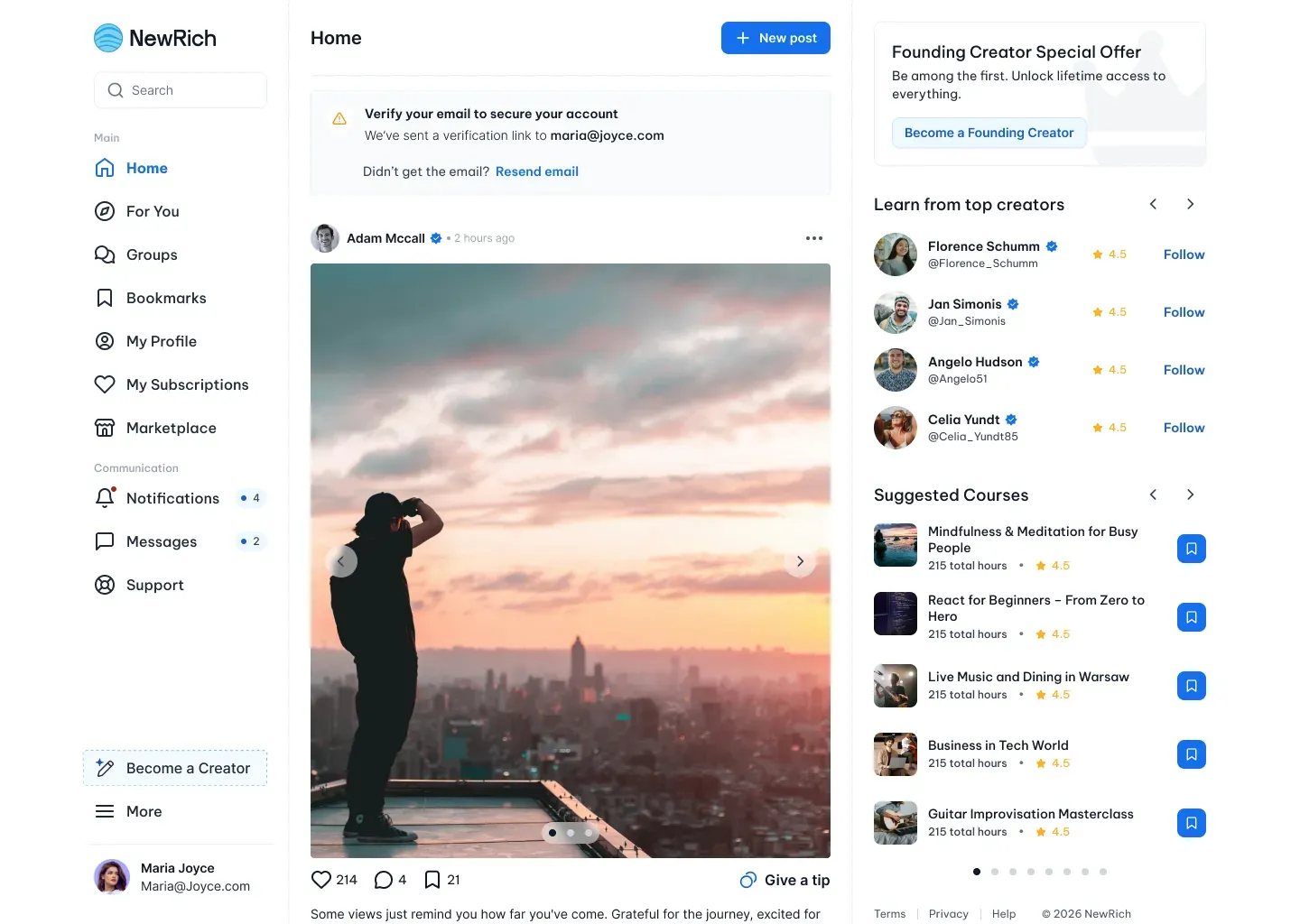
Verifying your email helps keep your account secure and unlocks the full NewRich experience. After clicking Done, you'll be taken directly to your Home feed.

Verify your email
If your email hasn't been verified yet, you'll see a reminder banner at the top of the Home page.
From there, you can resend the verification email with a single click. Once your email is verified, the reminder disappears and your account is fully activated.