

Become a creator
Become a creator
The Become a Creator process allows you to upgrade your account and unlock powerful tools for publishing content, creating courses, earning income, and growing your audience on NewRich.
The application is simple, guided step by step, and only takes a few minutes to complete.
Where to Start Your Application
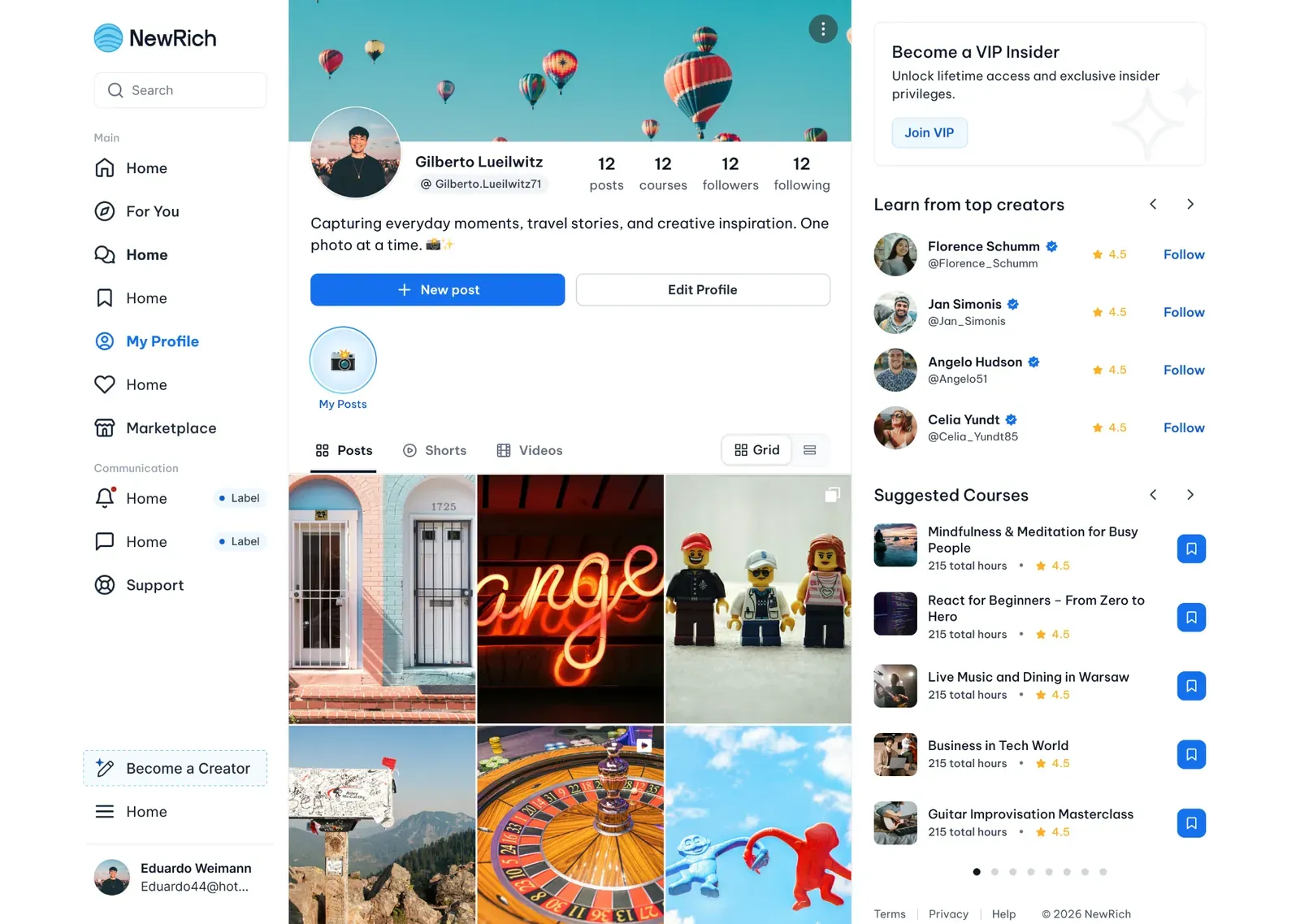
You can start your Creator application from Click the Become a Creator button in the left sidebar.
Step-by-step
- Locate the Become a Creator card in the left sidebar.
- Click Start Now to begin your application.
- A brief introduction will open in a modal before you continue.
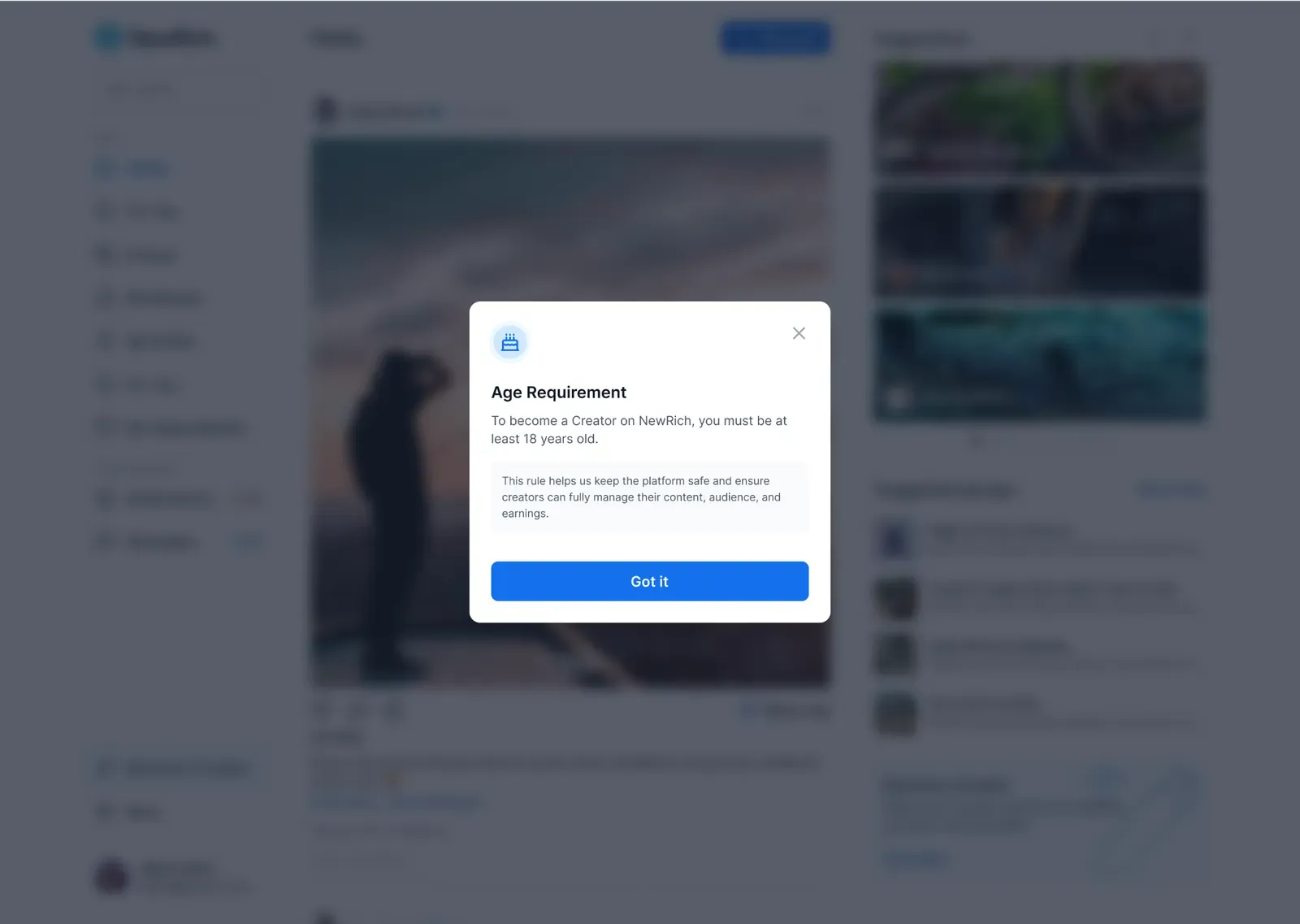
Age Requirement
To become a creator on NewRich, you must be at least 18 years old.
This requirement helps ensure that creators can safely manage content, monetization, and payouts on the platform.
Creator Application
The Creator Application helps our team learn more about your experience, your content, and how you plan to contribute to the NewRich community.
The application consists of three simple steps and can usually be completed in just a few minutes.
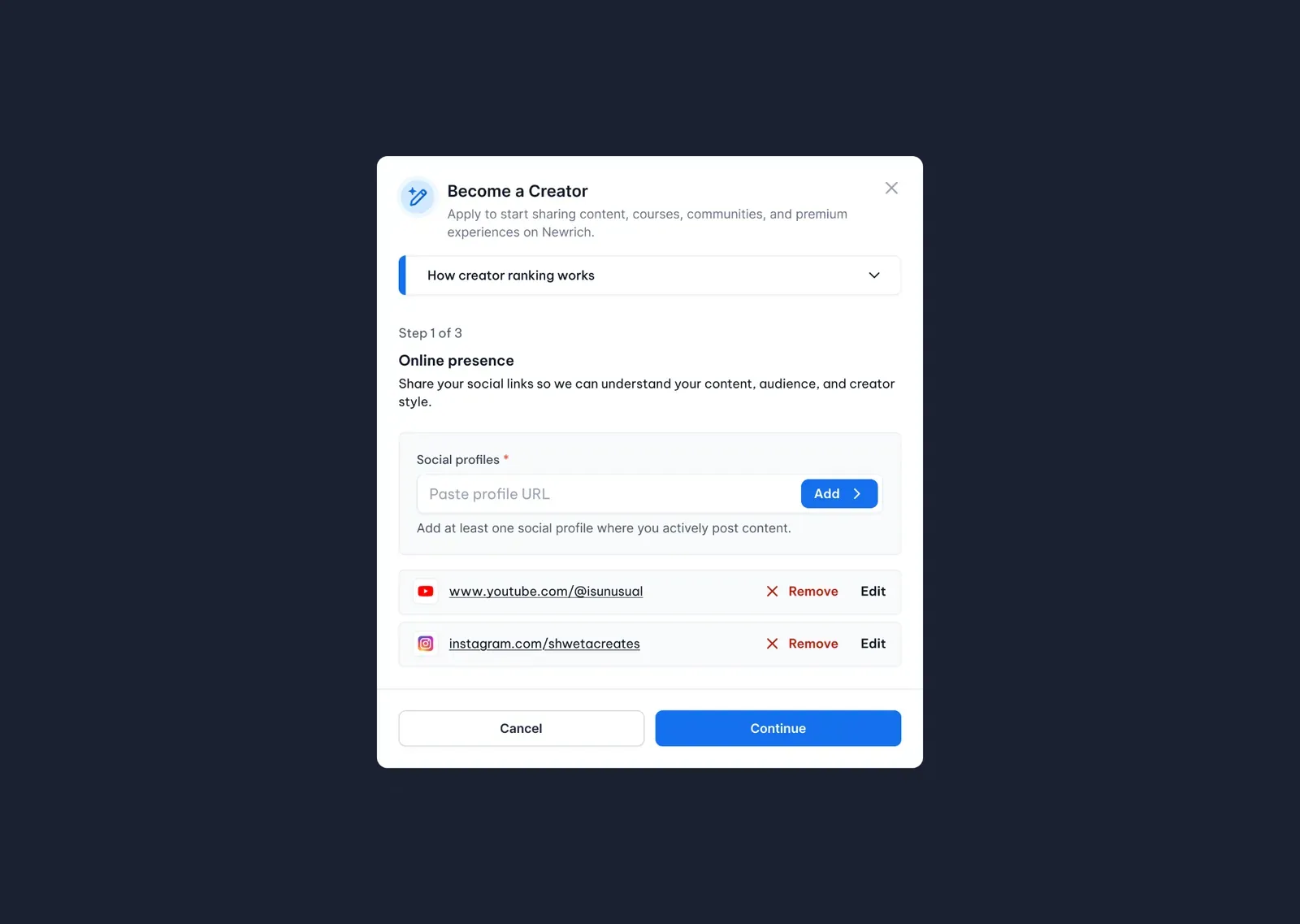
Step 1 — Online Presence
In the first step, you'll provide links to your public social media profiles.
These profiles help us review your content, audience, and creator activity as part of the application process.
Step-by-step
- Enter the URL of one of your public social media profiles.
- Click Add.
- Repeat this process if you'd like to include additional profiles.
- You can edit or remove any profile before continuing.
- Click Continue.
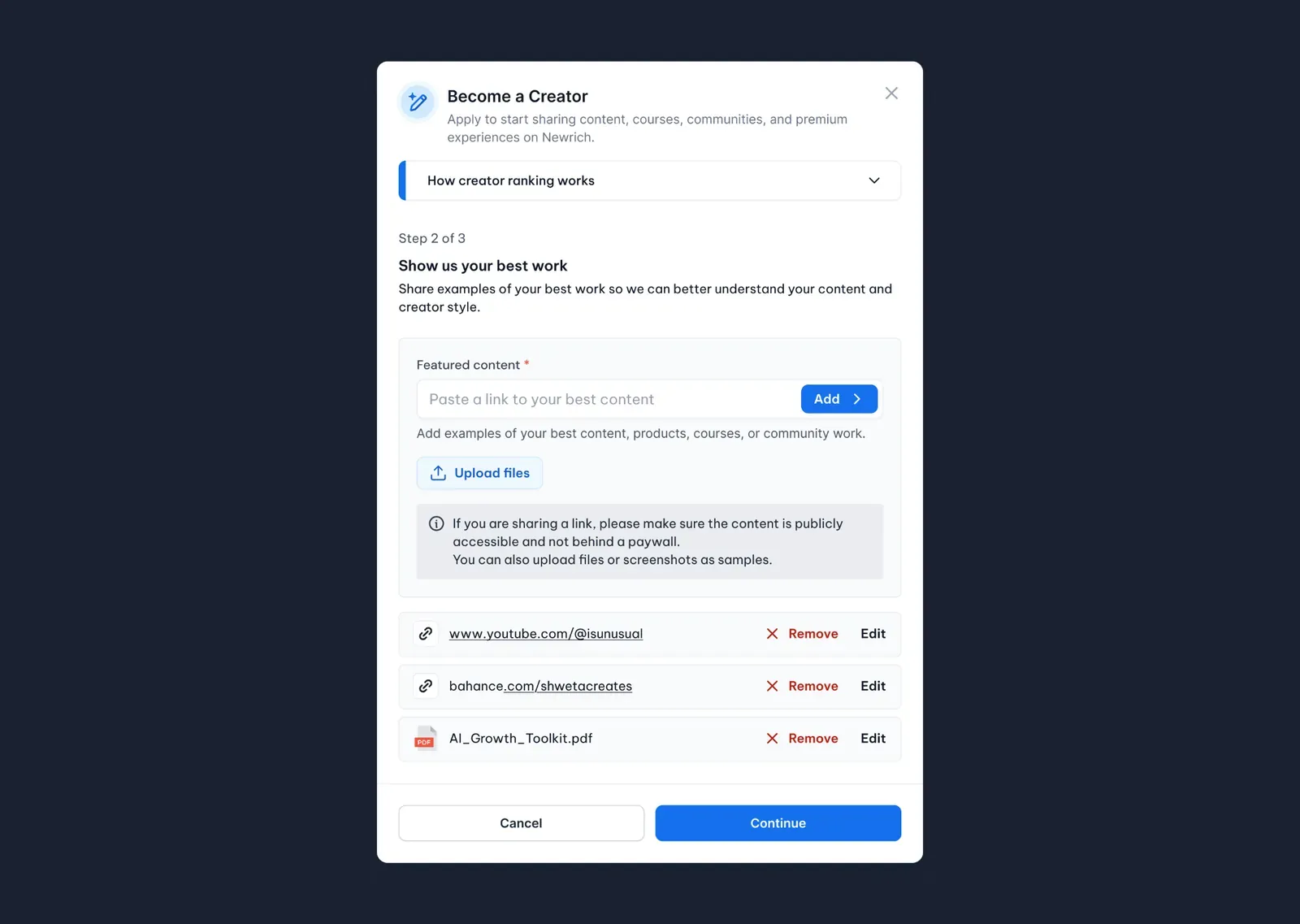
Step 2 — Show Us Your Best Work
Next, share examples of your work so our team can better understand your content, style, and quality.
You can include:
- Public content links
- Courses
- Products
- Portfolio links
- Images
- Documents
- Screenshots
Step-by-step
- Paste a public content URL and click Add, or upload files using Upload files.
- Add as many examples as you'd like.
- Edit or remove any example before continuing.
- Click Continue.
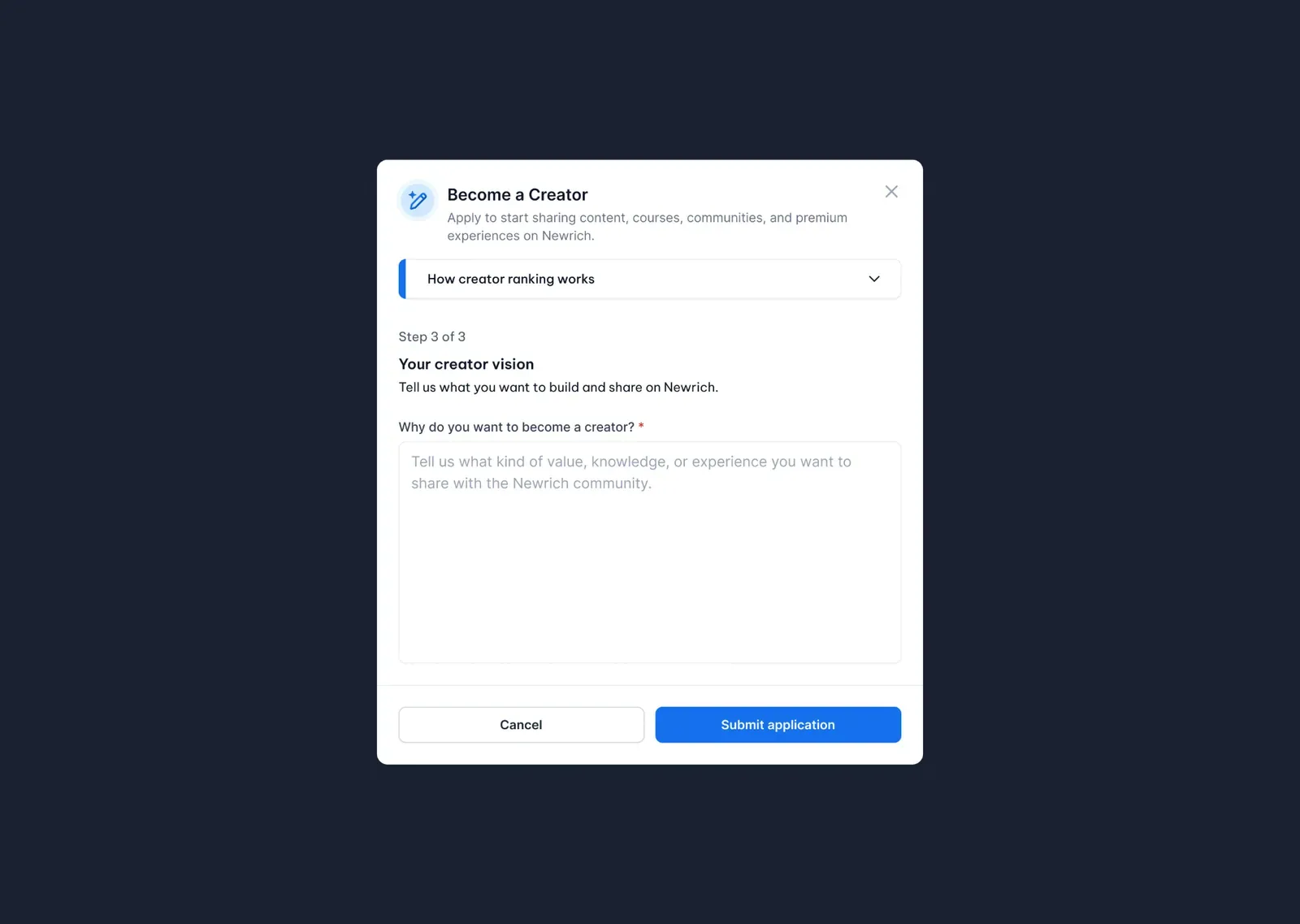
Step 3 — Your Creator Vision
Tell us about the type of creator you want to be on NewRich.
This information helps us understand your goals and the value you hope to bring to the community.
Step-by-step
- Tell us why you'd like to become a creator.
- Describe the type of content, knowledge, or experiences you plan to share.
- Click Submit application.
Application Review
After submitting your application, it will be reviewed by the NewRich team. We'll evaluate the information you've provided and notify you once a decision has been made.
Review times may vary depending on application volume.
Confirmation
Once your application has been submitted successfully, you'll see a confirmation message. We'll begin reviewing your application and notify you as soon as a decision has been made.
Step-by-step
- Click Submit application.
- Wait for the confirmation message.
- Click Done to close the window.
- You'll receive updates throughout the review process.
After You're Approved
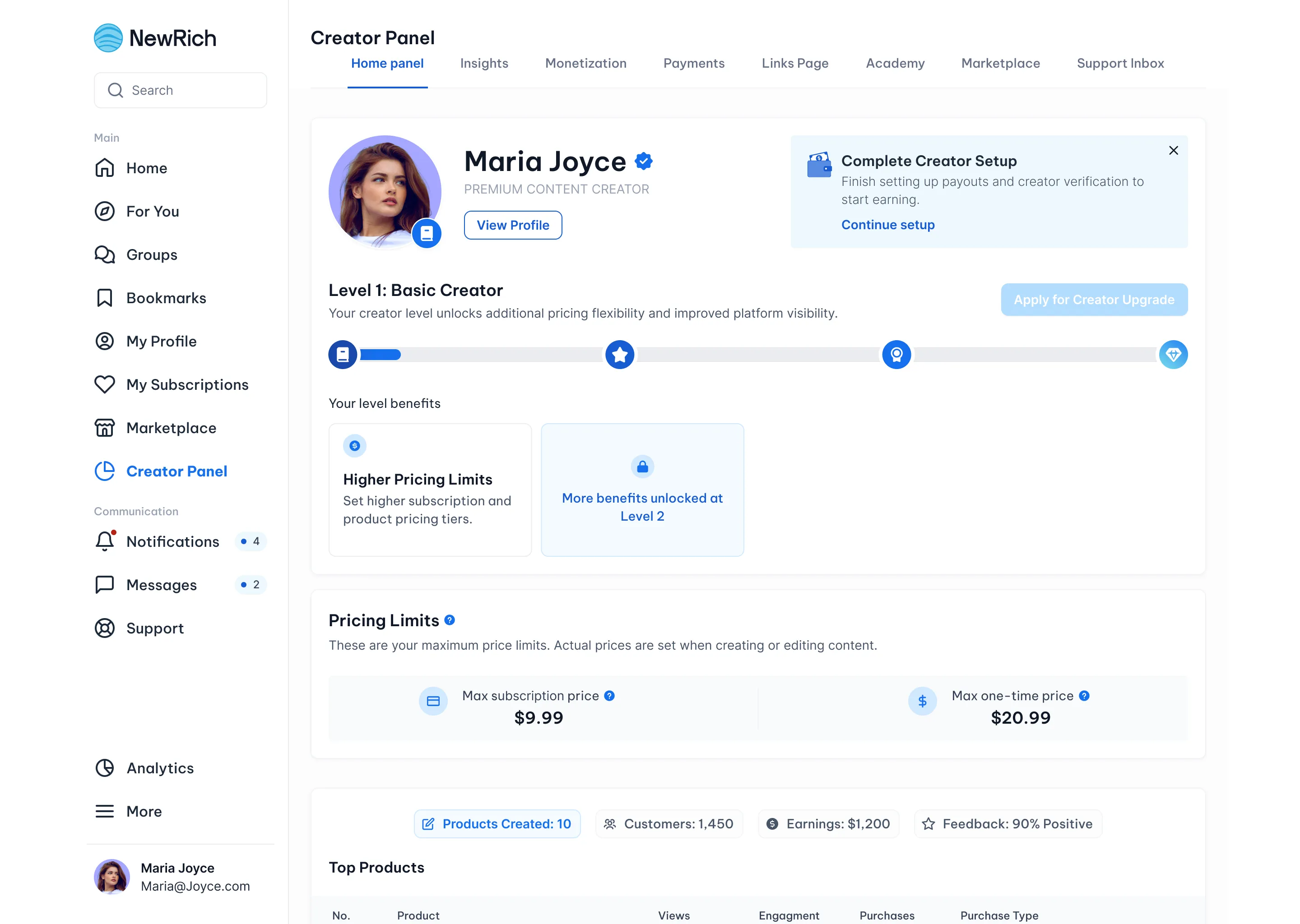
Once your application is approved, you'll gain access to your Creator Panel.
Your account will also be assigned a Creator Rank, which determines the features, monetization options, and platform limits available to you.
As your audience grows and you continue creating valuable content, you'll be able to unlock higher Creator Ranks and additional platform benefits.
Learn more about how Creator Ranking works here.
At this stage, monetization features remain locked until you complete the Creator Setup process.
A Complete Creator Setup card will appear on your Creator Home page.
Click Continue setup to begin.
Finish Creator Setup
To start earning on NewRich, you'll need to complete your Creator Setup.
This process enables identity verification, payouts, and all monetization features available to your Creator Plan.
The setup consists of four simple steps.
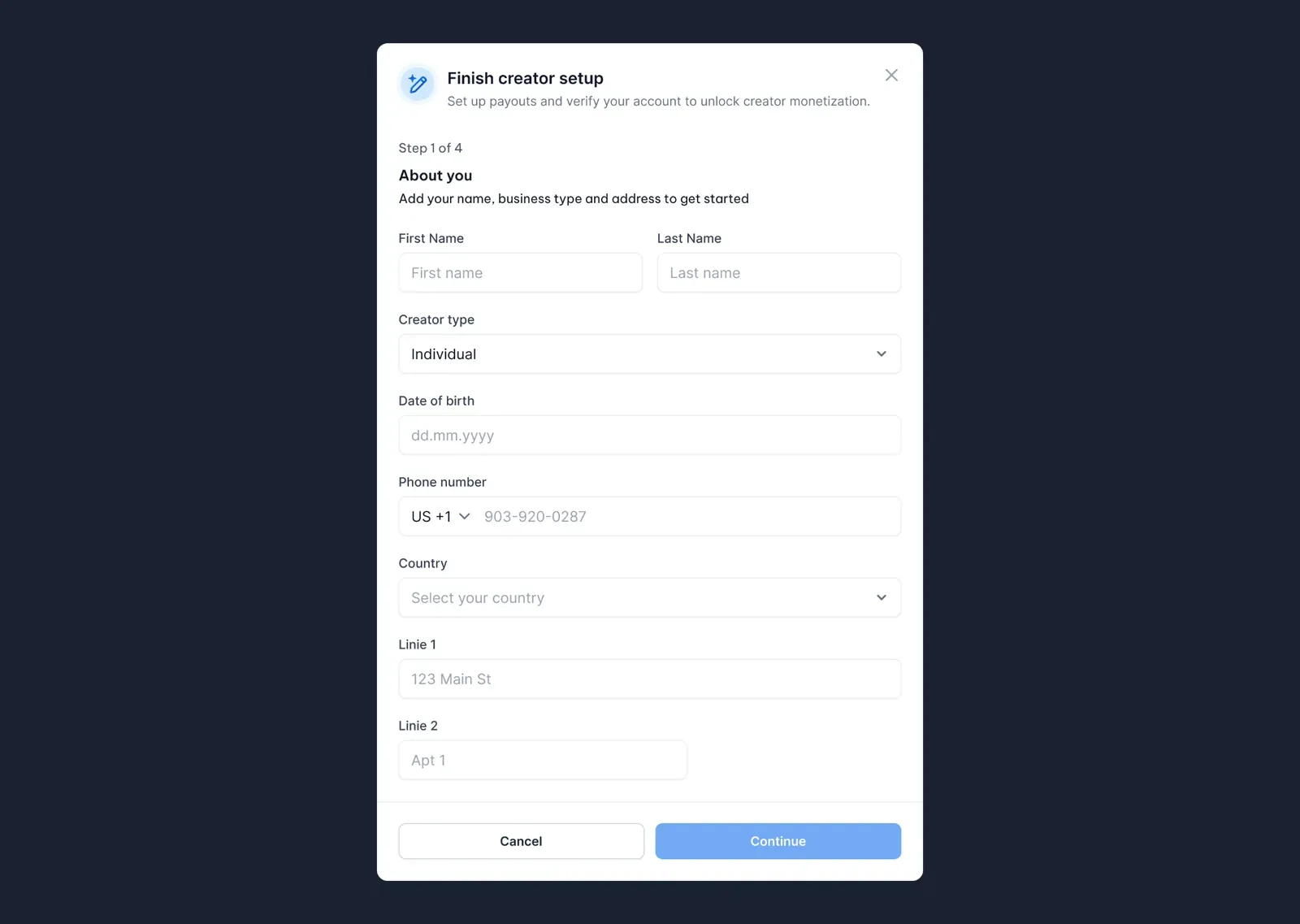
Step 1 — About You
Provide the personal information required for identity verification and payout processing.
Step-by-step
- Enter your first and last name.
- Select your creator type.
- Enter your date of birth.
- Add your phone number.
- Select your country.
- Enter your address.
- Click Continue.
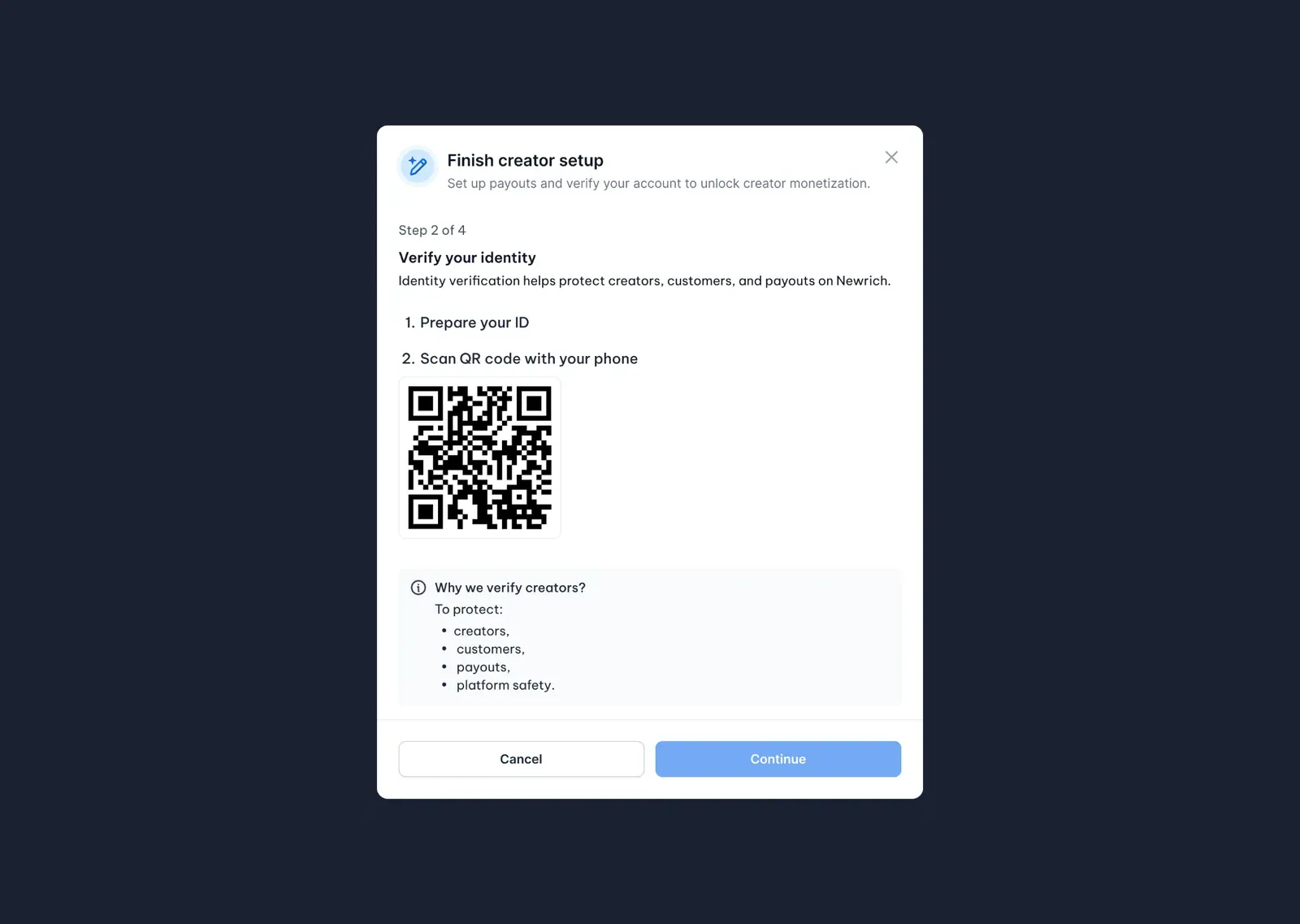
Step 2 — Verify Your Identity
Identity verification helps keep the platform secure and protects creators, customers, and payouts.
The verification process is completed securely on your mobile device.
Step-by-step
- Prepare a valid government-issued ID.
- Scan the QR code using your mobile phone.
- Follow the on-screen verification instructions.
- Wait while your identity is verified.
- Once verification is complete, click Continue.
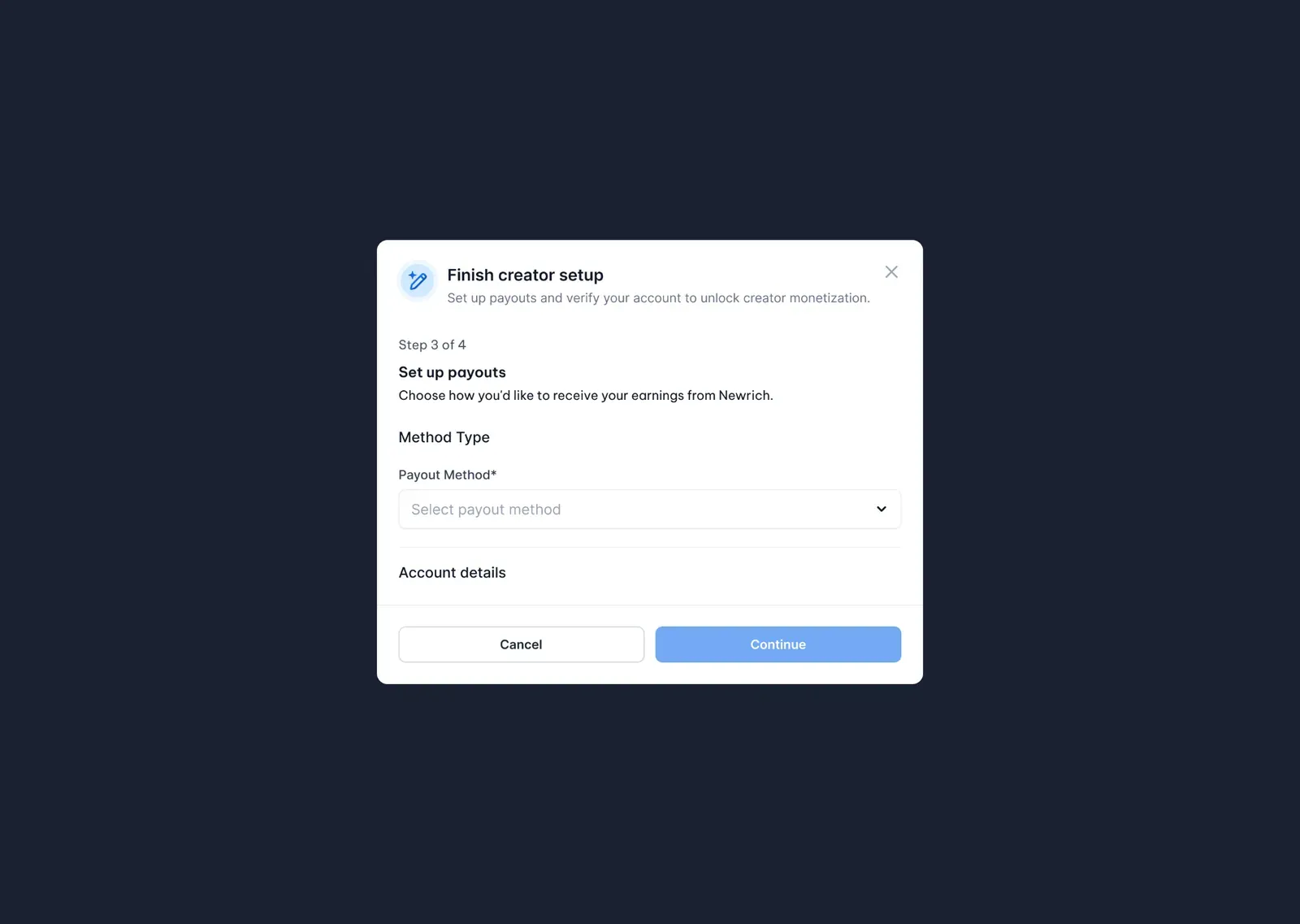
Step 3 — Set Up Payouts
Choose how you'd like to receive your earnings from NewRich.
The information you'll need to provide depends on the payout provider you select.
Step-by-step
- Open the Payout Method dropdown.
- Select your preferred payout provider.
- Complete the required payout details.
- Click Continue.
Step 4 — Payout Preferences
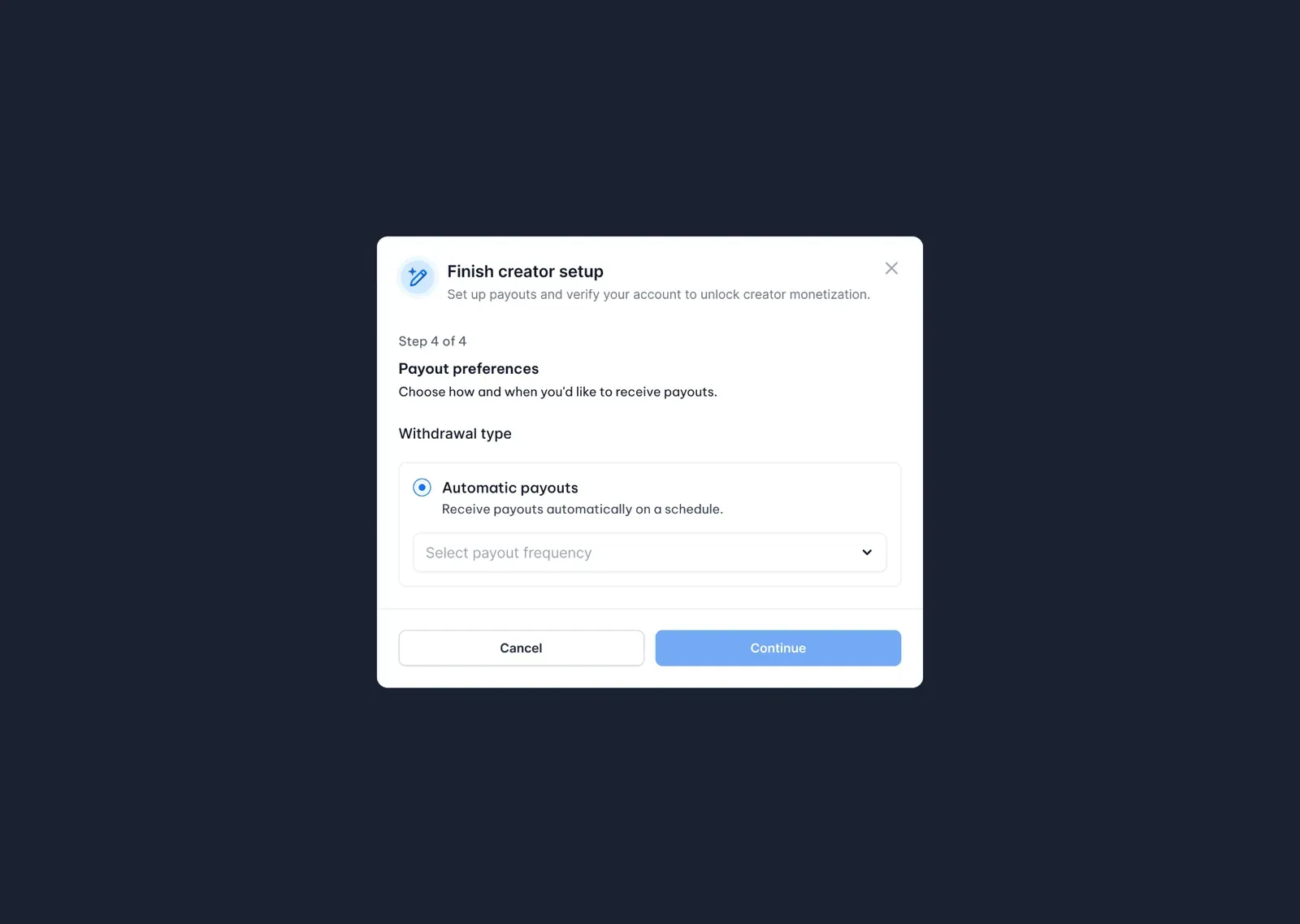
Choose how often you'd like to receive your payouts.
Automatic payouts transfer your available earnings according to the schedule you select.
Step-by-step
- Enable Automatic payouts.
- Select your preferred payout frequency from the dropdown menu.
- Click Continue to complete your Creator Setup.
Setup Complete
Congratulations! Your Creator account is now fully configured and ready for monetization.
You can now:
- Receive payouts
- Sell products and services
- Create paid communities
- Publish premium content
- Access all monetization features available for your Creator Rank
Click Go to Creator Panel to start building your creator business on NewRich.