Payouts
Payouts
The Payouts section lets you withdraw your earnings, monitor payout activity, and review your payout history in one place.
From here, you can request withdrawals, track their progress, and download receipts for completed payouts.
Request a Withdrawal
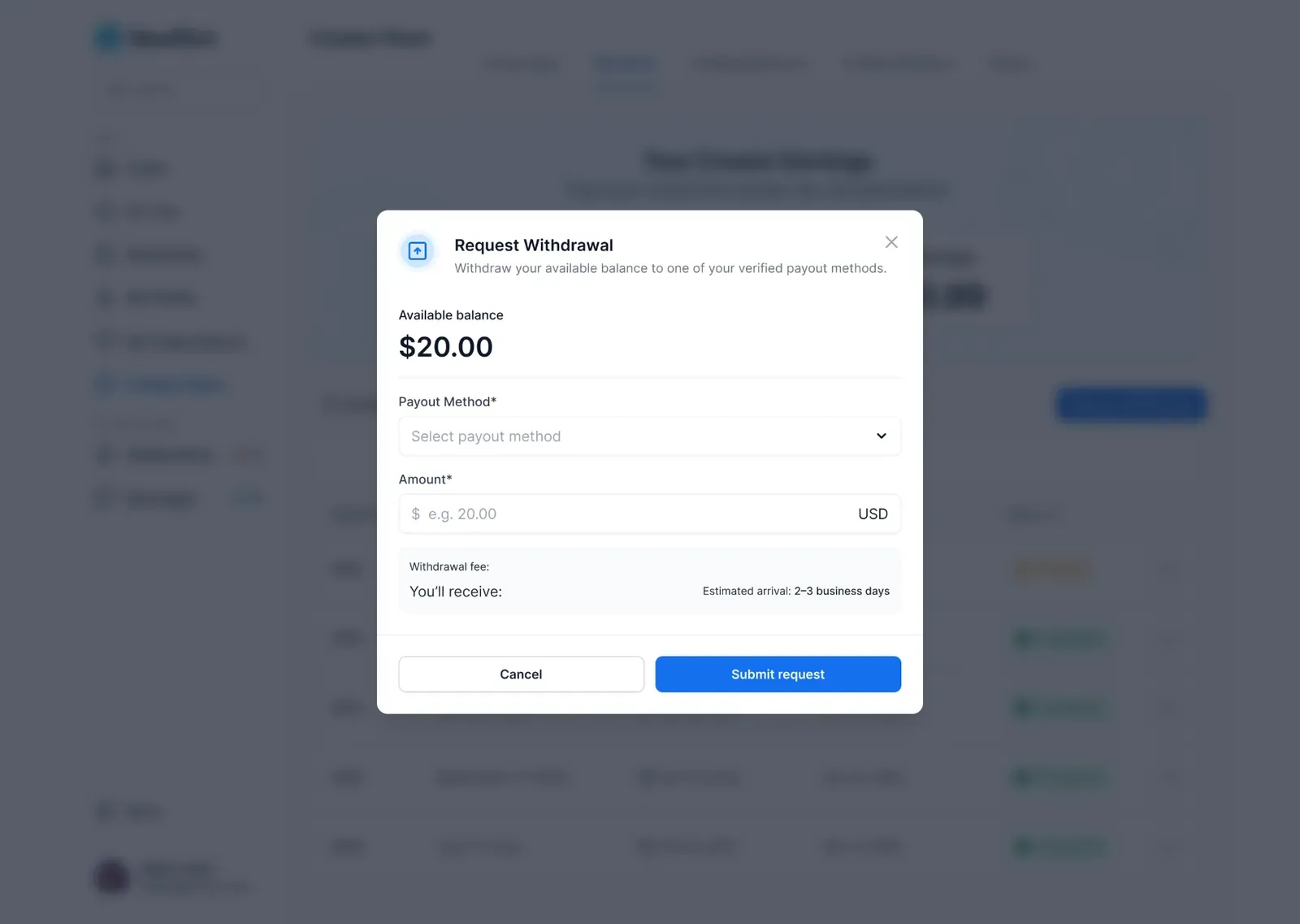
Withdraw your available balance using one of your verified payout methods. Before submitting your request, you'll be able to review:
- Withdrawal amount
- Withdrawal fee
- Estimated arrival time
- Final payout amount
Track Payout Status
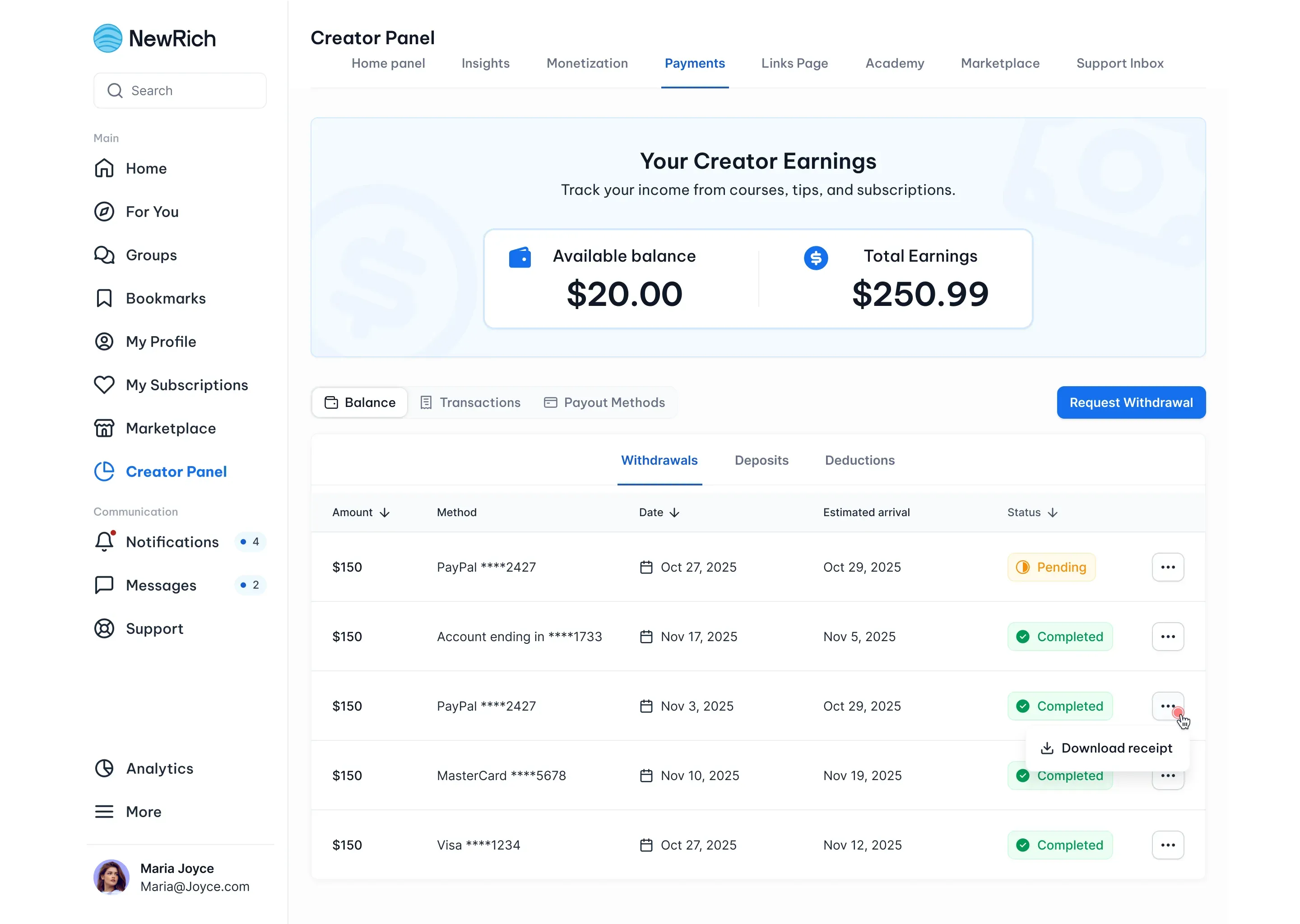
Every withdrawal includes a status so you can monitor its progress. Available statuses include:
- Pending – Your withdrawal request is being processed.
- Completed – Your payout has been successfully sent.
- Failed – Your withdrawal couldn't be completed.
Payout History
View all previous withdrawals in one place. Each payout record includes:
- Withdrawal amount
- Payout method
- Request date
- Estimated arrival date
- Status
Download Receipts
Download a receipt for any completed payout whenever you need it for your records.
Requesting a Withdrawal
Once you have at least one Verified payout method, you can request a withdrawal at any time. To request a withdrawal:
- Open Creator Panel → Payments.
- Click Request Withdrawal.
- Select a verified payout method.
- Enter the withdrawal amount.
- Review the withdrawal summary.
- Click Submit Request.
After submitting your request:
- The withdrawal will appear in the Payouts section.
- You can monitor its status until it's completed.
- Once completed, a receipt will be available for download.