Leave groups and subscriptions
Leave groups and subscriptions
You can leave a group or cancel a creator subscription at any time.
The available options depend on what you're leaving:
- Creator Subscription – Cancel a recurring subscription to a creator's subfeed. You'll keep access until the end of your current billing period.
- Group Membership – Leave a free or paid community group and immediately lose access to its content.
Cancel a Creator Subscription
You can cancel a creator subscription in two ways:
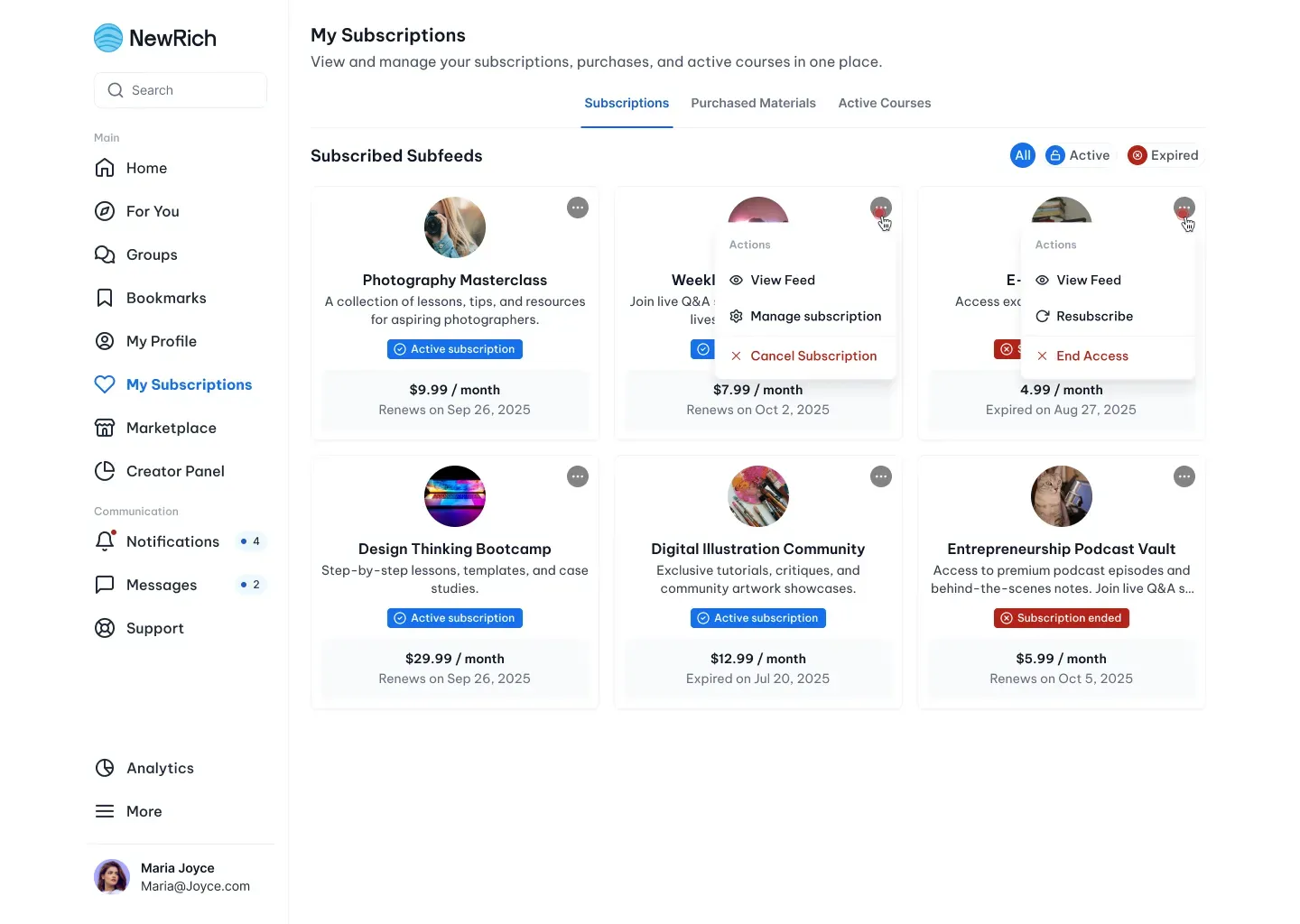
- From My Subscriptions
Open My Subscriptions → Subscriptions, click the More (•••) menu on the subscription card, and select Cancel Subscription.
This option lets you quickly manage your active subscriptions without leaving the page.
- From the Creator's Subfeed
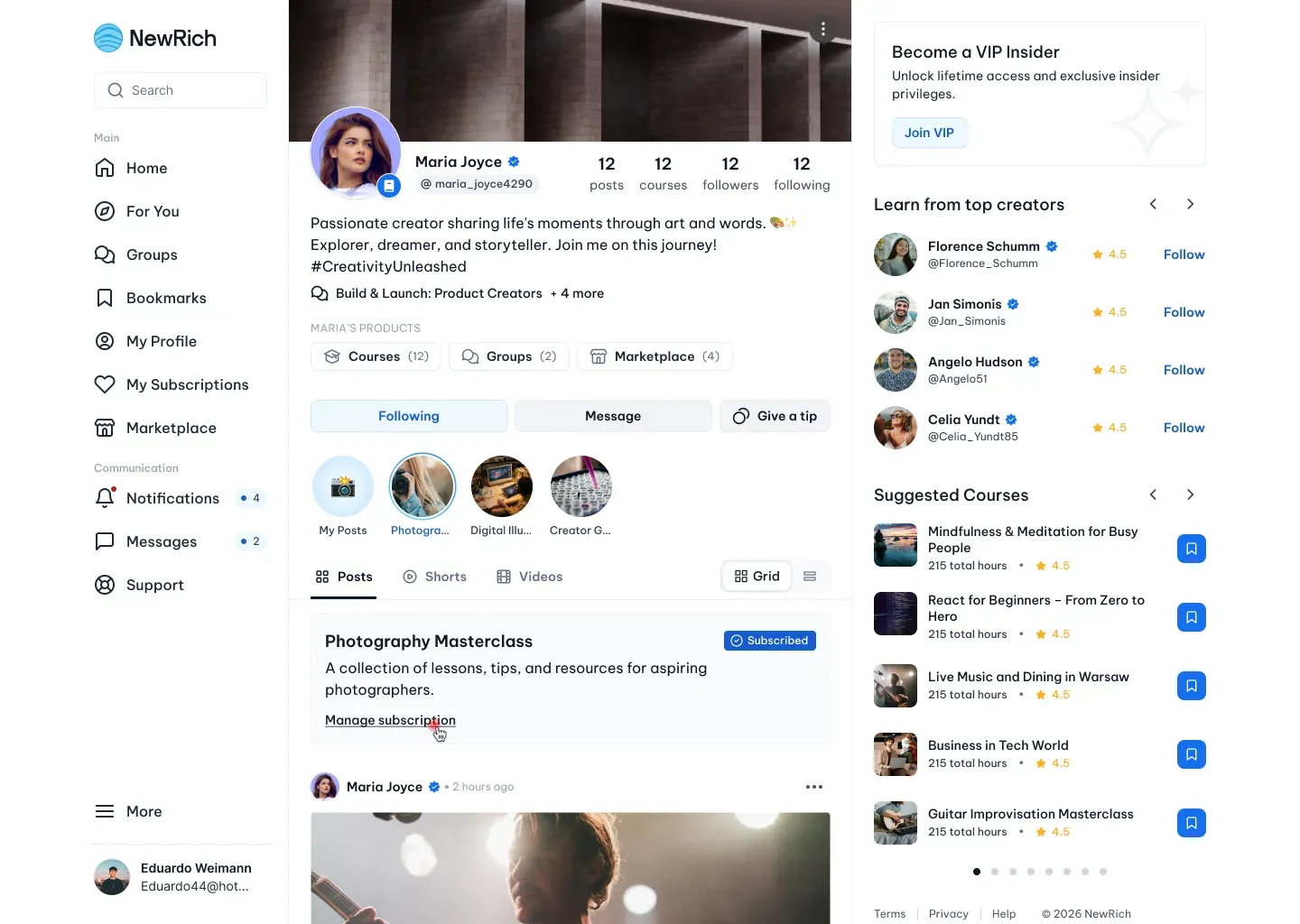
If you're viewing a creator's subfeed, click Manage subscription below the subfeed title and description.
This opens the Manage Subscription modal, where you can:
- change your subscription plan
- update your payment method
- cancel your subscription
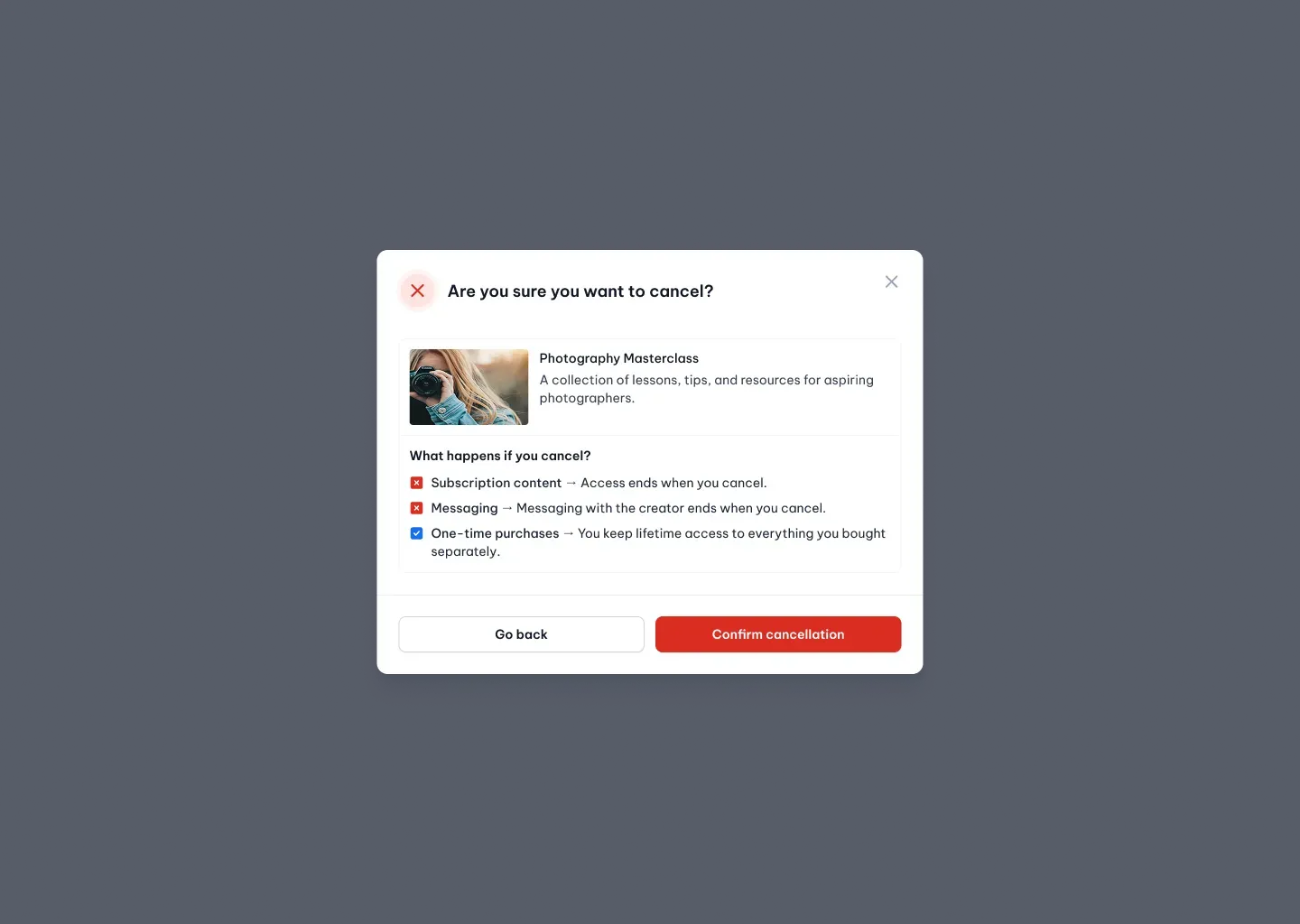
Selecting Cancel subscription opens a confirmation dialog explaining what happens after cancellation before asking you to confirm your decision.
What happens after cancellation
After you confirm the cancellation, your subscription remains active until the end of the current billing period.
Once it expires:
- Subscriber-only content becomes locked.
- Messaging with the creator is no longer available.
- One-time purchases remain accessible.
- You can subscribe again at any time.
Leave a Group
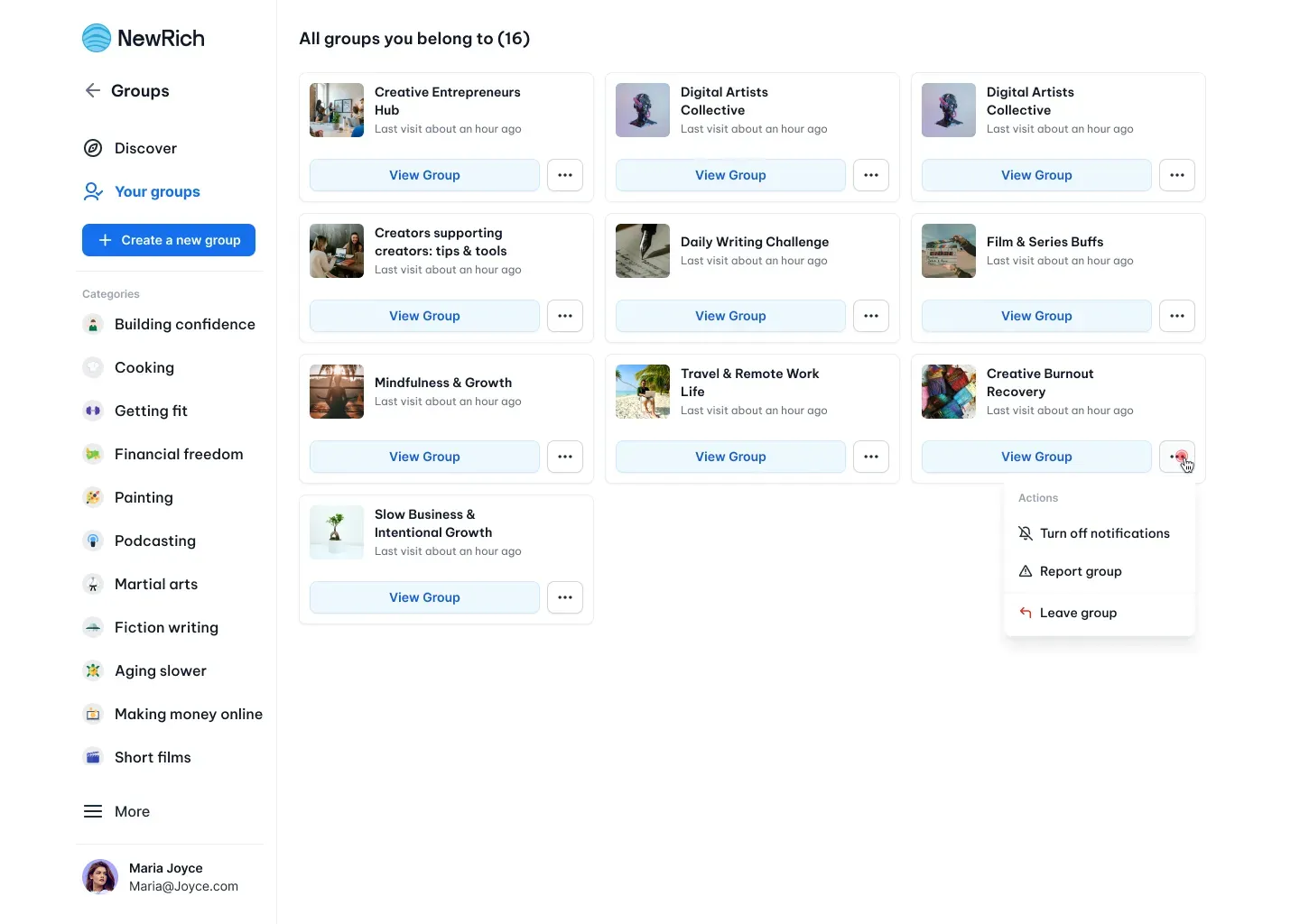
You can leave any group from either the group page or Your Groups.
Simply open the More (•••) menu and select Leave group.
Leaving a group removes your membership immediately. If the group is private or paid, you'll lose access to its posts, discussions, and member-only content. You can always rejoin later if the group is still available.