Creators
Creator support
Support inbox, saved replies, and support analytics.
Creator support
The Support Inbox helps you manage customer conversations and support requests in one place.
You can reply to customers, track ticket status, use saved replies, and monitor your support performance without leaving the Creator Panel.
Features:
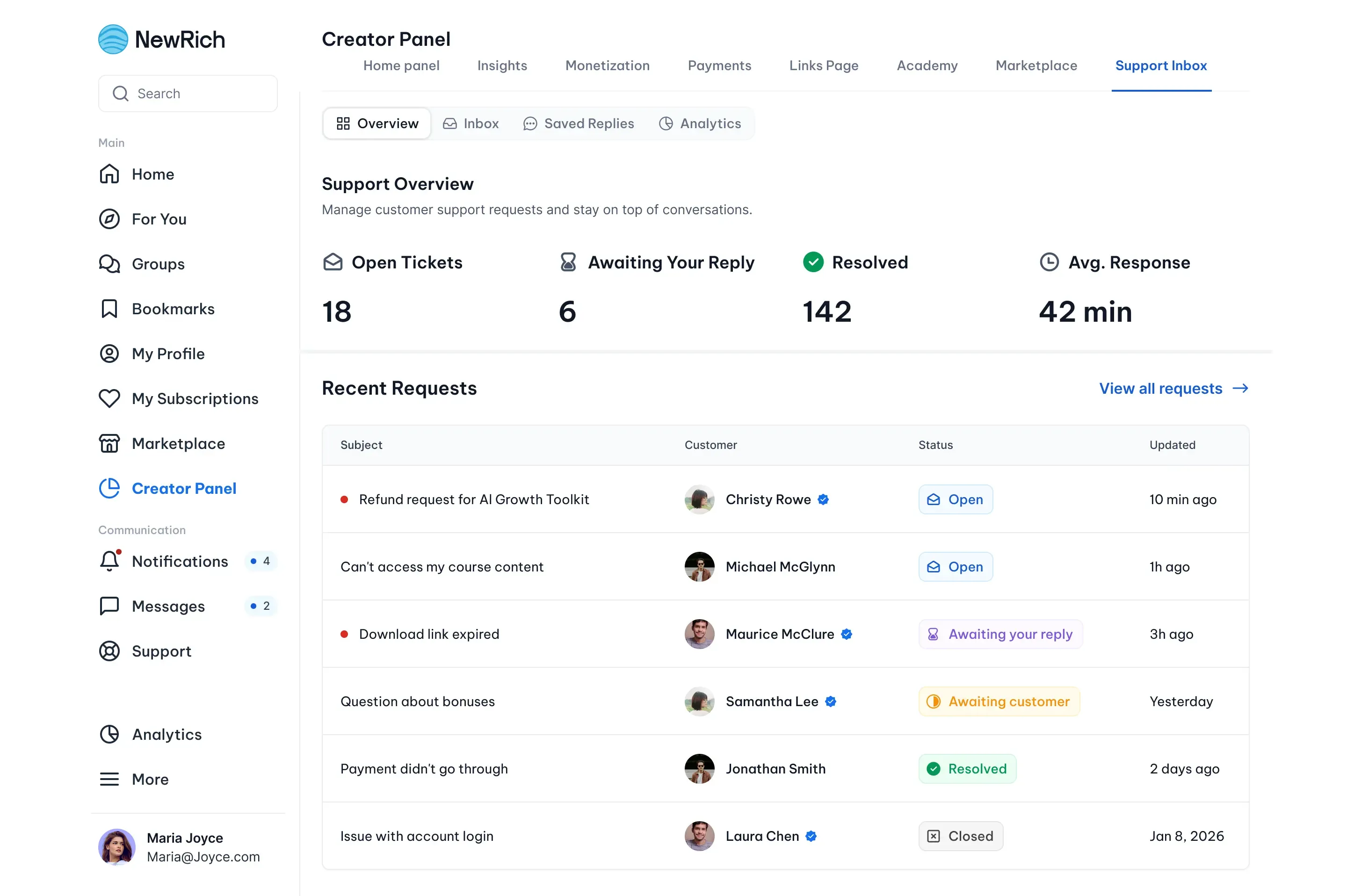
Support Overview
The Overview tab gives you a quick summary of your support activity.
Here you can see:
- Open tickets
- Tickets waiting for your reply
- Resolved tickets
- Average response time
- Recent support requests
Inbox
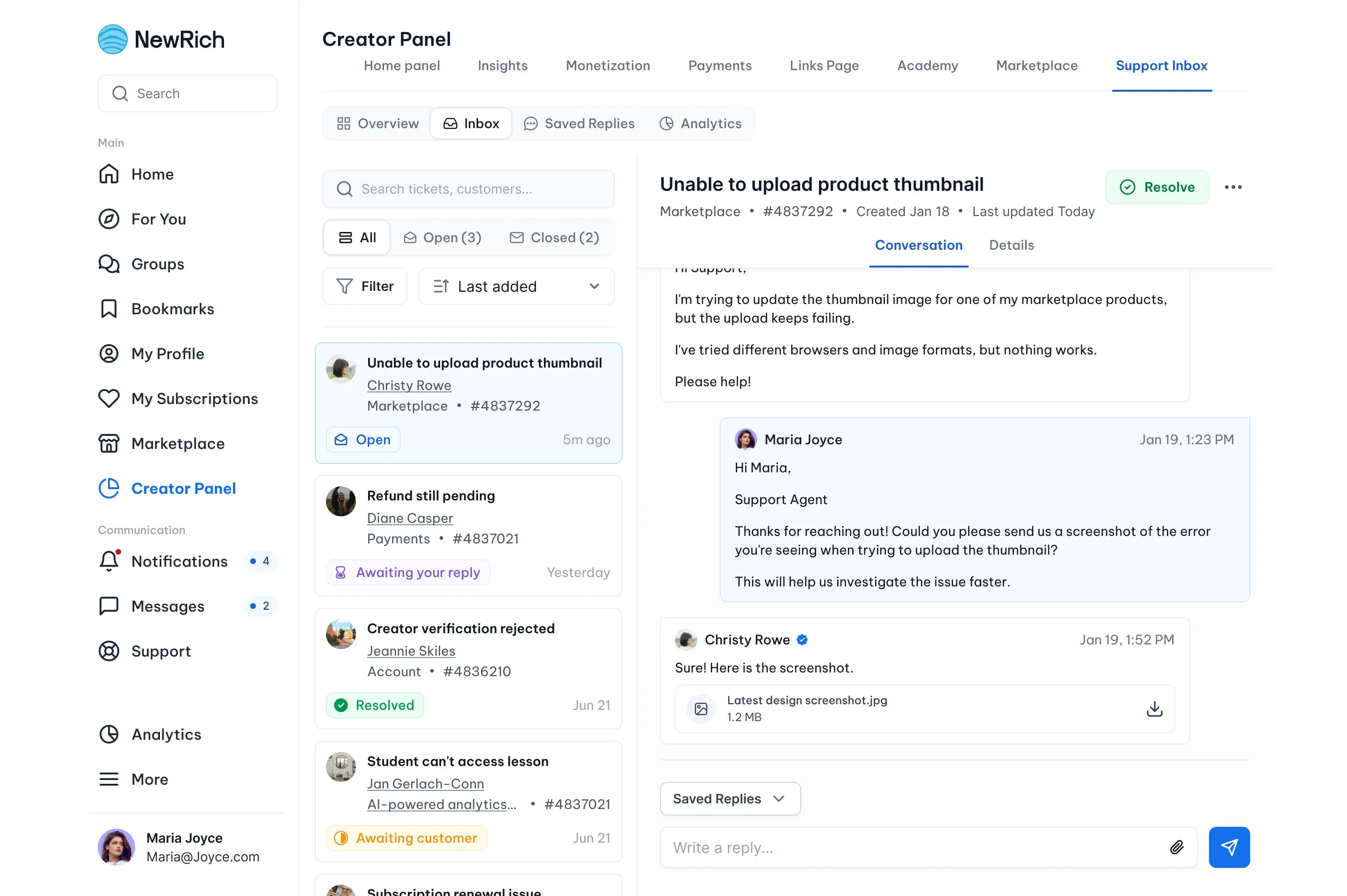
Manage all customer conversations from the Inbox. You can:
- View all support tickets
- Filter tickets by status
- Search conversations
- Reply to customers
- Resolve tickets
- View conversation history
- Upload attachments
- Use saved replies
- View customer and order information
- Access previous tickets from the same customer
Ticket Details
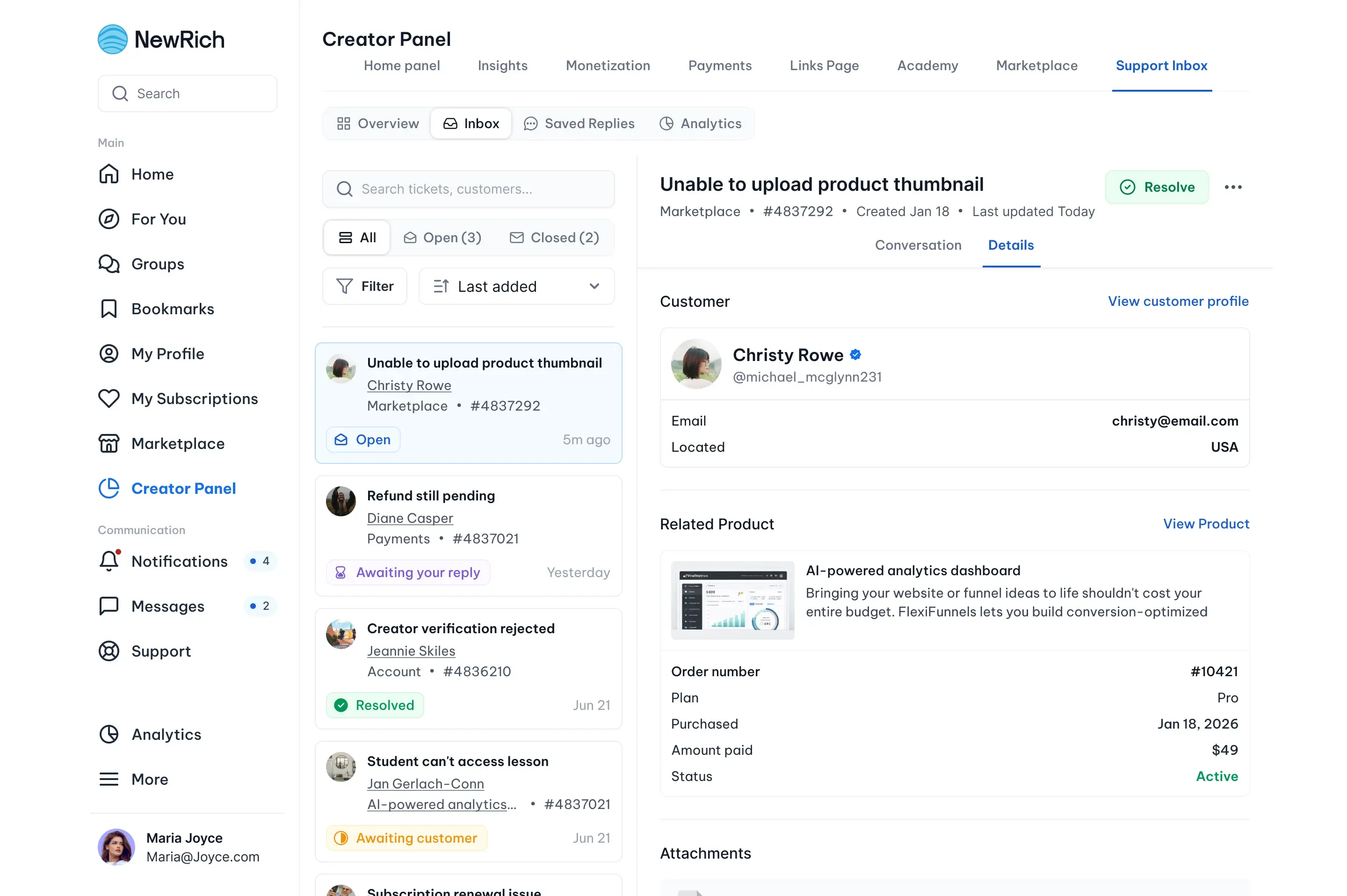
Each ticket includes the information you need to resolve a customer's request.
Available information includes:
- Customer profile
- Related product
- Order information
- Purchase details
- Attachments
- Previous support history
This allows you to review all relevant details without leaving the conversation.
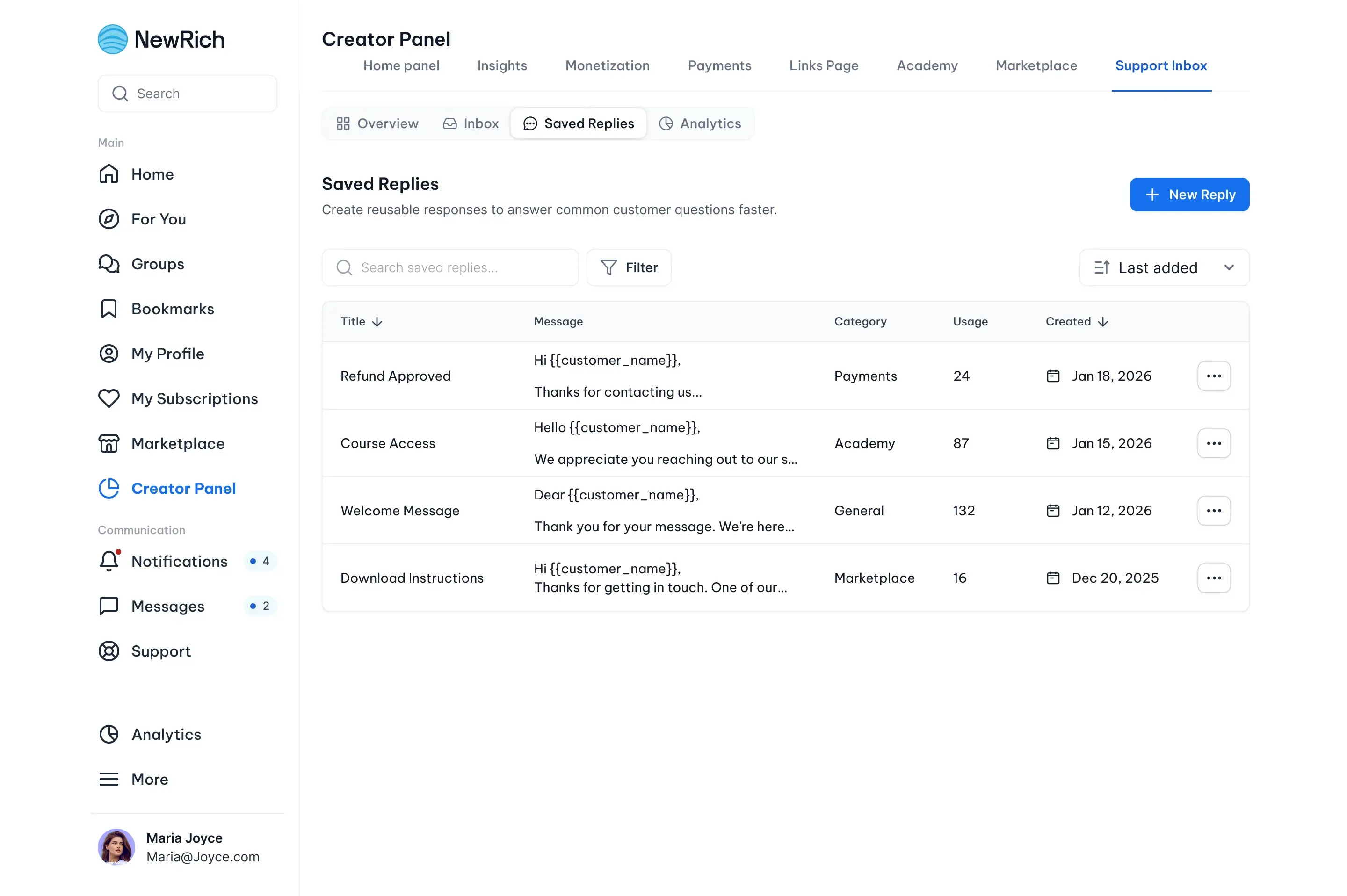
Saved Replies
Save frequently used responses so you can reply to common questions faster.
You can:
- Create response templates
- Organize replies by category
- Insert dynamic variables (such as Customer Name, Product Name, or Order Number)
- Attach files
- Edit existing templates
- Insert saved replies directly into conversations
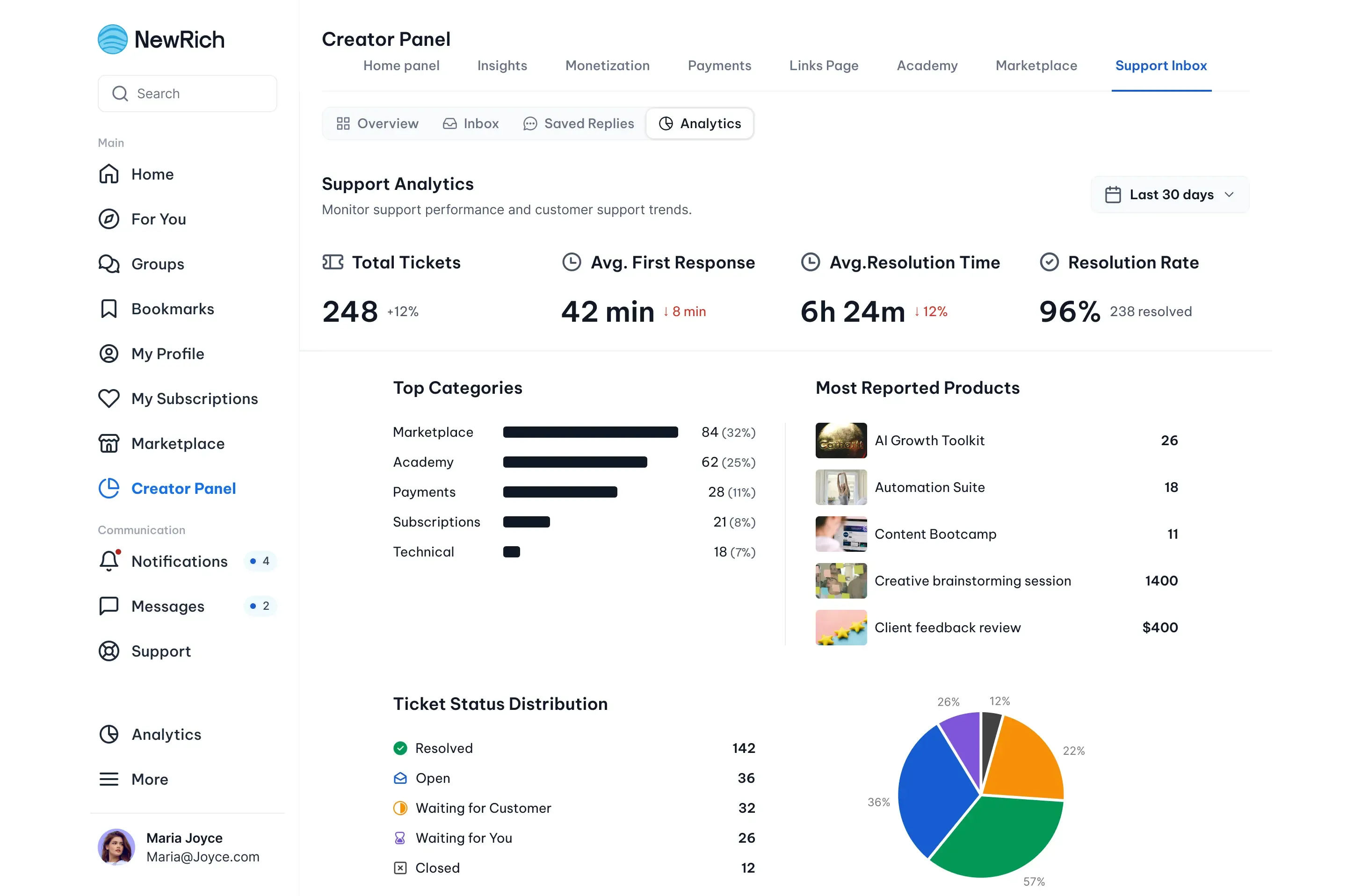
Support Analytics
Use the Analytics tab to monitor your support performance.
Available metrics include:
- Total tickets
- Average first response time
- Average resolution time
- Resolution rate
- Most common ticket categories
- Most reported products
- Ticket status distribution