

Request a Refund
Request a Refund
If you're experiencing an issue with a purchase, you can request a refund directly from your Purchase History.
A refund request allows the creator to review your case before it is escalated further. In most situations, requesting a refund is the fastest way to resolve payment issues.
When You Can Request a Refund
You can request a refund if you believe there is a problem with your purchase, for example:
- You purchased the wrong product.
- You didn't receive access to the content.
- The content doesn't match its description.
- You experienced a technical issue.
- Another issue prevented you from using your purchase.
How to Request a Refund
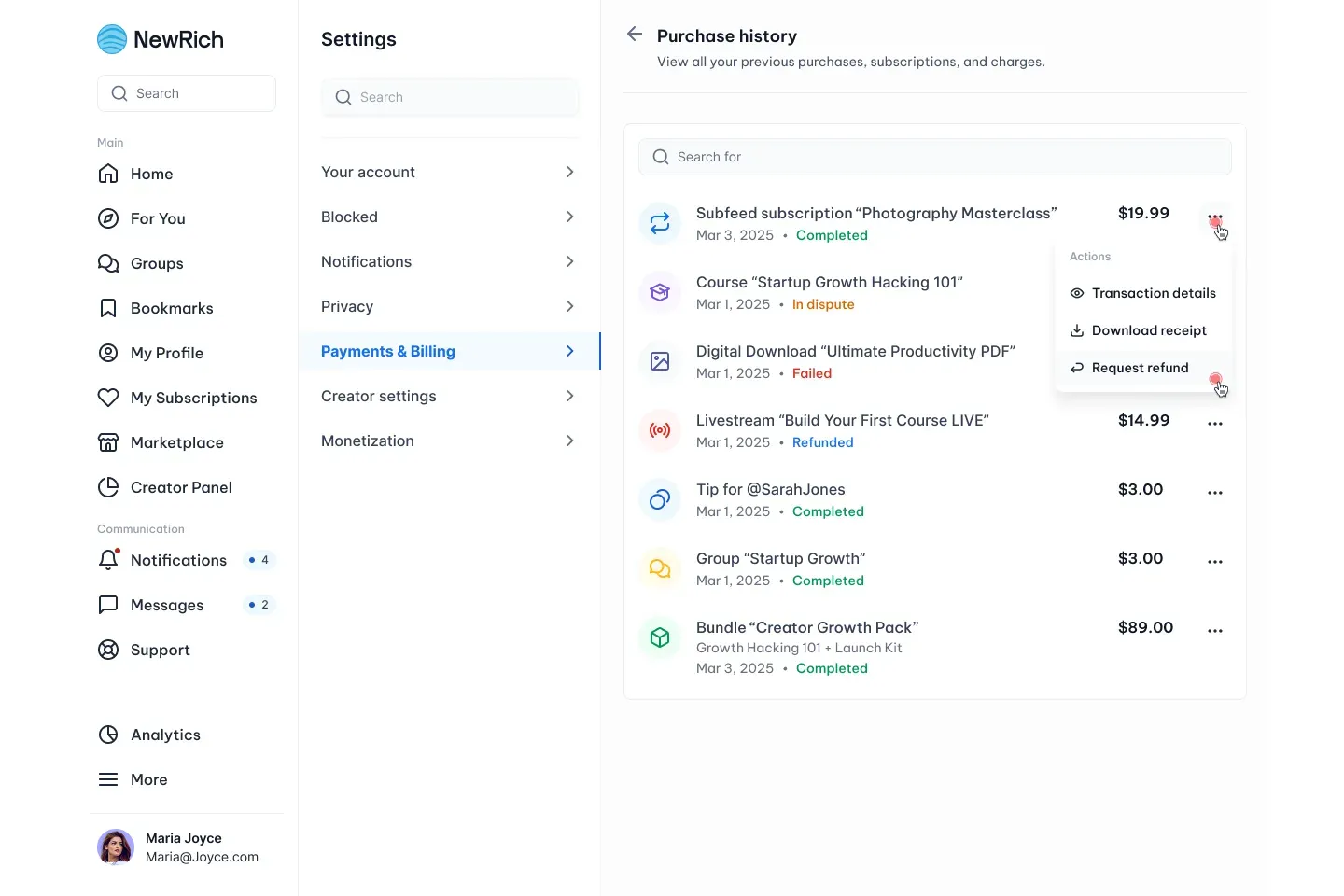
- Go to Settings → Payments & Billing → Purchase History.
- Find the purchase you want to review.
- Open the More (...) menu.
- Select Request Refund.
The refund request form will open.
Completing the Refund Request
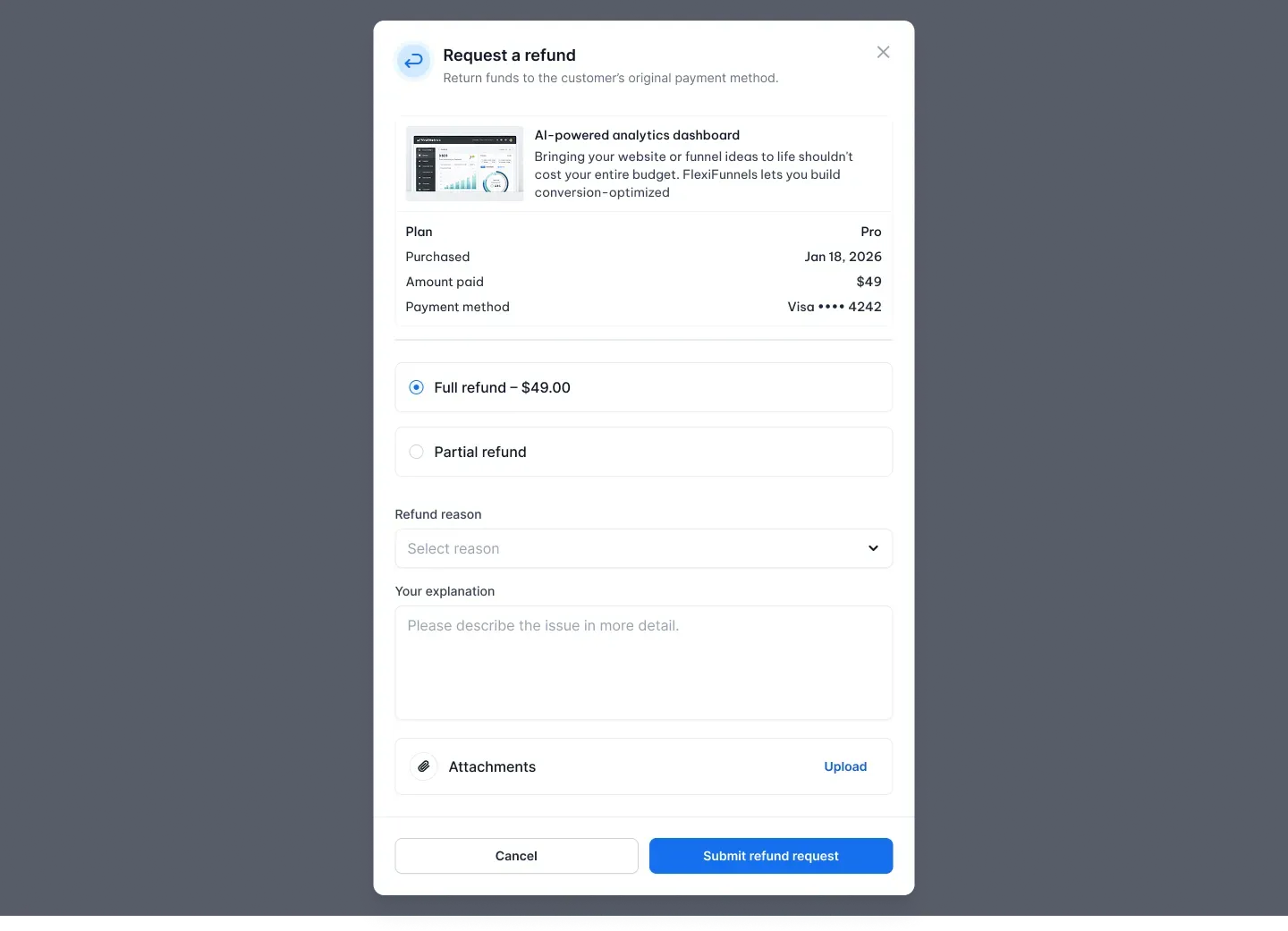
Choose whether you'd like to request:
- Full refund – Request the full amount you paid.
- Partial refund – Request only part of the purchase amount.
Next, provide:
- A refund reason.
- A description explaining the issue.
- Optional supporting attachments, such as screenshots or other relevant files.
When everything is complete, click Submit Refund Request.
Confirming Your Request
Before your request is submitted, you'll see a confirmation screen displaying:
- The product name.
- The refund amount.
- The payment method that will receive the refund.
- The estimated processing time.
Click Confirm Refund to send your request.
Tracking Your Refund Request
After submission, your request appears in Purchase History with the Refund Requested status.
You can open View Refund Request Details at any time to see:
- Current refund status.
- Requested refund amount.
- Original payment method.
- The reason you selected.
- The creator's response, once available.
What Happens Next
After your refund request has been submitted:
- The creator reviews your request.
- You may be contacted if additional information is required.
- You'll receive a notification once a decision has been made.
If the refund is approved, the payment will be returned to your original payment method.
If the refund is declined, you'll be notified of the decision.
If Your Refund Request Is Declined
If your refund request is rejected and you still believe the decision is incorrect, you may be able to submit a Payment Dispute for an additional review.
For more information, see Dispute Payments.
Important Notes
- Refund requests are reviewed individually by the creator.
- Providing clear details and supporting evidence can help speed up the review process.
- Refunds are returned to the original payment method used for the purchase.
- Processing times may vary depending on your payment provider.
- A payment dispute can only be submitted after a refund request has been declined.