Subfeed content access
How users access your Subfeed content
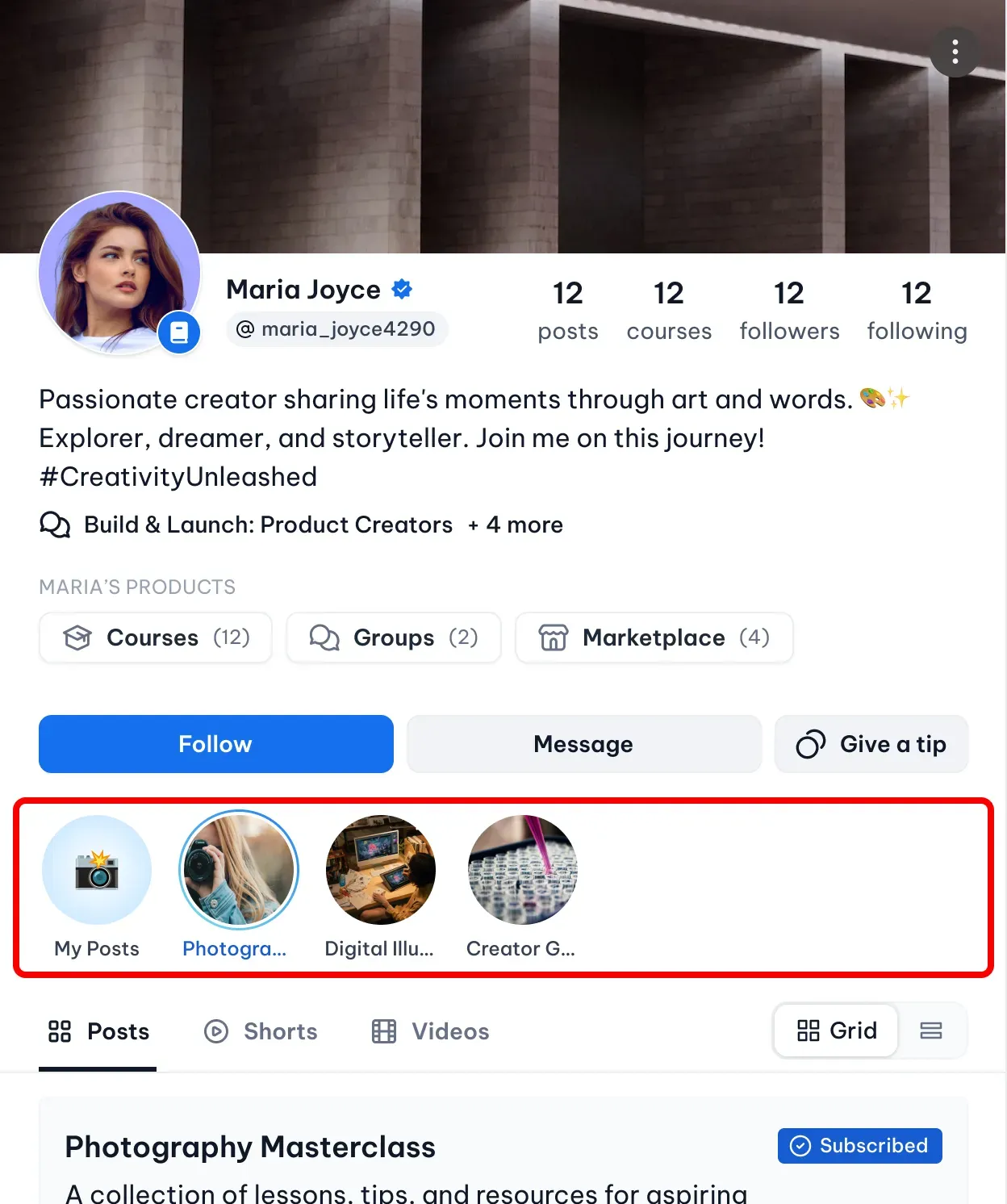
Subfeeds help you organize your content and control how your audience accesses it. Each Subfeed has its own access model, allowing you to offer both free and premium content within your creator profile.
Visitors can open a Subfeed directly from your profile by selecting it from the list of available feeds. Depending on how the Subfeed is configured, they may be able to access the content immediately or be asked to purchase access before viewing premium posts.
Access models
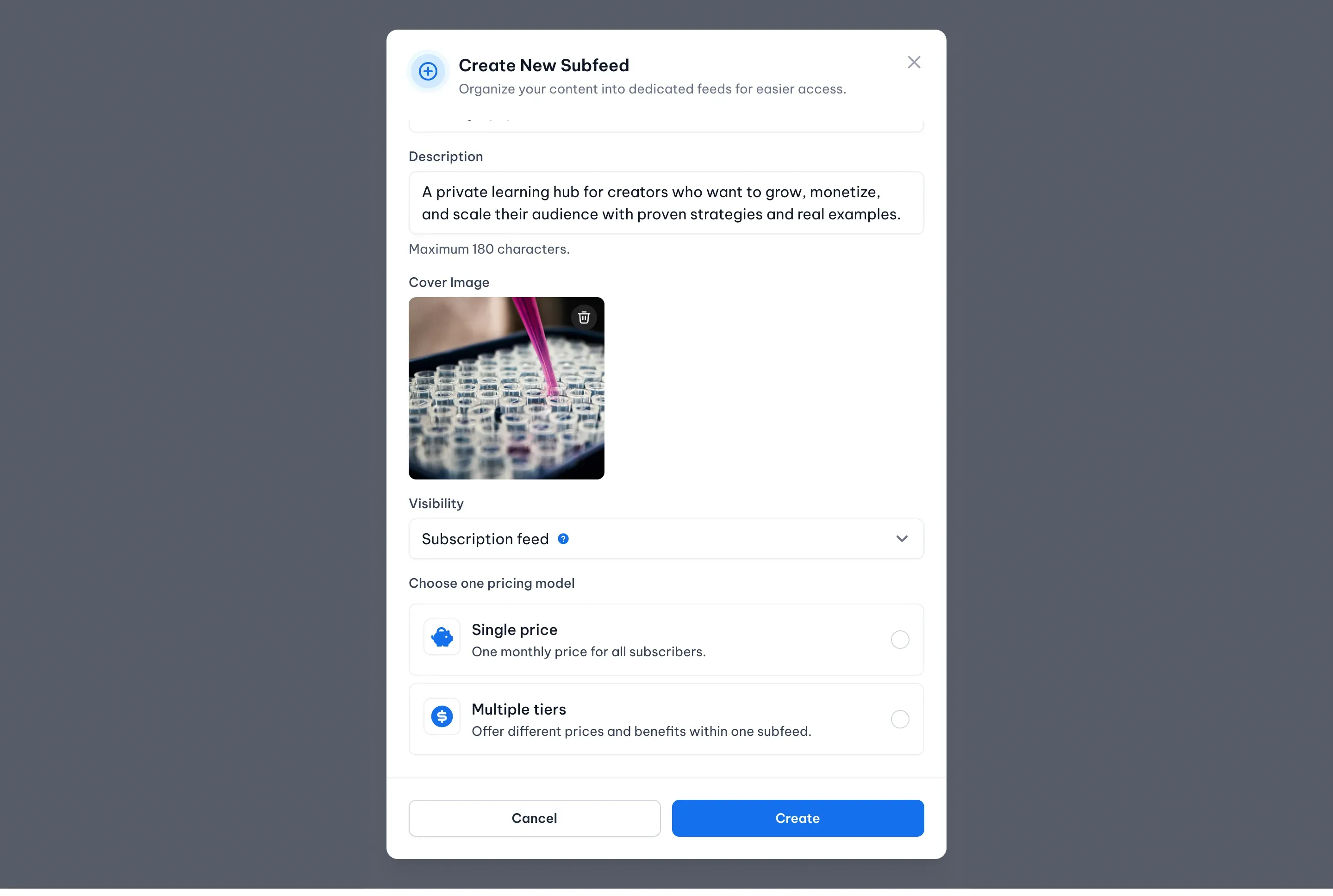
Choose how users access the content in your Subfeed.
- Pay-Per-Post - With Pay-Per-Post, users can browse your Subfeed for free and decide which premium posts they'd like to purchase individually.
This model is ideal if you want to sell content one post at a time while keeping the rest of your Subfeed publicly visible. - Subscription - With Subscription, users purchase access to the entire Subfeed through an active subscription.
Once subscribed, members can view all content included in their subscription plan without purchasing individual posts.
Subscription Tiers
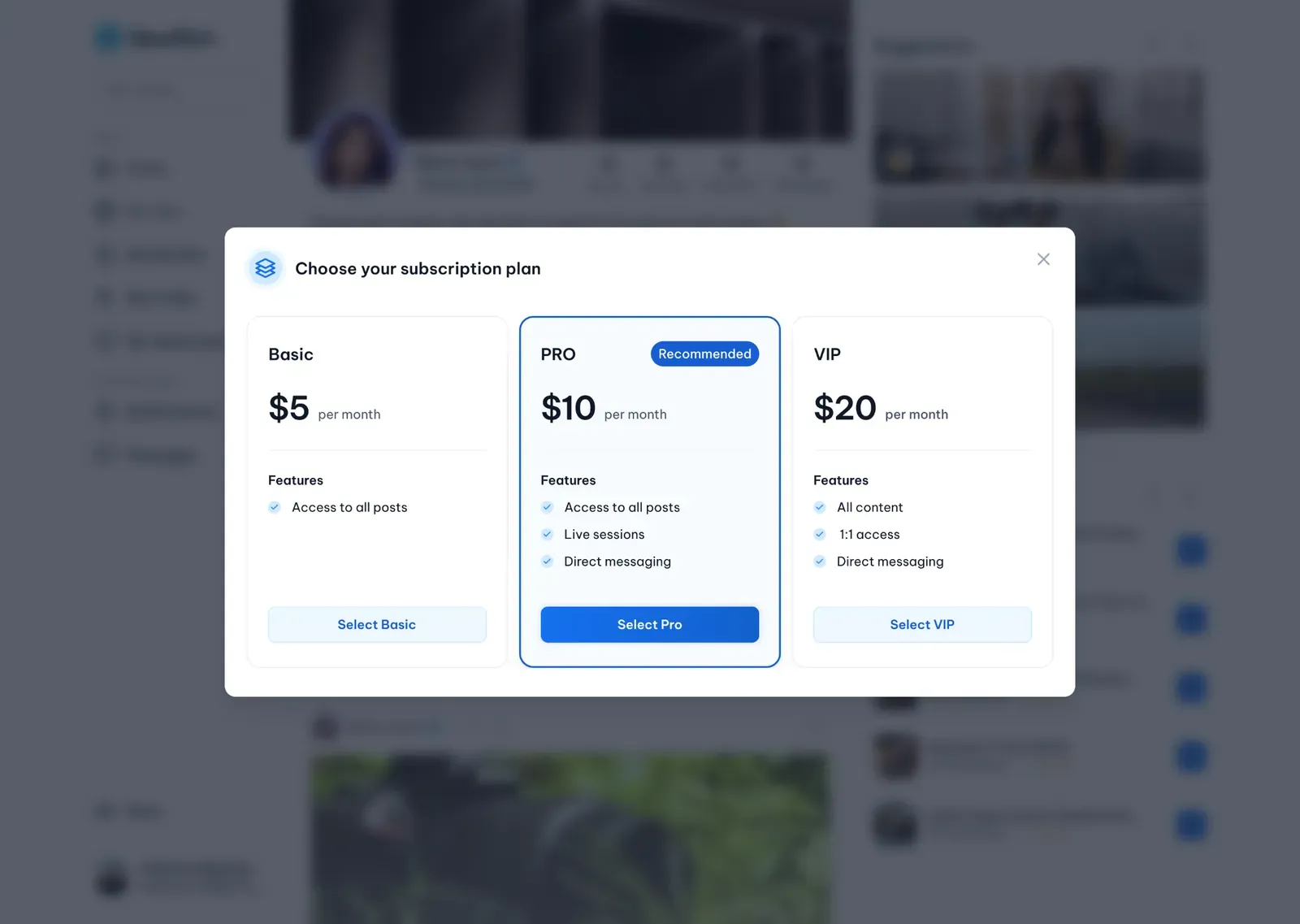
Subscription Subfeeds can offer multiple membership plans.
Each tier has its own monthly price, benefits, and access permissions, allowing you to provide different levels of content and rewards for your subscribers.
For example, you might offer:
- Basic – Access to all posts.
- Pro – Access to posts, live sessions, and direct messaging.
- VIP – Everything included in Pro, plus exclusive content or additional perks.
Subscribers simply choose the plan that best matches their needs.