Set up payments
Set up payments
Before you can receive earnings on NewRich, you'll need to add and verify a payout method.
Once your payout method is verified, you'll be able to receive earnings from courses, subscriptions, tips, digital products, and other paid content directly through the Creator Panel.
To help you manage your earnings, NewRich also provides tools to track payouts, view payment history, monitor deductions, and manage your payout methods.
How to Add a Payout Method
Before you can receive earnings on NewRich, you'll need to add a payout method to your account.
To add a payout method:
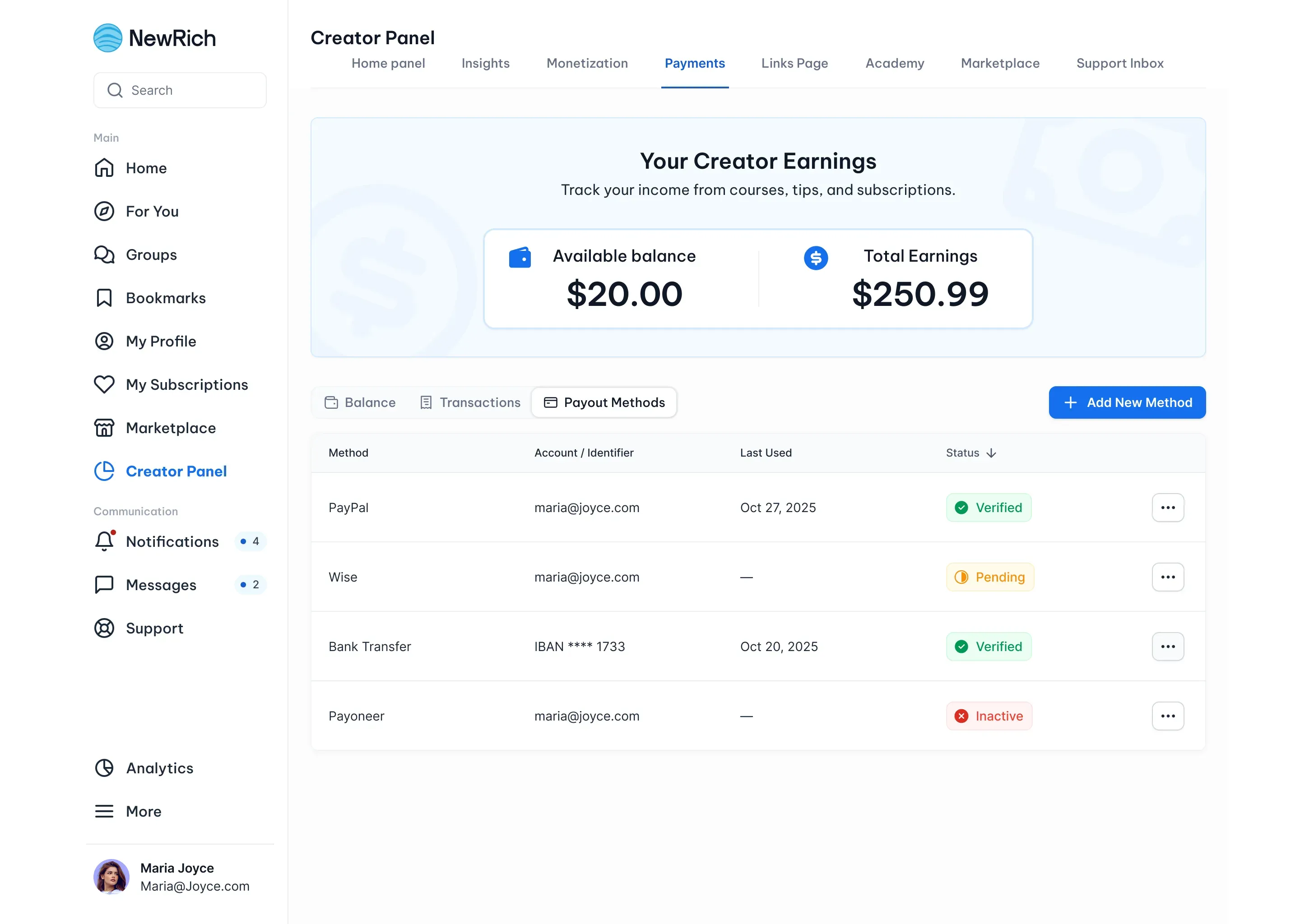
- Go to Creator Panel → Payments → Payout Methods.
- Click Add New Method.
- Choose your preferred payout method:
- PayPal
- Wise
- Payoneer
- Bank Transfer (IBAN + SWIFT)
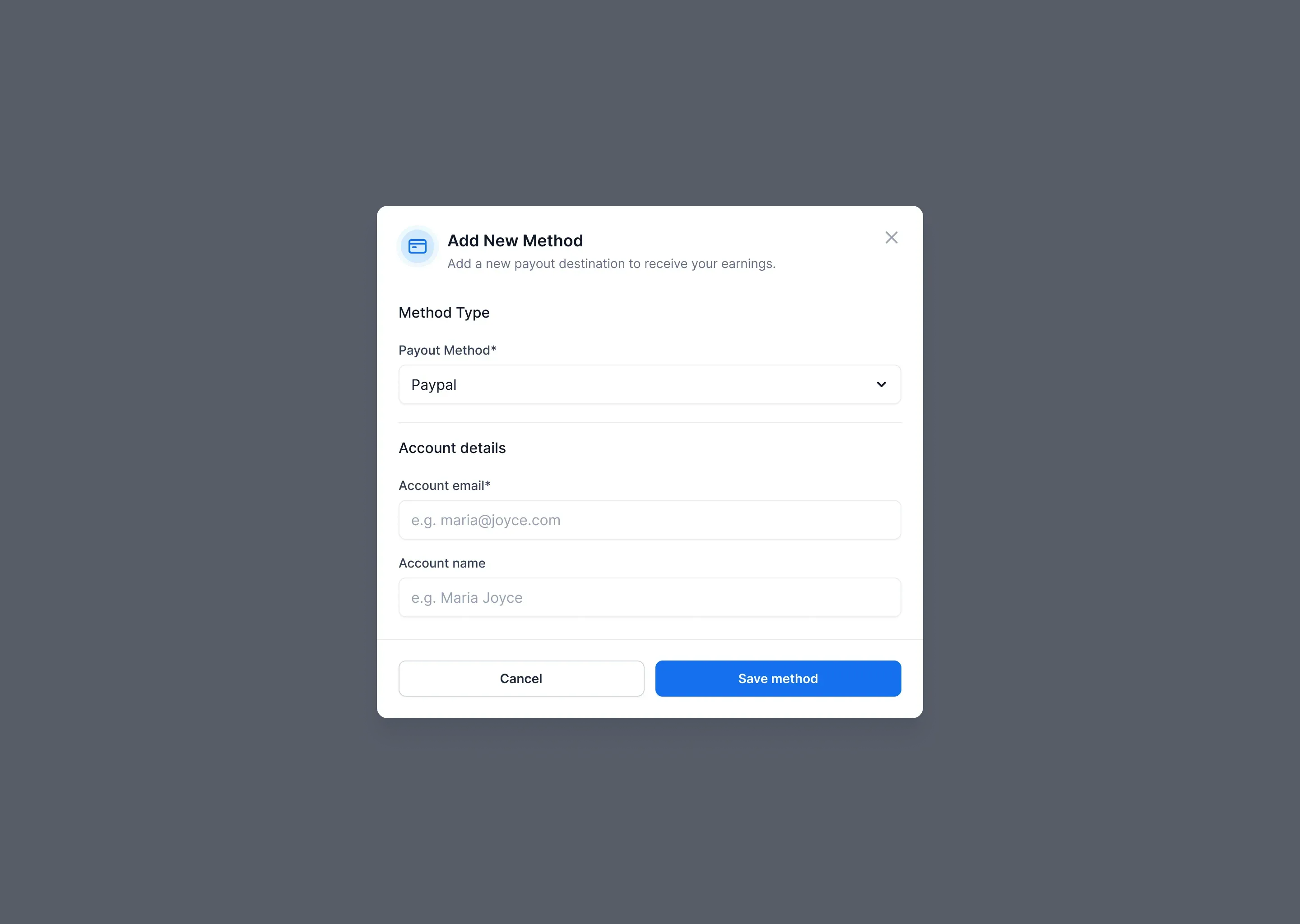
- Enter the required account details.
- Click Save Method.
Once your payout method has been added, it will appear in the Payout Methods list with a Pending status while it's being verified.
You'll be able to receive payouts after the verification process is complete.
Email-based payout methods
PayPal, Wise, and Payoneer are email-based payout methods. When adding one of these methods, provide:
- Account email
- Account holder name
Your payout method will usually be verified automatically or within a short period of time.
Bank Transfer
Choose Bank Transfer if you'd like to receive payouts directly to your bank account. Provide the following information:
- Account holder name
- IBAN
- BIC / SWIFT
- Bank name (Optional)
Verification times may vary depending on your bank and country.
Managing Payout Methods
The Payout Methods page lets you manage all of your payout accounts in one place. From here, you can:
- View the verification status of each payout method.
- See which payout method was used for your most recent withdrawal.
- Remove payout methods you no longer use.
- Add multiple payout methods.
- Choose which payout method to use when requesting a withdrawal.
Withdrawing Your Earnings
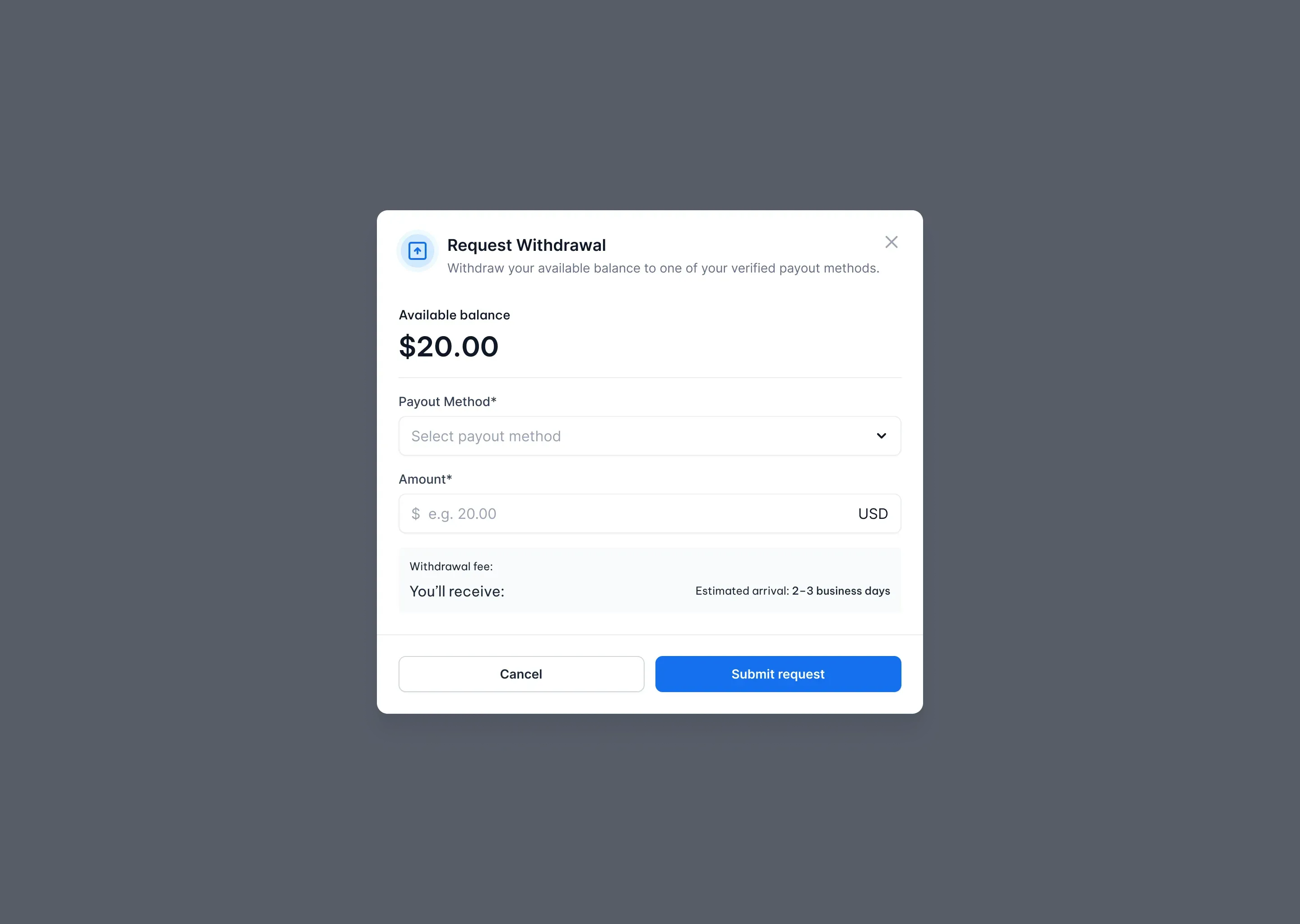
Once you have at least one Verified payout method, you can request a withdrawal at any time. To request a withdrawal:
- Open Creator Panel → Payments → Balance.
- Click Request Withdrawal.
- Select the payout method you'd like to use.
- Enter the withdrawal amount.
- Review the withdrawal summary, including any applicable fees and the final amount you'll receive.
- Click Submit Request.
Your payout will typically be processed within 2–3 business days, depending on the selected payout method.