

Report content or users
Report content or users
NewRich allows you to report content or users that violate the platform's Community Guidelines. Reporting helps keep the community safe by allowing the moderation team to review harmful content, inappropriate behavior, or accounts that may be breaking platform rules.
Reports can be submitted at any time and are reviewed by the moderation team.
Starting a Report
Reports can be created directly from the content or profile you want to report.
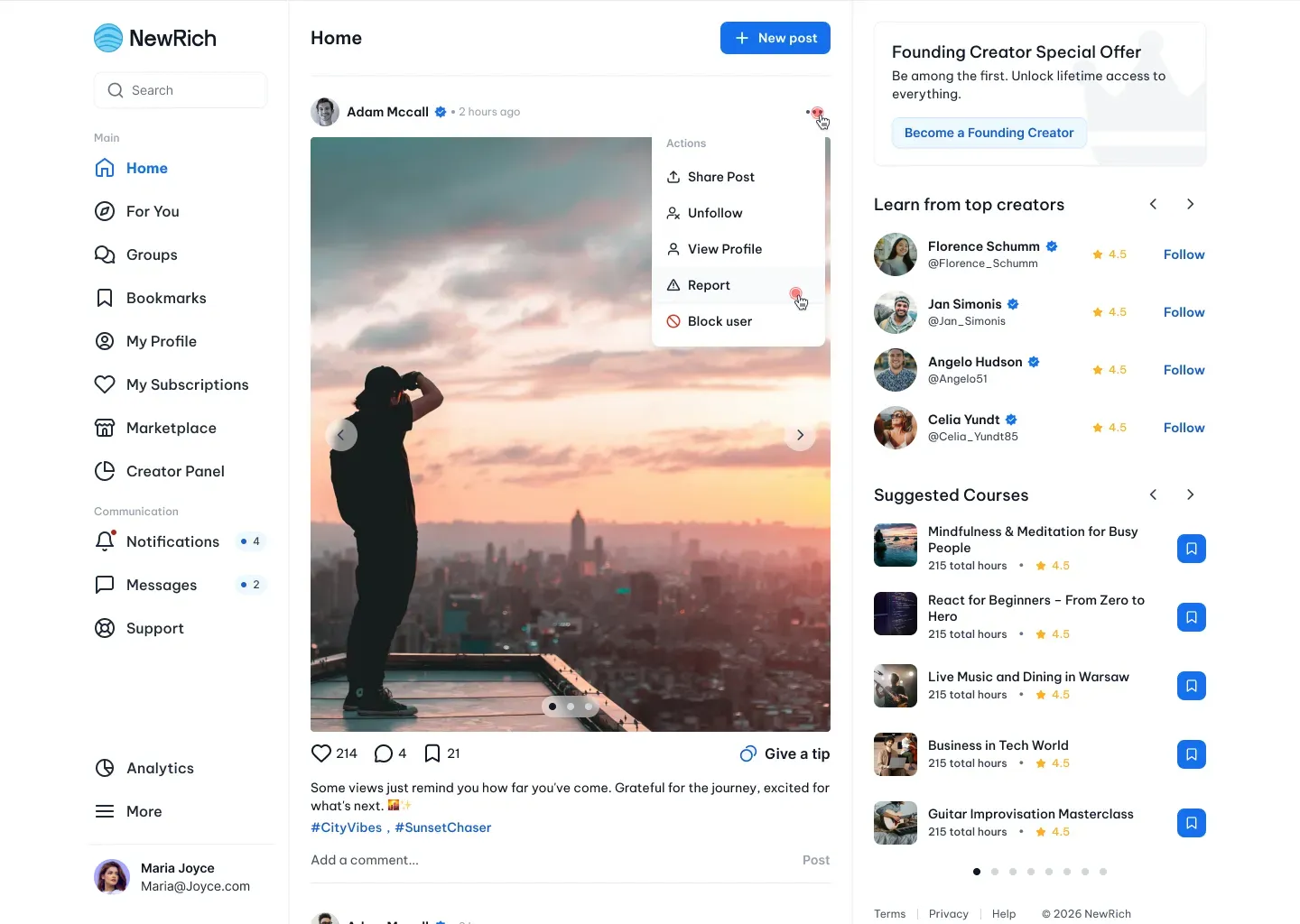
- To report a post, open the Actions menu and select Report.
- To report a creator or member, open their profile, access the Actions menu, and choose Report.
The reporting experience is the same regardless of where the report is started.
Choosing a Report Reason
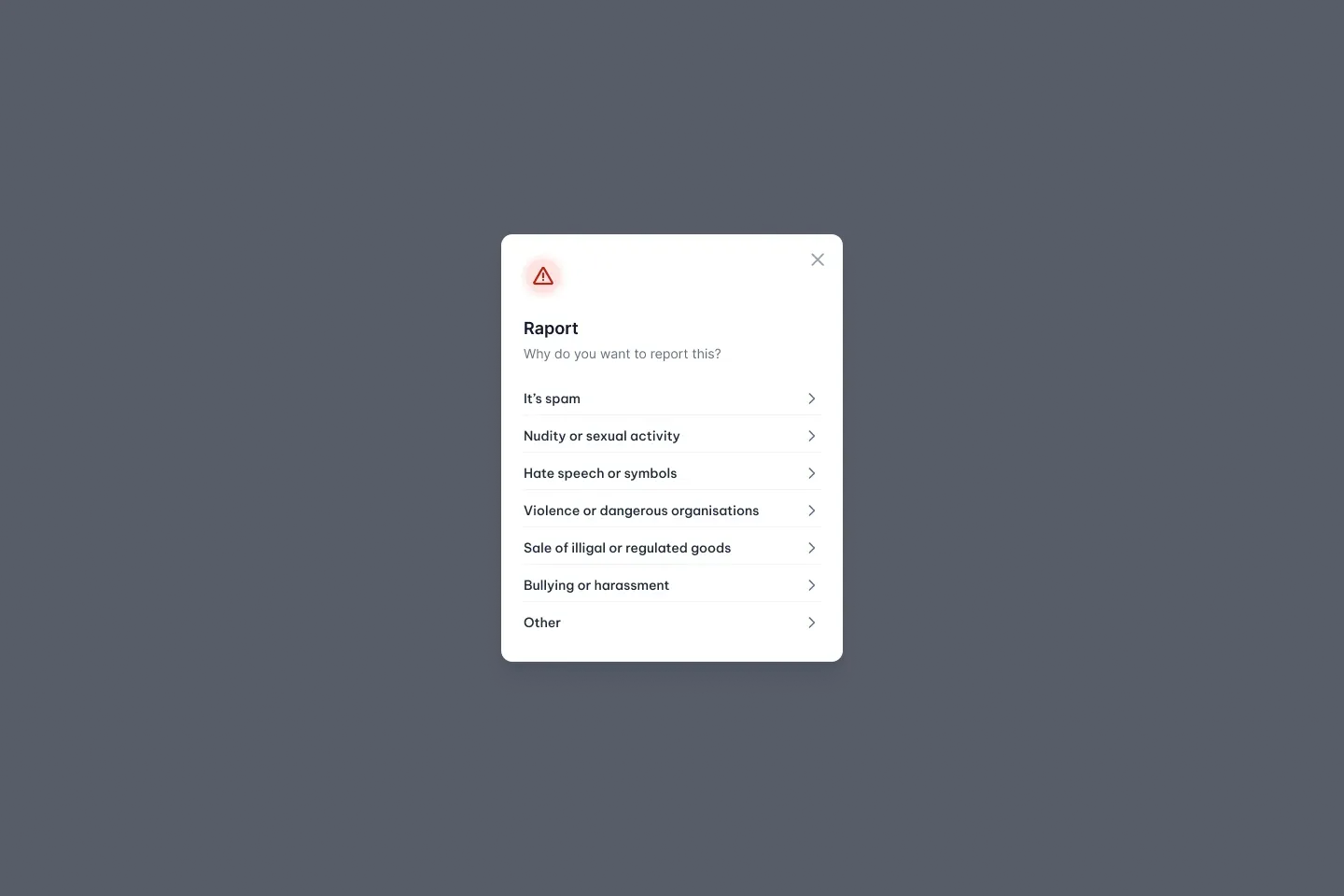
When reporting content or a user, you'll first be asked to select the reason for your report.
NewRich provides several predefined categories, including spam, harassment, hate speech, nudity, illegal goods, violence, and other common policy violations. Selecting the most appropriate category helps the moderation team review reports more efficiently.
If none of the predefined options match the situation, choose Other to provide additional information.
Providing Additional Details
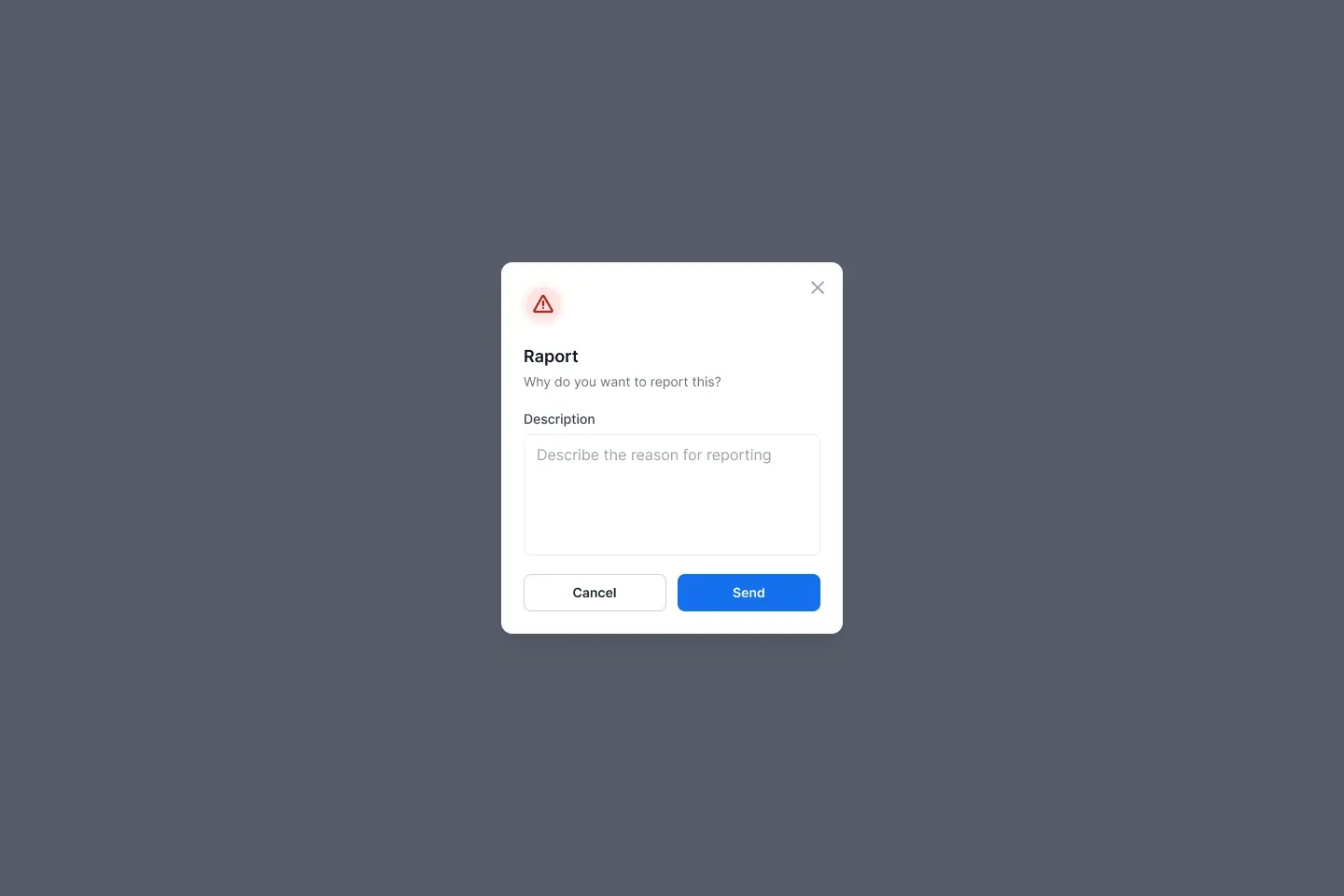
When Other is selected, you'll be asked to briefly describe why you're submitting the report.
Providing clear details gives moderators additional context and helps them investigate the report more accurately.
Submitting a Report
After reviewing your report, select Send to submit it.
Your report is securely delivered to the moderation team for review. Once submitted, you'll receive a confirmation that the report has been successfully sent.
Reports are handled privately, and creators or other members aren't notified about who submitted them