

Content-specific analytics
Content-specific analytics
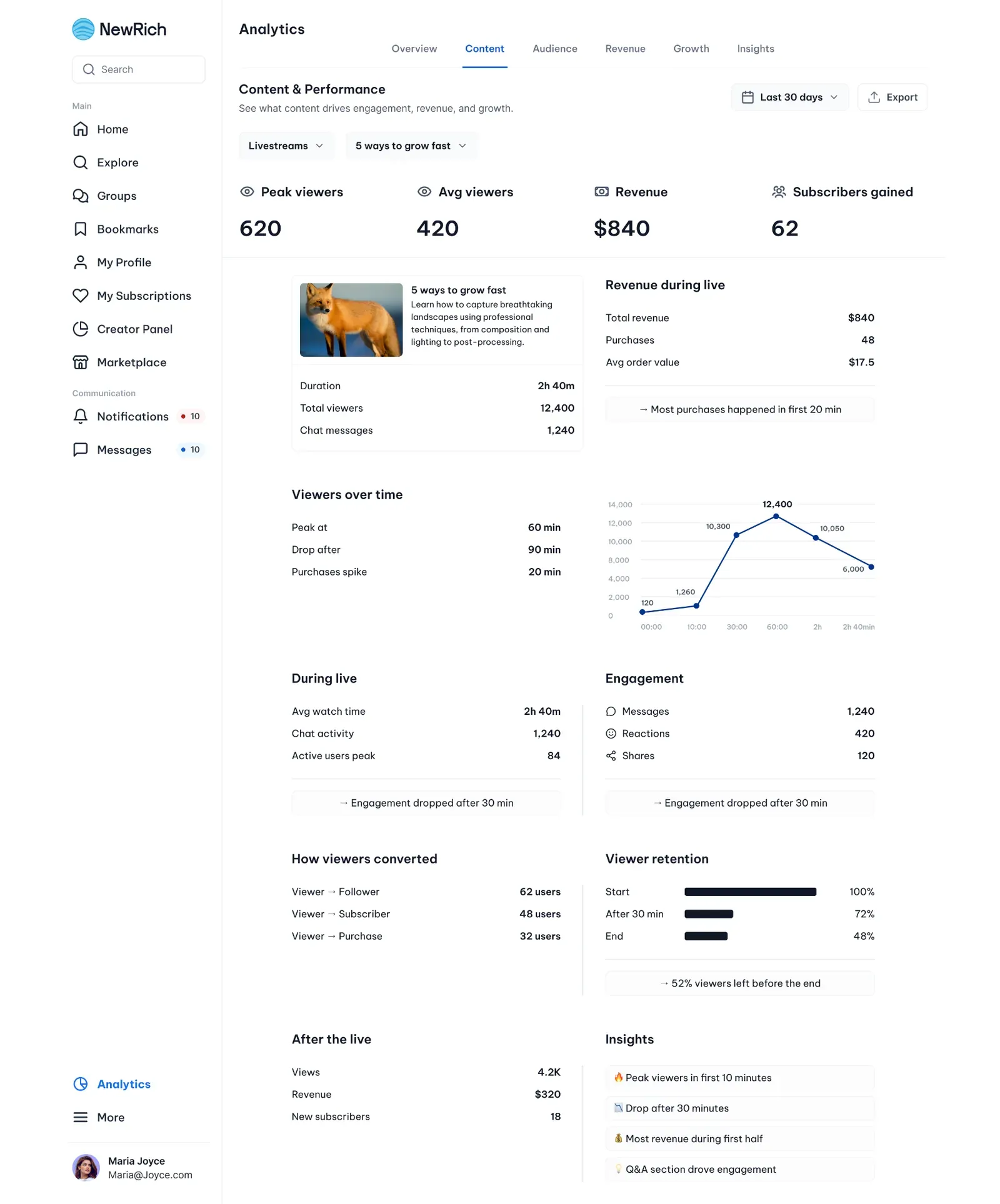
Advanced Analytics includes dedicated experiences for:
Track enrollments, completion rates, lesson performance, drop-off points, student acquisition, and revenue generated by each course.
Subfeeds
Measure subscriber growth, subscription revenue, tier performance, retention, churn, engagement, and subscriber conversion across individual subfeeds.
Posts
Analyze views, clicks, purchases, engagement, revenue, traffic sources, and content conversion for every individual post.
Livestreams
Review live attendance, peak viewers, watch time, purchases during broadcasts, viewer retention, chat activity, and post-event performance.
Monitor member growth, activity, engagement, retention, conversions, and overall community health across private and public groups.
Audience
The Audience section helps creators understand who their users are, how they behave, and which audience segments generate the most engagement and revenue.
Rather than focusing only on content performance, Audience Analytics provides insights into customer behavior, purchasing habits, engagement patterns, retention, and lifetime value, helping creators build stronger relationships with their audience and optimize future growth.
Audience Overview
The Audience dashboard provides a high-level summary of creator performance across the entire user base.
Creators can:
- understand who their paying customers are
- analyze buyer behavior and purchasing patterns
- compare new vs returning users
- identify their most valuable audience segments
- discover how users find their content
- export audience reports
- filter analytics by custom date ranges The overview highlights key metrics such as:
- Total users
- Paying users
- Conversion to paid
- Average revenue per user (ARPU) It also surfaces:
- top paying customers
- buyer behavior
- acquisition sources
- audience segments
- engagement trends
- platform-generated insights
User Segments
Audience Analytics automatically groups users into meaningful segments based on behavior and purchasing activity.
Example segments include:
- Top Fans
- Silent Buyers
- At-Risk Users Each segment provides additional insights such as:
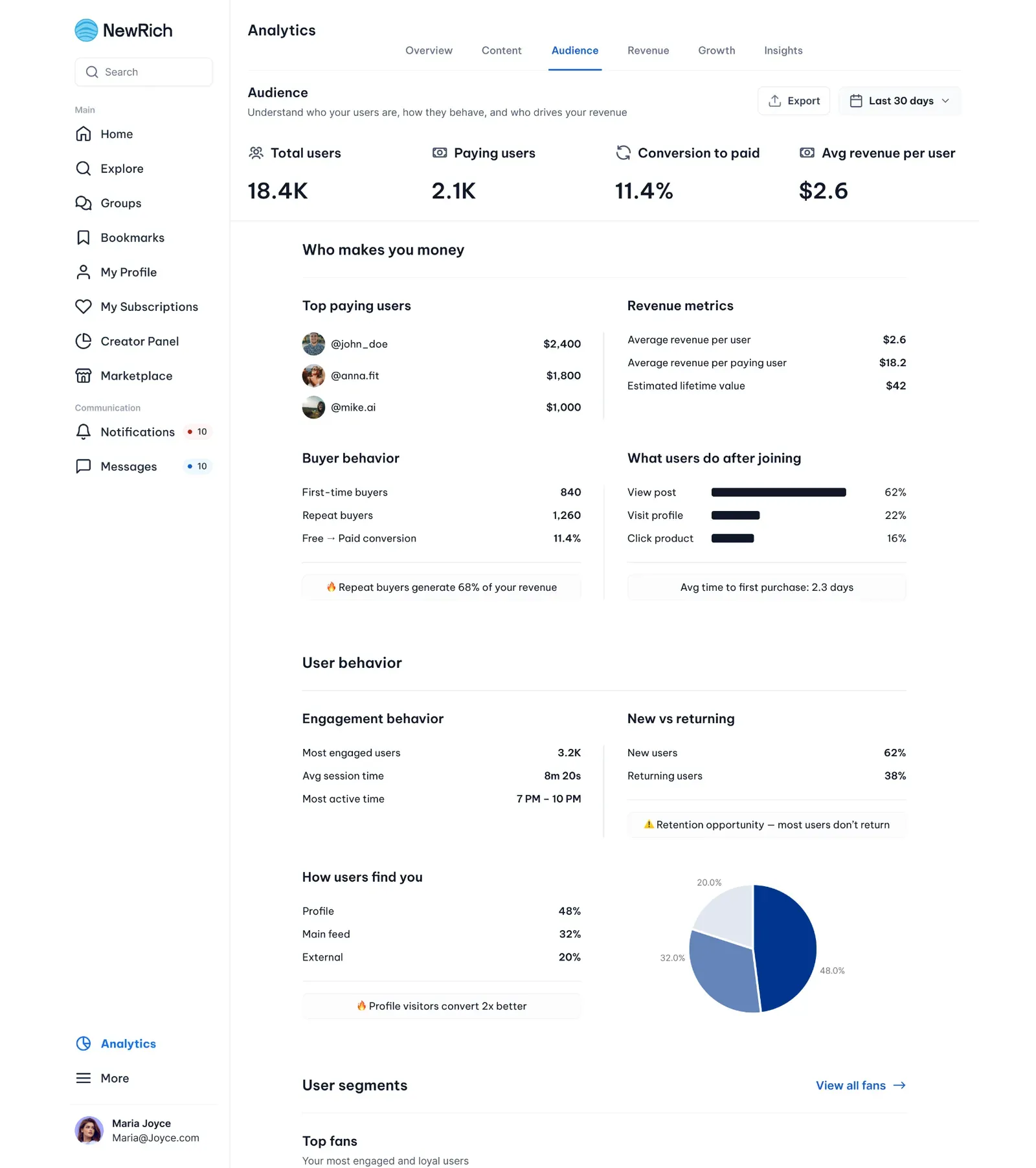
- number of users
- average spend
- engagement level
- contribution to revenue
- churn risk This helps creators quickly identify loyal supporters, inactive customers, and audiences that may require re-engagement.
Users List
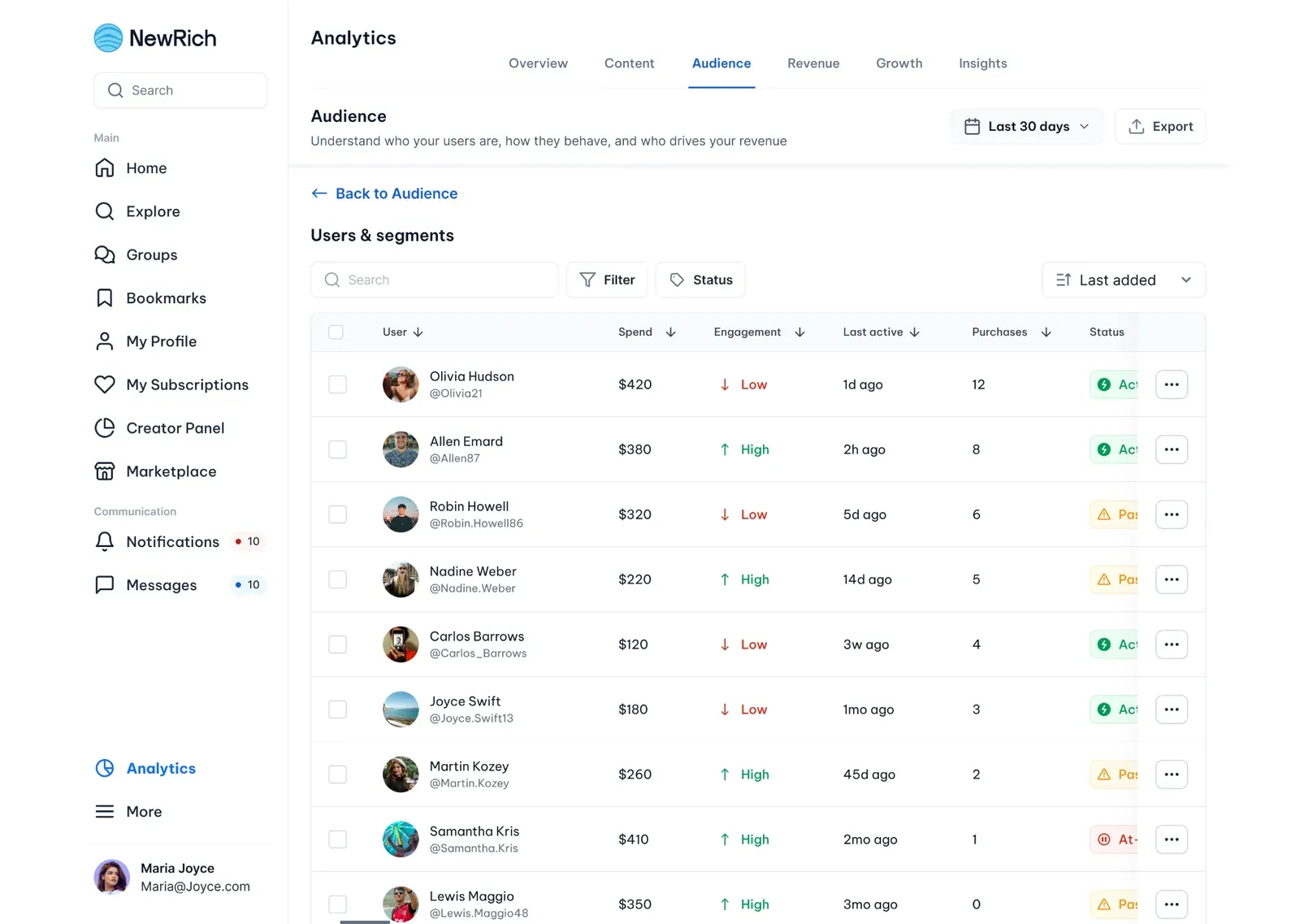
The Users section provides a searchable list of every customer and follower associated with the creator.
Creators can:
- search users
- filter by activity or status
- compare spending and engagement
- monitor purchase history
- identify high-value customers
- open detailed user analytics Each row displays important information including:
- spending
- engagement level
- purchases
- last activity
- account status
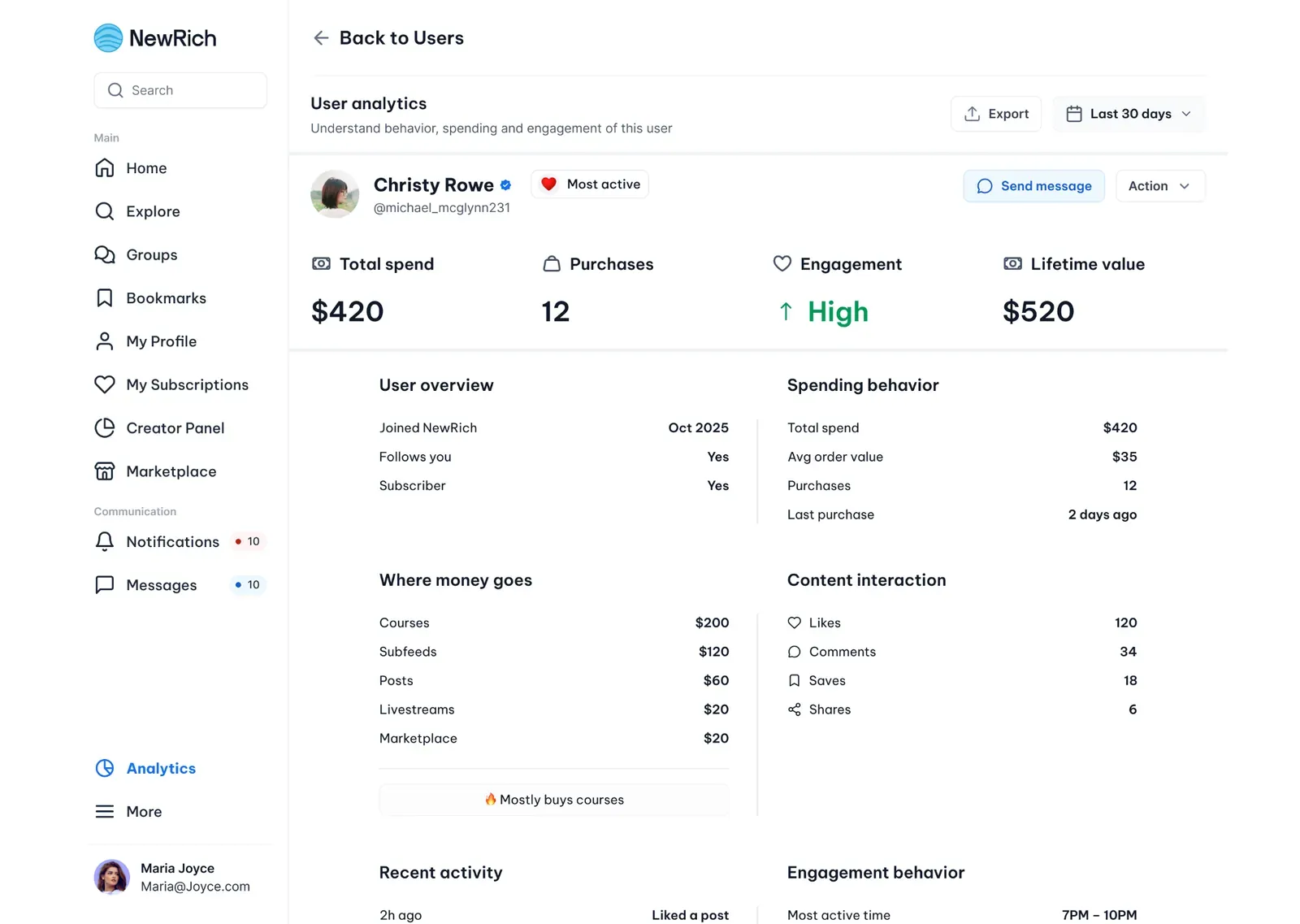
User Analytics
Selecting a user opens a dedicated analytics page showing the complete relationship between the creator and that customer.
The User Analytics page includes:
- customer overview
- lifetime value
- spending behavior
- purchase history
- engagement history
- recent activity
- content interactions
- conversion journey
- retention and churn indicators Creators can quickly understand how individual users engage with their content and identify opportunities to improve retention or increase lifetime value.
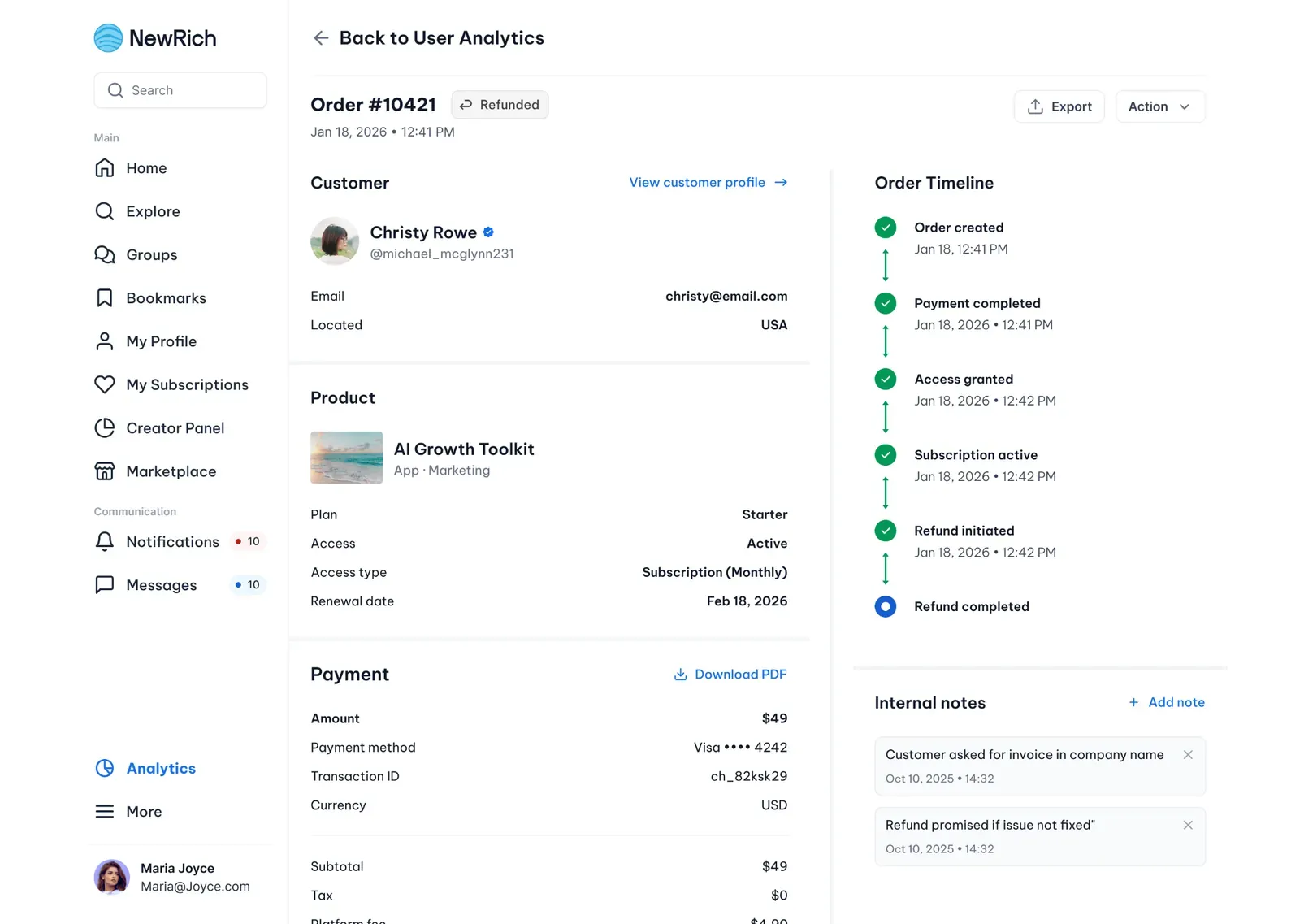
Order Details
Every purchase can be opened from the user's purchase history to display a detailed order summary.
The Order Details page includes:
- customer information
- purchased product
- subscription or access details
- payment information
- refund status
- order timeline
- internal notes
- downloadable invoice or receipt This allows creators to review the complete lifecycle of every transaction directly from Audience Analytics.
Revenue
The Revenue section helps creators understand where their income comes from and which content generates the most revenue.
Creators can monitor overall earnings, compare different revenue sources, analyze product performance, track refunds, and identify opportunities to increase revenue.
Features
- Revenue Overview
- Revenue Sources
- Top Earning Content
- Marketplace Products
- Product Analytics
- Pricing Performance
- Refund & Revenue Tracking
- Revenue Trends
Revenue Overview
Provides a high-level summary of earnings, including total revenue, average revenue per user, conversion rate, and refund rate. It also highlights top-performing content, revenue distribution, pricing insights, and overall revenue trends.